


Direct Answer
Top software options for crafting bird’s-eye view floor plans include advanced 3D layout planners, architectural drafting programs, and AI-driven design assistants. These tools enable users to create precise top-down home layouts, visualize interior spaces, and produce polished bird’s-eye views ideal for presentations or remodeling.
For homeowners and novices alike, browser-based 3D design platforms provide the quickest method to generate clear bird’s-eye floor plans without specialized architectural knowledge.
Quick Takeaways
Introduction
With over ten years of residential interior design experience, I've observed that clients often find floor plans confusing until viewing a bird’s-eye perspective. While traditional blueprints may seem daunting, a straightforward top-down visualization instantly clarifies spatial arrangements.
This explains why bird’s-eye floor plan software has surged in popularity. Homeowners want to experiment with layouts pre-renovation, real estate agents seek better listing visuals, and designers need rapid ways to communicate spatial concepts.
Starting with interactive design platforms that generate top-down views as you position walls and furnishings is an effective approach. Curious about their functionality? Exploring how 3D planners create accurate bird’s-eye layouts is a helpful first step.
This guide reviews software categories proven effective in real-world scenarios—from user-friendly planners to professional architectural tools—and highlights key considerations when crafting clear bird’s-eye floor plans.
save pin
What Software Is Used to Create Bird’s-Eye Floor Plans
Key Insight: Nowadays, most bird’s-eye floor plans are produced automatically from detailed 3D models rather than drawn manually.
Traditionally, architects generated plans via CAD line drawings. Although still used, modern workflows start with a 3D room model that, once walls, doors, and furniture are added, allows instant switching to a bird’s-eye view.
This evolution significantly reduces mistakes and accelerates design communication.
Popular software categories include:
According to the American Institute of Architects, digital 3D modeling has become the primary method for visualizing residential designs because it enables multiple plan perspectives, including bird’s-eye views, from a single model.
Top Tools for Beginners and Homeowners
Key Insight: Beginners benefit more from visual layout planners than complex drafting software.
In my work with homeowners, the main hurdle isn’t imagination but software complexity. CAD programs may take months to master, whereas modern layout tools can produce neat bird’s-eye plans within minutes.
Beginner-focused tools typically offer features such as:
If you’re new to designing, trying out a platform that enables quick house layouts from scratch can quickly demonstrate how bird’s-eye views are generated.
A frequent error is attempting to replicate intricate architectural drawings early on. Initial planning should prioritize spatial clarity over technical detail.
save pin
Professional Architectural Floor Plan Software
Key Insight: Advanced design software emphasizes precision, documentation, and construction alignment more than rapid visualization.
Experienced architects and designers tend to use comprehensive systems for bird’s-eye floor plans.
Typical professional tools include:
These platforms support detailed components such as:
However, the trade-off is higher complexity. While extremely accurate, these tools tend not to be the fastest for conceptual designs.
save pin
Features to Look for in Floor Plan Tools
Key Insight: The most effective bird’s-eye floor plan software prioritizes spatial clarity over decorative effects.
After testing numerous design tools, certain features consistently improve outcomes the most.
Essential features include:
A noteworthy but often overlooked function is automatic perspective switching—letting users design in 3D yet instantly view the top-down layout, enhancing decision-making.
Increasingly, designers use tools offering smart layout suggestions based on simple room inputs to accelerate initial planning.
save pin
Free vs Paid Floor Plan Design Software
Key Insight: Free tools suffice for exploring layouts, but professional-level presentations typically need paid solutions.
Differences mainly involve output quality and customization options.
Advantages of free software include:
Limitations found in free versions include:
Homeowners planning remodels can often rely on free planners; however, architects or designers delivering client proposals usually require high-resolution exports and advanced controls.
Choosing the Right Tool for Your Project
Key Insight: Selecting bird’s-eye floor plan software depends more on the project phase than user expertise.
During initial concept stages, speed matters more than exactness; later phases demand technical precision.
Preferred tools vary by project stage:
An often neglected factor is communication clarity. The most effective bird’s-eye plans are those clients instantly comprehend, even if they lack perfect technical detail.
Answer Box
The simplest method to craft bird’s-eye floor plans is utilizing 3D layout software that automatically generates top-down perspectives. These tools let users build a home model once, then toggle between 3D and bird’s-eye views smoothly.
Final Summary
FAQ
What software is best for creating bird’s-eye floor plans?
3D floor planners, interior design applications, and architectural drafting tools are commonly employed for bird’s-eye floor plan creation.
Can beginners create bird’s-eye house floor plans?
Absolutely. Many drag-and-drop platforms enable novices to design rooms and generate bird’s-eye floor plans automatically.
Is there free software to create bird's eye floor plans?
Yes. Several online planners offer basic bird’s-eye floor plan generation free of charge, though with limited exporting features.
Do architects use bird’s-eye floor plans?
Yes. Bird’s-eye floor plans are popular among architects because they visually communicate space layout effectively to clients.
What’s the difference between a floor plan and a bird’s-eye floor plan?
A floor plan is a technical schematic, while a bird’s-eye floor plan emphasizes clear top-down spatial visualization.
Can AI generate bird’s-eye house layouts?
Indeed. Some modern tools produce automatic bird’s-eye layouts based on room dimensions or simple sketches.
Do bird’s-eye floor plans need accurate measurements?
Accurate dimensions are crucial for renovation or construction projects, whilst conceptual designs often tolerate approximate layouts.
What file formats can bird’s-eye floor plans be exported as?
Most software allows exporting bird’s-eye floor plans in PNG, JPG, or PDF formats for presentations and documentation.
References
American Institute of Architects – Insights on digital design workflows
National Association of Home Builders – Trends in residential design technology
Among the recommended platforms for creating intuitive bird’s-eye floor plans is Homestyler, known for its user-friendly interface and automatic 3D to top-down view switching, which greatly aids both beginners and professionals in visualizing layouts.
Built on technology originally developed at Autodesk, Homestyler empowers anyone to design beautiful, realistic spaces in minutes. Join over 18 million users who have already discovered a smarter way to plan, visualize, and bring their dream homes to life — all from the comfort of a browser.
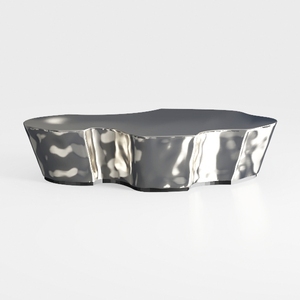

Modern Polished Metal Irregular Shaped Coffee Table 3D Model

Modern Marble Top Fluted White Solid Wood Round Coffee Table 3D Model
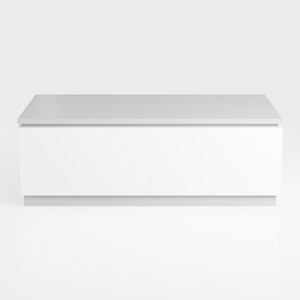
Minimalist White Solid Wood Two Drawer Coffee Table 3D Model
Homestyler is an easy-to-use online home design platform offering powerful 3D rendering, inspiring design projects, and helpful DIY video tutorials. It’s perfect for bringing your interior ideas to life with professional tools and creativity at your fingertips.
Design Now for FREE
































