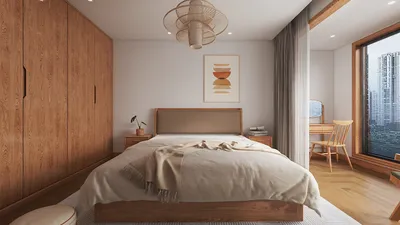


In an age where streaming platforms like DIRECTV shape our entertainment choices, designing a living room that enhances screen visibility and sound experience becomes essential. Thoughtful spatial planning with comfortable seating and adjustable lighting can transform a home theater setup, ensuring technology integrates seamlessly into your living space while supporting relaxed viewing habits.
Executive Summary
An open-concept living and dining design offers brightness, openness, and adaptability — yet without dividing walls, every decision regarding sofa placement, dining table arrangement, and pathways influences whether the environment feels purposeful or cluttered. Utilizing an AI-powered open living-dining room layout strategy allows you to explore multiple zoning concepts, evaluate traffic circulation, and preview furniture arrangements before settling on a definitive setup. This guide discusses fundamental principles of open-plan zoning including sofa direction, rug positioning, lighting differentiation, pathway management, storage solutions, and visual harmony, complemented by practical AI prompt suggestions for small apartments, family homes, rectangular rooms, and L-shaped configurations. Homestyler can assist in visualizing these concepts effortlessly.
Why Open-Plan Zoning is Crucial
Open-plan living-dining areas are hallmark features of contemporary housing, fostering social interaction, maximizing daylight, and making efficient use of floor space. However, the absence of walls presents a design challenge: every element is visible from any vantage point, leaving the space undefined without clear zones.
Without deliberate zoning, an open layout risks appearing like a showroom with furniture items scattered randomly across a wide floor without clear function. Crafting "distinct zones within the room" is the remedy, which starts by comprehending how every design component contributes to spatial organization.
Six Fundamental Principles for Open Living-Dining Designs
Arguably the most pivotal piece in an open living-dining room is the sofa. Its orientation and relation to the dining area dictate the overarching spatial logic.
Positioning the sofa facing away from the dining zone and placing a console table behind it creates both a visual separator and functional element, without isolating the areas. AI-powered room design tools like Homestyler enable rapid rendering of such layouts, illustrating how the console doubles as a buffet surface during meals.
The dining table has a unique role as a connector between the kitchen and living spaces. Its placement must feel intentional and cohesive rather than an afterthought filling leftover space.
Key Placement Guidelines:
Rugs serve as the simplest and most effective means of zoning by establishing visual boundaries without obstructing light, sound, or flow.
Lighting defines zones professionally. Each area benefits from its own primary light source and specific color temperature.
A pendant light suspended 30 to 36 inches above the dining table clearly denotes the dining zone even in the absence of physical walls. When each zone is lit independently, the brain registers them as separate areas.
Traffic circulation can determine the success of an open layout. Clear, unobstructed pathways that avoid bisecting conversation zones or forcing detours around furniture enhance spatial flow.
Because open plans expose all elements, storage solutions must be both functional and visually appealing.
For visual cohesion, repeating at least two materials or hues across areas—such as consistent wood tones on a coffee table and dining chairs or fabric textures mirrored in cushions and seating—binds the space without making zones indistinguishable.
AI Prompts for Four Typical Open-Plan Designs
The following prompts are optimized for an AI-driven open living-dining layout designer and target specific room shapes and scenarios.
Checklist: Assessing Your AI-Generated Layout
After generating your AI open living dining room plan, review the following checklist before finalizing your design.
Common Pitfalls and How AI Design Tools Help Avoid Them
Pushing all furniture against walls is a common mistake, leaving a large void in the center and no clear zoning. AI platforms like Homestyler highlight how floating furniture arrangements create meaningful subdivisions within open spaces.
Selecting undersized rugs (e.g., a 5×7 rug under a coffee table in a 300-square-foot open area) can visually shrink the space; AI-generated layouts frequently recommend larger rugs such as 8×10 to prevent this.
Relying on a single overhead light fixture for a large open area flattens the ambiance. AI-assisted designs model layered lighting plans with floor lamps, pendants, and recessed fixtures, illuminating each zone independently.
Using matching colors and materials uniformly across furniture pieces collapses zones visually. AI tools demonstrate coordinating colors and materials that maintain distinct identities while ensuring harmony.
Placing the TV where it's visible from the dining area may cause distracting glare or visual interruptions. AI visualization tools identify such sightline issues prior to installation.
Integrating AI into Your Home Design Workflow
The advent of AI in interior design significantly simplifies open-plan zoning. Instead of manually sketching and rearranging, you can instantly generate multiple layout options, compare them side by side, and iterate — just like a professional designer—but faster.
A recommended workflow using an AI home design platform might include: generating layouts, evaluating zoning and circulation, refining furniture placement, and visualizing lighting effects, all within one session. Homestyler excels in supporting this efficient process.
Frequently Asked Questions
AI layout generators analyze room dimensions and suggest furniture placements that create distinct zones without walls. They simultaneously model appropriate rug sizes, sofa orientations, dining clearances, lighting plans, and circulation paths—tasks that are challenging and time-consuming to coordinate manually. Multiple configurations can be generated and compared to optimize traffic flow before moving any pieces.
Ideal sofa placement involves its back facing the dining area, ideally complemented by a console table behind to act as a divider while preserving openness. In rectangular rooms, orienting the sofa perpendicular to the longer wall effectively splits the space into proportional zones.
For small apartments where space is limited, AI tools are especially advantageous. They can propose compact furnishings like small-scale sofas, round dining tables to improve movement, and multi-purpose items such as storage ottomans, while maintaining distinct zones via rug positioning and lighting. Homestyler integrates these considerations seamlessly.
Recommended rug dimensions are at least 8×10 feet for the living area, ensuring front legs of all furniture rest on the rug, and for the dining zone, rugs should extend 24 inches beyond all table sides so chairs remain on the rug when pulled out. A visual gap of 12–18 inches between the rugs maintains separation.
Repeating at least two materials, hues, or fabrics across living and dining spaces builds harmony—not uniformity. For example, matching wood tones between coffee and dining tables, coordinating upholstery on pillows and dining chairs, or consistent metal finishes on lighting fixtures.
Three distinct lighting zones typically include: warm lamps (~2700K) for the living room, a statement pendant (~3000K) over dining, and bright recessed/task lighting (3500–4000K) in the kitchen, each with independent dimmers to support mood transitions.
Primary walkways should measure at least 36 inches (92 cm) in width, with the main route (entry to kitchen) ideally 42–48 inches (107–122 cm) wide. AI tools like Homestyler can visualize and verify clearance to ensure smooth traffic flow before furniture is purchased.
AI-powered platforms detect flaws such as undersized rugs, recommend floating furniture arrangements, model layered lighting per zone, and highlight sightline conflicts like TV glare on dining areas—helping avoid costly mistakes after delivery.
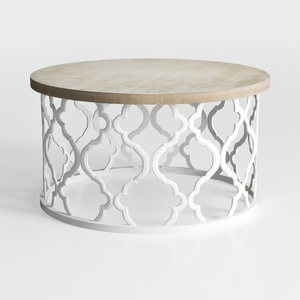
Modern Solid Wood Top White Metal Moroccan Pattern Round Coffee Table 3D Model
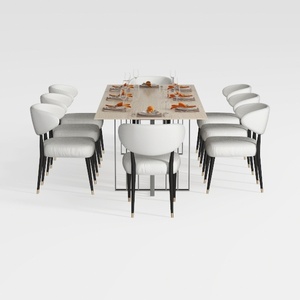
GarveeHome Natural Rattan Dining Chairs Set of 2

Minimalist White Textured Metal Leg Sideboard 3D Model
Homestyler offers an easy-to-use online home design tool with stunning 3D renderings, inspiring design projects, and helpful DIY video tutorials. It’s perfect for anyone looking to create and visualize beautiful interior spaces effortlessly.
Progetta ora GRATIS
































