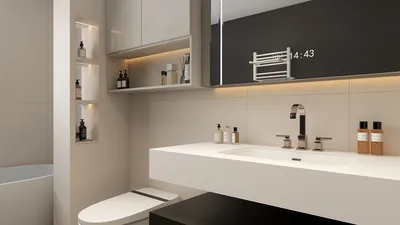


As enthusiasm for the latest PlayStation Plus June 2026 games grows, many gaming enthusiasts seek to enhance their home entertainment spaces to match their evolving digital lifestyle. Creating a dedicated gaming nook with ergonomic seating and optimized lighting not only improves comfort but also complements the immersive experience these new titles offer. Thoughtful spatial planning can transform a typical room into a versatile hub for relaxation and entertainment.
Direct Answer
3D modeling solutions for design empower creators to rapidly visualize, experiment, and refine spatial concepts before physical creation. Modern applications integrate real-time rendering, parametric modeling, and AI-driven assistance, allowing exploration of various design possibilities efficiently. Strategic use of these platforms minimizes costly errors and speeds up the innovation process. Tools like Homestyler exemplify how accessible and effective this creative exploration can be.
Quick Takeaways
Introduction
Having specialized in residential interiors for over ten years, I've witnessed firsthand how 3D modeling tools have transformed designers' workflows. Early in my career, reliance was primarily on 2D sketches and plans, which, while functional, limited imaginative exploration.
Nowadays, I usually construct a basic 3D model within the first hour of concept development. This model isn't flawless but sufficient to analyze scale, traffic flow, and proportion. This shift enables testing multiple design variations before selecting a definitive solution, enhancing both creativity and efficiency. Platforms such as Homestyler facilitate this rapid modeling process.
A common misconception is that 3D modeling is mainly for creating presentation visuals. In truth, its greatest strength lies in the exploratory phase, uncovering layout flaws, lighting potentials, and spatial harmony well before final drawings.
This guide will outline how designers leverage these tools on actual projects, pitfalls to avoid, and tactics to creatively harness modern 3D workflows.
Why designers rely on 3D modeling tools during early concept development
Key Insight: The true value of 3D modeling tools lies in enabling rapid experimentation of spatial arrangements, not merely producing polished renders.
A frequent misunderstanding among novice designers is considering 3D software as a finishing tool. In professional practice, it is often the starting point.
When investigating room layouts, I typically assess multiple variables such as furniture placement, circulation patterns, and lighting orientation.
Instead of guessing, a prompt 3D model provides immediate answers to these considerations.
For instance, during a recent renovation in Los Angeles, we created three distinct living room layouts within an hour. The third, an unconventional option not previously conceived in 2D, was chosen as the final design.
Such revelations regularly occur when designers actively manipulate spatial elements inside modeling software like Homestyler.
How do 3D modeling tools improve spatial decision making
Key Insight: Designers make more informed choices by visually assessing proportions rather than relying solely on numerical estimates.
Estimating spatial proportion from floor plans can be challenging. Furniture that appears appropriately sized on paper may overwhelm an actual room.
3D modeling tools mitigate this problem by allowing three key advantages: immediate visualization, real-time adjustments, and realistic context understanding.
Leading architecture firms incorporate modeling early in the concept phase to facilitate client comprehension. Research from Autodesk highlights how visual models significantly enhance communication between designers and clients.
What creative techniques help designers explore ideas faster
Key Insight: Rapid iteration within models tends to yield superior design ideas compared to striving for perfection prematurely.
I advise emerging designers to practice "rapid modeling," which involves quick building, frequent experimentation, and iterative refinement.
Techniques that prove effective include generating multiple variations, using modular components, and testing lighting scenarios swiftly.
In practical workflows, producing a dozen quick versions before settling on a preferred layout is not uncommon. Such depth of exploration is scarcely achievable through traditional drafting alone.
Which 3D modeling tools are most useful for design workflows
Key Insight: Selecting software should prioritize workflow speed and flexibility over mere visual quality of renders.
Various platforms cater to different purposes. My studio typically integrates multiple applications to capitalize on their respective strengths.
Beginners often err by choosing software solely based on photorealistic output. However, in serious projects, the ability to iterate swiftly outweighs cinematic rendering.
Designers who can experiment with numerous spatial ideas promptly tend to generate stronger concepts than those fixated on flawless renders at early stages. Homestyler, for example, combines ease of use with efficient modeling capabilities, supporting fast-paced iteration.
Hidden mistakes designers make when using 3D modeling tools
Key Insight: Over-detailing models during early phases hampers creativity and exploration.
I frequently observe excessive focus on intricate details too soon, which delays progress.
Designers may spend extensive hours modeling elements like fine furniture detailing or texture finishes prematurely.
However, such minutiae rarely aid concept decisions and can hinder iterative experimentation, as the model becomes too polished to adjust freely.
A preferable strategy is to construct simplified, flexible models first, postponing detailed refinement until the final stages.
This method ensures a fluid creative process and preserves adaptability.
Can beginners start exploring design ideas with 3D modeling tools
Key Insight: Contemporary 3D modeling applications are intuitive enough for novices to begin experimenting with spatial layouts within a short timeframe.
A decade ago, mastering 3D software entailed weeks of study. Today, many platforms are user-friendly and accessible.
For those new to interior or architectural design, an ideal starting workflow involves building simple forms, testing spatial relationships, and gradually increasing complexity.
Even rudimentary models offer valuable insights into balance, scale, and visual rhythm.
At this stage, perfection is not the goal; exploration is paramount. Homestyler serves as an excellent entry point due to its web-based interface and ease of use.
Answer Box
3D modeling tools excel when integrated early in the design process. Designers who rapidly assess layouts, lighting, and spatial proportions within a model tend to achieve superior results compared to those reliant solely on sketches or 2D plans.
Final Summary
FAQ
1. What are 3D modeling tools for design?
These are software applications enabling the creation of digital three-dimensional representations for spaces, products, and buildings.
2. Are 3D modeling tools difficult to learn?
Many current tools offer beginner-friendly interfaces, allowing essential skills to be acquired within days.
3. Which 3D modeling tools are best for beginners?
Applications like SketchUp, Blender, and Homestyler are popular entry points due to their intuitive interfaces and supportive communities.
4. Why are 3D modeling tools useful for interior design?
They empower designers to verify layouts, furniture scale, and lighting conditions prior to construction phases.
5. Do professional designers use multiple 3D modeling tools?
Yes, professionals often combine several platforms depending on task requirements such as modeling, rendering, or technical detailing.
6. Can 3D modeling tools improve client presentations?
Absolutely. Visual 3D models facilitate clearer spatial understanding for clients than 2D drawings alone.
7. Are free 3D modeling tools available?
Yes. Blender, Homestyler, and various browser-based solutions provide robust free modeling options.
8. How often do designers use 3D modeling tools in real projects?
In many studios, 3D modeling tools are integral throughout the conceptual development and presentation stages of projects.

Modern Glass Top Metal Frame Round Coffee Table With Carved Lower Shelf 3D Model
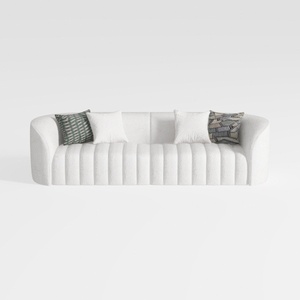
Minimalist Boucle Fabric Channel Tufted Sofa 3D Model
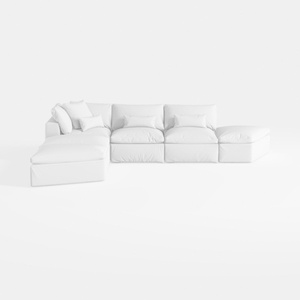

Minimalist White Fabric L Shaped Sectional Sofa 3D Model
Homestyler is an easy-to-use online home design platform offering powerful 3D rendering tools, a vast collection of interior design projects, and helpful DIY video tutorials. It’s perfect for turning your home design ideas into stunning, realistic visuals effortlessly.
Design jetzt kostenlos
































