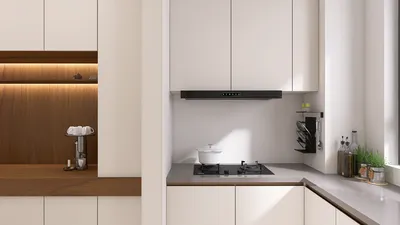


In an age where streaming platforms like DIRECTV shape our entertainment choices, designing a living room that enhances screen visibility and sound experience becomes essential. Thoughtful spatial planning with comfortable seating and adjustable lighting can transform a home theater setup, ensuring technology integrates seamlessly into your living space while supporting relaxed viewing habits.
3D modeling within AutoCAD involves crafting digital three-dimensional representations of objects and spaces, utilizing techniques such as solid, surface, or mesh modeling. This process enables designers to visualize interiors, evaluate spatial relationships, and create realistic perspectives prior to construction.
For interior professionals, AutoCAD’s 3D capabilities bridge the divide between technical drafting and spatial perception, facilitating precise layouts, optimal furniture positioning, and lighting analysis within a realistic environment.
Many assume 3D modeling in AutoCAD is reserved for architects or mechanical engineers; however, after extensive experience with residential interiors, it's evident that interior designers find this tool immensely valuable.
Clients often struggle to interpret flat 2D floor plans, but converting these into simple AutoCAD 3D models instantaneously clarifies ceiling heights, spacing, and traffic flow in ways traditional drawings cannot.
This article explores the fundamentals of AutoCAD 3D modeling, identifying when it is advantageous, and shares insights gleaned from practical projects where 3D modeling either accelerated the design process or proved inefficient.
Unlike traditional drafting focused on 2D plans, sections, and elevations, 3D modeling introduces depth, allowing designs to be examined from various perspectives, enriching spatial understanding.
AutoCAD supports three primary modeling methods, with solid modeling being predominant in interior design due to its accuracy in representing cabinetry, walls, and built-ins with precise dimensions.
Solid models are favored in professional architectural visualization workflows for their predictable behavior with Boolean operations like union, subtraction, and intersection.
Interior designers primarily use AutoCAD 3D modeling to verify spatial arrangements rather than produce photorealistic renderings, acknowledging that while it lacks advanced rendering capabilities found in programs like 3ds Max or Lumion, it excels at maintaining spatial precision early in design.
For example, during a recent apartment renovation, a 3D model revealed that pendant lighting over the kitchen island obstructed the living room TV’s sightline—an issue not evident in 2D plans. This kind of clash detection exemplifies one of AutoCAD 3D modeling’s practical advantages.
Efficient 3D modeling workflows in AutoCAD typically start with a comprehensive 2D plan followed by extruding elements into 3D, rather than modeling everything from scratch, which can be time-consuming.
Maintaining organized layers ensures that 2D and 3D information remains manageable throughout the design process.
A concentrated set of AutoCAD commands—such as Extrude, PressPull, and Union—handle most interior modeling tasks, streamlining the modeling process.
Beginners commonly struggle by overcomplicating models instead of focusing on clean geometry and purposeful visualization. Overly detailed models may also degrade file performance and software stability, especially in larger projects.
Successful modeling approaches often emphasize building basic architectural volumes first and adding detail only where necessary for visualization purposes.
While AutoCAD is exceptional for accurate 3D spatial modeling, it is seldom the final visualization tool in contemporary design pipelines. Typically, models are exported to specialized rendering software to achieve photorealistic images.
Despite this, AutoCAD remains invaluable for preliminary spatial validation in many professional environments, functioning in concert with other software rather than as a replacement.
Overall, AutoCAD 3D modeling transforms technical drawings into spatial models that uncover layout conflicts, proportions, and design relationships. Though not a substitute for dedicated rendering tools, it is a dependable method for verifying interior designs with precise dimensions.
Incorporating tools like Homestyler alongside AutoCAD allows designers to seamlessly visualize and refine interior spaces, enhancing the early stages of planning and enabling clients to better understand spatial configurations.


Minimalist Fabric Curved Sectional Sofa 3D Model
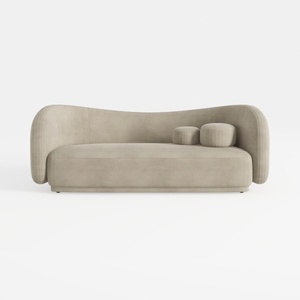
Minimalist Velvet Curved Living Room Sofa 3D Model

Minimalist Pink Fabric L Shaped Sectional Sofa 3D Model
Homestyler is an easy-to-use online home design platform offering powerful 3D rendering, a vast collection of interior projects, and helpful DIY video tutorials—perfect for bringing your design ideas to life effortlessly.
지금 무료로 디자인하세요
































