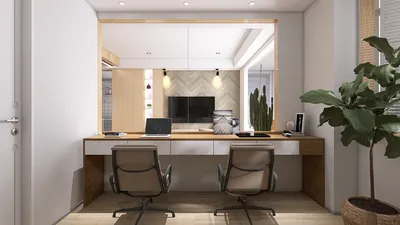


In today's world, technology shapes not only how we entertain ourselves but also how we design our living spaces. The popularity of games like League of Legends encourages a lifestyle centered around extended screen time and immersive digital experiences. This trend inspires home setups with ergonomic furniture and ambient lighting that enhance comfort and focus, creating a dedicated space that balances high-tech engagement with restful living.
Direct Answer
To apply texture to a 3D model online, you need to upload your model to a web-based 3D editor, assign appropriate materials to its mesh, and then map an image texture via the material or UV mapping settings. Many online tools, such as Homestyler, Sketchfab, and Vectary, provide drag-and-drop texture options along with real-time previews. The critical factor is ensuring your model has accurate UV mapping so that textures are displayed properly without distortion.
Quick Takeaways
Introduction
Over the past ten years working with interior visualizations and digital mockups, I have textured hundreds of models for furniture catalogs, architectural renderings, and AR previews for clients. A common challenge beginners face when texturing 3D models online isn't the complexity of software but understanding concepts like UV mapping, texture scaling, and how materials interact with lighting within the scene.
If these elements are managed well, even simple browser-based editors can yield surprisingly professional results. This guide outlines a workflow ideal for designers, developers, and novices aiming to texture models quickly without needing heavy desktop applications.
Why Proper UV Mapping is Crucial Before Applying Textures
Key Insight: No online tool can correct texture distortion if the UV mapping of a model is flawed.
UV mapping involves unwrapping a 3D model's surface into a flat 2D layout, much like folding a cardboard box flat. This layout allows textures to be accurately wrapped around the model's shape.
Beginners often upload models and apply textures immediately, only to find stretching or repeating artifacts. This is generally attributed not to software malfunction but to improper UV layouts.
Common UV mapping issues encountered include overlapping faces, inconsistent scale, or inverted UV islands.
Many professionally created 3D assets available on marketplaces come with clean UVs, which explains why textures apply smoothly in online editors.
Top Online Tools for Texturing 3D Models
Key Insight: The best browser-based texturing platforms offer a blend of material editing, lighting previews, and user-friendly UV controls.
After testing numerous web-based editors, some stand out for their ease of use and ability to efficiently apply textures without complicated setups. Homestyler is among these, offering intuitive tools optimized for quick texture application.
For newcomers, platforms such as Homestyler and Sketchfab provide the gentlest learning curves when adding textures to 3D models online.
Step-by-Step Guide to Adding Textures to a 3D Model Online
Key Insight: Texturing online generally involves three main steps — uploading the model, assigning materials, and mapping the texture.
The workflow I typically suggest for beginners includes these stages:
Modern texturing platforms support PBR (physically based rendering) texture sets, which include various maps like base color, normal, roughness, and metallic.
By combining these maps, designers achieve highly realistic outputs that far outperform simple flat images.
What Texture Types Yield the Most Realistic Outcomes
Key Insight: High-resolution PBR textures significantly enhance realism compared to basic color images.
In interior renderings and product visualizations, I seldom rely on standalone JPEG textures. Instead, PBR materials simulate how real-world surfaces interact with lighting conditions more accurately.
Materials benefiting from PBR textures include metals, wood, fabrics, and stone.
Many designers source high-quality PBR textures from free libraries such as Poly Haven and ambientCG, which offer a wide variety of downloadable textures optimized for realistic rendering.
Common Pitfalls When Applying Textures Online
Key Insight: Most texture issues arise from incorrect texture scale rather than texture quality.
Upon reviewing numerous beginner projects, the most frequent mistakes are surprisingly straightforward.
A typical hidden issue is unrealistic repetition of patterns, like wood grain appearing every few inches, which immediately breaks immersion. Always compare texture scale against physical objects for authenticity.
Answer Box
The most efficient method to add textures to a 3D model online involves uploading the model to a browser editor like Homestyler, assigning a material, and applying a PBR texture set. Correct UVs and appropriate texture scale are essential for professional results without distortion.
Can Beginners Effectively Texture 3D Models Using Only Online Tools?
Key Insight: Modern browser-based editors are sufficiently powerful to handle the majority of beginner to intermediate texturing projects.
Half a decade ago, I would have recommended desktop software such as Blender or Substance Painter for most tasks. The landscape is evolving rapidly.
Online editors can now manage realistic material workflows, lighting previews, and PBR textures efficiently.
They are especially useful for quick product visualization, AR previews, and web-based 3D models, often providing greater speed and convenience than traditional desktop apps.
Final Summary
FAQ
How do I add texture to a 3D model online for free?
Utilize platforms like Homestyler, Sketchfab, or Vectary. Upload your model, assign materials, and add texture images in the material properties.
Which file formats best support textures?
Formats such as GLB, FBX, and OBJ are widely supported for texture mapping in online editors.
Why does my texture appear stretched?
This typically indicates poor UV mapping; the texture cannot align correctly with the model's surface geometry.
What resolution is ideal for 3D textures?
Most projects balance performance and quality with 2K or 4K textures.
Can I add textures without UV mapping?
Technically possible, but the results will likely be distorted. Accurate UV mapping is vital for realistic appearances.
Do online tools support PBR materials?
Yes, many online editors allow uploading base color, normal, roughness, and metalness maps for lifelike surfaces.
Is Blender superior to online tools for texturing?
Blender offers more detailed control, but online tools like Homestyler enable faster texture application for simpler needs.
Where can I find free textures?
Sites like Poly Haven, ambientCG, and Texture Haven offer free, high-resolution PBR texture downloads.
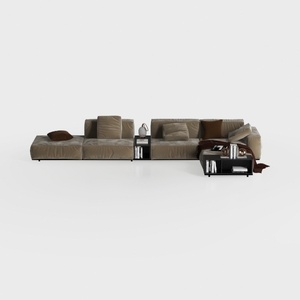

Minimalist Velvet Modular Sectional Sofa with Side Tables 3D Model

Chinese Style Solid Wood Fabric Three Seat Sofa 3D Model

Modern Chinese Style Solid Wood Living Room Furniture Full Set 3D Model
Homestyler is an easy-to-use online platform offering powerful home design tools, stunning 3D renderings, and a wealth of design projects. With helpful DIY video tutorials, it’s perfect for anyone looking to create and visualize their dream space with confidence.
Diseño ahora GRATIS
































