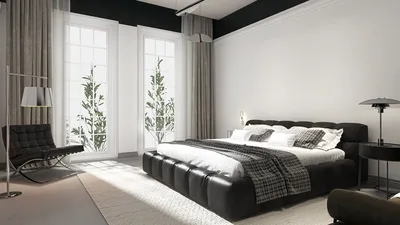


The evolving "state of play" in technology has transformed how we interact with our living spaces, blending digital innovation seamlessly into home environments. As gadgets become central to daily routines, thoughtful spatial design now emphasizes integrating smart devices with comfortable furniture, creating versatile zones for work, relaxation, and entertainment within the home.
Direct Answer
The most effective way to showcase 3D models involves using clear, controlled lighting, well-chosen camera angles, minimalistic backgrounds, and context-driven scenes. Properly presenting a model directs focus to its shape, scale, and material authenticity rather than distracting visual elements. A strong presentation can significantly enhance the perception of the same 3D asset.
Quick Takeaways
Introduction
In over ten years of experience in interior design and architectural visualization, I've assessed hundreds of portfolios and client presentations. One recurring observation is that while many talented designers craft excellent models, they often fail at presenting them effectively. Mastering the art of displaying 3D models can mean the difference between a project being immediately appreciated or entirely overlooked.
Clients seldom focus on topology or modeling techniques; their judgment hinges on clarity. When lighting is dull, camera angles are unflattering, or the scene is cluttered, even the finest models can appear amateurish. This guide will explore the presentation strategies I consistently adopt when preparing 3D models for portfolios, client feedback, and online showcases, including tools like Homestyler to enhance spatial visualization.
save pin
Why Presentation Quality Matters More Than Modeling Complexity
Key Insight: A straightforward model presented skillfully will always outperform a complex one shown poorly.
Reviewing portfolios from junior designers often reveals highly detailed assets undermined by weak lighting or awkward camera perspectives. This counterproductive outcome means viewers cannot fully appreciate the craftsmanship.
Professional studios recognize this and often keep polygon counts moderate. The distinguishing factor that makes their work impressive is the quality of the presentation.
Three critical elements influence perception: lighting, camera angles, and background simplicity.
Leading visualization firms such as DBOX and Luxigon emphasize meticulous presentation staging in project evaluations. Their workflows dedicate equal effort to rendering setup as to creating the models themselves.
How Should You Light 3D Models for Maximum Impact
Key Insight: Utilizing controlled three-point or studio HDRI lighting enhances the readability of geometry and materials.
Proper lighting ensures that edges look sharp, materials appear lifelike, and forms gain dimensionality. Insufficient lighting flattens all these important features.
I often recommend for portfolio assets:
For product-style models, an HDRI studio setup performs excellently, while architectural models benefit from soft daylight HDRIs that render materials more convincingly.
Shadow softness is frequently overlooked by beginners. Gentle shadows enhance realism without sacrificing the clarity of form.
save pin
What Camera Angles Best Showcase a 3D Model
Key Insight: Delivering a curated sequence of camera angles communicates a 3D model far more effectively than a single hero render.
A single render rarely encapsulates a model entirely. Instead, building a visual sequence—similar to product photography—helps viewers grasp the model comprehensively.
Recommended camera angles include front, side, three-quarter, detail close-ups, and top or isometric perspectives.
This structured sequence allows quick understanding of proportions, scale, and intricate detailing.
Game development studios often standardize these angles for their asset catalogs due to their clear communicative power.
Should You Use Turntable Animations for 3D Models
Key Insight: A simple 360-degree turntable animation frequently conveys shape more effectively than multiple static images.
Turntable animations remain underused outside of game asset presentations but are highly effective.
Reasons for their effectiveness include offering dynamic visual feedback and helping viewers understand spatial relationships better.
A typical turntable involves steady rotation, allowing continuous examination from every angle.
Platforms like ArtStation and Behance demonstrate that models featuring motion previews typically attract greater viewer engagement and longer observation times.
save pin
How Minimal Backgrounds Improve Model Presentation
Key Insight: Simplifying backgrounds elevates perceived quality and diminishes distractions.
A common pitfall in showcasing 3D models is overcrowding scenes with too many environmental elements, which paradoxically makes evaluation harder.
For portfolio presentations, I recommend three safe background choices: plain white, subtle gradients, or neutral solid colors.
These allow the model’s outline and material characteristics to remain the focal point.
In commercial product visualization, neutral backgrounds are favored for enhancing viewer focus and lending professionalism to renders.
save pin
Common Mistakes When Trying to Show Off 3D Models
Key Insight: Poor presentations usually result from cluttered scenes, inconsistent lighting, or misleading scale cues.
Repeated issues observed in design portfolios include: improper lighting setups, distracting environments, unclear camera setups, and mismatched material appearances.
An often overlooked problem is inconsistent material properties; irregularities in reflections or roughness across images can make a model seem unfinished despite solid geometry.
Answer Box
The best way to present 3D models combines controlled lighting, a planned set of camera angles, uncluttered backgrounds, and optional turntable animations. These methods allow audiences to quickly grasp form, materials, and scale while focusing attention squarely on the model.
Final Summary
FAQ
What is the best way to show off 3D models in a portfolio?
Incorporate 3 to 5 structured renders, including a hero shot, side views, and detailed close-ups. Consistent lighting and neutral backgrounds help guide viewer attention toward the model.
How many renders are ideal for a 3D model presentation?
Most professional portfolios showcase between three and five images, sufficing to convey shape, materials, and scale without overwhelming viewers.
Should environments be used when presenting 3D models?
Only if contextual relevance exists. Generally, product or asset portfolios benefit from simple studio backgrounds for clarity.
Are turntable animations useful for 3D models?
Absolutely. Turntables provide dynamic insights into the model’s shape and are standard practice within game asset presentations.
What lighting setup is recommended for 3D models?
Three-point lighting or studio HDRI setups are preferred because they crisply display edges, materials, and depth.
What camera lens should I select for 3D model renders?
An equivalent focal length ranging from 35mm to 70mm generally yields natural proportions without distortion.
Why do some 3D models appear flat in renders?
Flat lighting and lack of contrast remove helpful shadow information, making geometry harder to perceive.
How can beginners effectively showcase 3D models?
Prioritize clean, controlled lighting, minimal backgrounds, and three well-chosen camera angles. Often, the quality of delivery outweighs modeling complexity in impact.
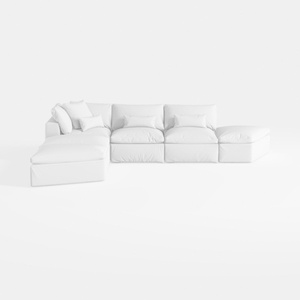

Minimalist White Fabric L Shaped Sectional Sofa 3D Model
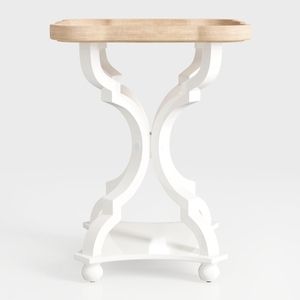
Modern Two Tone Solid Wood End Table With Ornate White Frame 3D Model

Minimalist White Leather Armchair and Ottoman Set 3D Model
Homestyler offers an easy-to-use online home design tool with stunning 3D renderings, inspiring design projects, and helpful DIY video tutorials. It's perfect for anyone looking to create beautiful interiors and visualize their ideas effortlessly. Give your home a fresh look today!
Concevez maintenant gratuitement
































