


In an age where streaming platforms like DIRECTV shape our entertainment choices, designing a living room that enhances screen visibility and sound experience becomes essential. Thoughtful spatial planning with comfortable seating and adjustable lighting can transform a home theater setup, ensuring technology integrates seamlessly into your living space while supporting relaxed viewing habits.
Adding a 3D model to a video once seemed accessible only to large VFX studios due to the intricate and costly process. However, today creators, marketers, and architects can achieve impressive results with a streamlined workflow. Using techniques such as camera motion tracking, importing tracking data into a 3D environment, and carefully matching lighting and perspective allows seamless integration of digital models into footage. This method is widely used to visualize furniture or products in interiors before actual installation.
The cornerstone of convincing 3D integration lies in precise camera tracking combined with realistic lighting, ensuring the model naturally meshes with the live-action footage. Homestyler users can similarly employ these principles to visualize interior designs or digital objects within their video projects.
Many professionals rely on software combinations that enable accurate tracking, compositing, and rendering. Blender, notable for its built-in camera tracker, offers an affordable all-in-one solution rated highly by many creators. Other common tools include After Effects with plugins and game engines like Unreal Engine, chosen based on project complexity rather than cost.
Camera tracking works by reconstructing the real camera’s movement to synchronize a virtual camera precisely. Without this alignment, 3D models tend to appear to slide or float artificially within a scene—a common issue for beginners. Established workflows involve loading footage, tracking feature points, solving camera motion, and defining ground planes to anchor the model correctly.
The step-by-step approach to adding a 3D model to video footage includes: importing the clip, performing camera tracking, setting the ground plane, importing and positioning the 3D object, matching lighting conditions by analyzing shadows and light directions, adding shadows and reflections for realism, and finally rendering and compositing the layers. Such structured pipelines ensure the digital elements look physically present in the scene.
Lighting and shadow accuracy surpass even model detail in importance, directly influencing viewer perception of authenticity. Techniques like creating HDRI lighting environments from the real location’s data significantly boost realism by reproducing identical illumination for the digital asset within the filmed environment. Neglecting these aspects often results in models that fail to convincingly blend with live footage.
Common pitfalls when compositing 3D models into videos include errors in scale, lack of environmental interaction such as shadows or reflections, and neglecting subtle motion blur or grain that helps fuse CGI with real footage. Professional visualizations often leverage these tricks to attain natural-looking effects.
For beginners, free tools like Blender have matured enough to enable the creation of professional-looking 3D compositing without a high barrier to entry. With accessible tutorials and intuitive interfaces, novice users can incorporate 3D objects into videos, opening doors for product visualization, architectural presentations, or creative storytelling.
In conclusion, integrating 3D models into videos successfully depends heavily on strong camera tracking, correct scene scaling, and faithful replication of lighting and shadows. This combination produces realistic and engaging visuals that enhance the viewer’s experience. Utilizing platforms like Homestyler can assist users in planning and visualizing such projects efficiently.
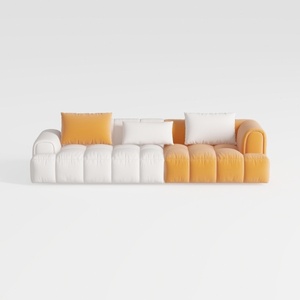
Modern Two Tone Fabric Sectional Sofa With Throw Pillows 3D Model

Modern Marble Top Black Metal Round Side Table 3D Model
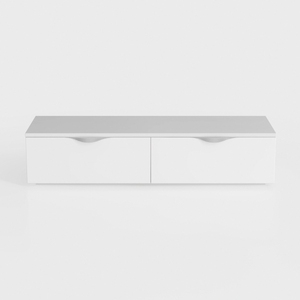
GarveeHome 6 Drawer Dresser for Bedroom, Antique
Homestyler offers a user-friendly online design tool with stunning 3D renderings, inspiring interior projects, and helpful DIY video tutorials. It’s the perfect platform to visualize and create your dream home effortlessly.
Diseño ahora GRATIS
































