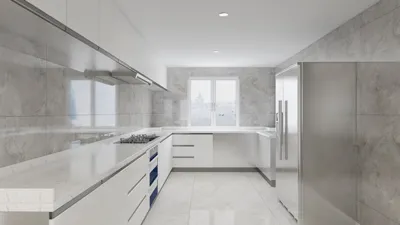


In an age where streaming platforms like DIRECTV shape our entertainment choices, designing a living room that enhances screen visibility and sound experience becomes essential. Thoughtful spatial planning with comfortable seating and adjustable lighting can transform a home theater setup, ensuring technology integrates seamlessly into your living space while supporting relaxed viewing habits. Leveraging tools like Homestyler, you can visualize and optimize these aspects to create the perfect environment for immersive entertainment.
Direct Answer
To paint a 3D model picture in Photoshop, start by importing your rendered image. Separate lighting and material layers to distinctly manage each element. Use soft brushes, masks, and blending modes to gently add intricate details. Rather than repainting the entire model, most professionals focus on enhancing the shadows, textures, and highlights to boost realism.
The fundamental strategy involves utilizing the render as a lighting foundation, then applying Photoshop techniques to inject depth, authentic imperfections, and material nuances.
Quick Takeaways
Introduction
In the majority of design studios, 3D renders rarely represent the finished product. Based on years of experience in residential visualization, I've learned that the leap from a "good" to a "convincing" render usually takes place during the Photoshop post-processing phase.
When professionals mention painting over 3D models in Photoshop, they often refer to refining renders with paintovers, adjusting lighting, and adding texture detail. The aim isn't to create a model from scratch but to fine-tune lighting, materials, and small imperfections that 3D software typically renders too flawlessly.
I'll detail the approach I follow after exporting a render from a 3D engine. This process maintains render realism while enabling creative control through Photoshop's powerful suite of tools.
Why Do Designers Paint Over 3D Renders in Photoshop?
Key Insight: Even high-end 3D renders can appear sterile. Photoshop paintovers breathe life into them by adding realism, narrative layers, and visual depth.
While rendering engines excel at physics-based lighting, they often lack the capability to convey artistic intent. Analyzing hundreds of visualization projects reveals a clear pattern: raw renders appear technically accurate but emotionally uninspiring.
Painting over a render addresses multiple challenges:
Many interior visualization studios consider Photoshop as the crucial "final polish" step. Visualization artists commonly agree that most professional renders undergo at least one paintover iteration before completion.
How Do You Prepare a 3D Render for Painting in Photoshop?
Key Insight: Rendering several isolated passes provides significantly more flexibility when painting detailed adjustments.
Proper preparation directly influences how adaptable your painting workflow will be. I always export multiple render passes instead of a flattened image.
Commonly recommended render passes include:
In Photoshop, organize these layers systematically:
This layered structure allows corrections to be painted without altering the original render base.
Step-by-Step Workflow to Paint a 3D Model Picture in Photoshop
Key Insight: Prioritize lighting adjustments first, followed by texture refinements, and finally incorporate subtle storytelling elements.
This sequential method reflects best practices adopted by many visualization artists.
Step 1: Modify overall lighting
Step 2: Deepen shadow zones
Step 3: Introduce light highlights
Step 4: Refine material qualities
Step 5: Incorporate atmospheric effects
Most paintover sessions require between 20 and 45 minutes depending on the complexity of the image.
What Tools and Brushes Work Best for Painting 3D Renders?
Key Insight: Simple soft brushes tend to outperform elaborate brush collections for most render paintovers.
A common pitfall for beginners is downloading excessive brush packs. Seasoned professionals usually rely on only a handful of essential brushes.
Essential tools I advise include:
Helpful Photoshop configurations include:
Using low-opacity brushes allows gradual buildup of lighting and shading without harsh transitions.
Common Mistakes When Painting a 3D Model Picture
Key Insight: The largest error is excessive painting that undermines the realism inherent in the original render.
After reviewing numerous student assignments and junior designer efforts, certain recurring issues emerge.
Typical mistakes encompass:
A reliable guideline is: if viewers can easily detect Photoshop intervention, the paintover was likely too heavy-handed.
The most effective edits are subtle improvements rather than wholesale repainting.
Answer Box
The optimal approach to painting a 3D model picture in Photoshop involves enhancing lighting, shadows, and textures through low-opacity brushwork and blend modes. Treat the render as a foundational base and focus on augmenting realism rather than completely redrawing the scene.
How Long Does It Take to Paint a 3D Render Professionally?
Key Insight: Most professional paintovers for visualization projects take under an hour to complete.
In production settings, time efficiency is critical. A typical process might look like this:
While large-scale marketing visuals may undergo several hours of refinement, typical design presentations usually require less than one hour.
Final Summary
FAQ
Can you paint directly on a 3D model in Photoshop?
Yes. Photoshop offers 3D painting tools, but most artists prefer painting on rendered images because it provides a faster, more flexible workflow.
Is Photoshop suitable for painting over 3D renders?
Absolutely. Photoshop is widely used for refining 3D models due to its powerful blend modes, brushes, and masking capabilities.
What brush is best for render paintovers?
A low-opacity soft round brush is ideal for nuanced lighting and shadow adjustments.
Do professionals always paint over renders?
Not universally, but most architectural visualization studios conduct at least minor Photoshop paintovers prior to final delivery.
How do you add realism to a 3D render?
Introduce subtle variations in texture, deepen contact shadows, and minimize overly uniform lighting for a more natural appearance.
Can beginners learn to paint a 3D model picture in Photoshop?
Yes. The process mainly involves mastering lighting tweaks and soft brush painting rather than complicated digital painting skills.
Should I export render passes for Photoshop?
Yes. Exporting shadow, ambient occlusion, and depth passes grants you greater control during painting.
Which file format is optimal for editing renders?
Using 16-bit TIFF or PSD files ensures preservation of lighting details and prevents color banding throughout the editing process.
What began as an Autodesk innovation has evolved into a design platform used by more than 18 million people around the globe. Homestyler combines powerful rendering, an intuitive editor, and a vast furniture library to help you turn inspiration into photorealistic designs — whether you're redesigning a single room or planning an entire home.

Minimalist Boucle Fabric Sofa Modern Tufted Living Room 3D Model
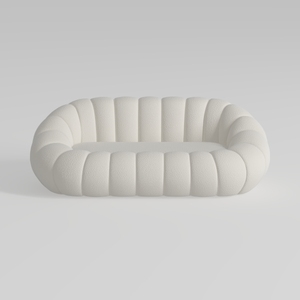
Minimalist Boucle Fabric Curved Sofa 3D Model
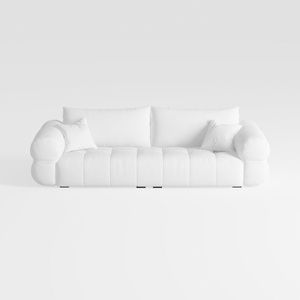
Minimalist White Fabric Tufted Three Seater Sofa 3D Model
Homestyler is an easy-to-use online home design platform offering powerful 3D rendering, a vast collection of interior projects, and helpful DIY video tutorials—perfect for bringing your home design ideas to life with professional results.
Diseño ahora GRATIS
































