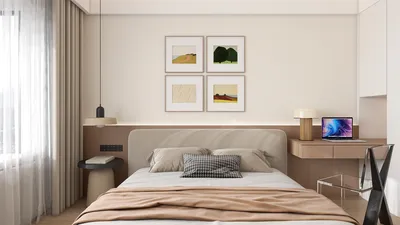


The evolving "state of play" in technology has transformed how we interact with our living spaces, blending digital innovation seamlessly into home environments. As gadgets become central to daily routines, thoughtful spatial design now emphasizes integrating smart devices with comfortable furniture, creating versatile zones for work, relaxation, and entertainment within the home.
Direct Answer
To create 3D models of window blinds efficiently, begin by designing a single slat profile, then duplicate it vertically with uniform spacing. Incorporate a rail system and assign realistic materials that include subtle curvature and thickness. Most professional interior visualizations prefer this modular approach over modeling each detail individually to maintain a balance between detail and performance.
Striking a balance between geometric accuracy and rendering efficiency is crucial to achieving realistic blinds without overloading the scene.
Quick Takeaways
Introduction
In numerous interior renderings, window blinds are often treated as mere background elements. From my experience working on various residential visualization projects, I can attest that poorly constructed blinds instantly undermine realism. They interact with natural light, cast layered shadows, and occupy spaces adjacent to windows—some of the brightest parts of any scene.
Mastering the art of 3D modeling window blinds doesn't demand complex techniques but rather an effective workflow. The key lies in establishing a modular system that appears convincing from camera angles while keeping the scene optimized for swift rendering.
Here is the method I personally apply when crafting blinds for residential interior renderings, often using tools such as Homestyler for design and visualization.
Why Window Blinds Often Appear Unrealistic in 3D Renders
Key Observation: Most unrealistic blinds fail because they are unnaturally flat, uniformly spaced, and lack depth in their material representation.
In real-world interiors, blinds rarely hang perfectly straight. Slats have subtle curves, spacing slightly varies, and light interacts differently with edges depending on the material's thickness.
Common misconceptions I encounter in design portfolios include:
In architectural visualization studios, artists typically emphasize three key details:
These elements govern how light interacts with blinds, which greatly influences viewer perception at a subconscious level.
Simplest Approach to 3D Model Window Blinds
Key Insight: The most streamlined approach involves modeling a single slat and using array modifiers or instancing features.
Rather than creating dozens of slats manually, professionals assemble a modular slat system that is easy to modify.
Typical workflow steps include:
This tactic is compatible with most major 3D software packages, enabling seamless integration.
A major advantage is that adjusting one slat automatically updates the entire blind configuration, saving time and effort.
How to Incorporate Realistic Curvature into Blind Slats
Key Point: Adding a slight curve to each slat significantly heightens realism by accurately capturing how light behaves.
Actual aluminum or vinyl blinds are never perfectly flat; they normally feature a gentle concave profile that controls light diffusion effectively.
There are three common methods to achieve this curvature:
From my extensive experience in interior rendering, using a bend modifier typically provides the quickest results.
Recommended parameter settings for this adjustment include:
These minor tweaks greatly enhance the quality of shadow gradients in daylight renderings.
Is It Necessary to Model Blind Cords and Mechanisms?
Fundamental Insight: Most interior renders don't require detailed modeling of cords or tilt mechanisms for blinds.
This represents a subtle efficiency strategy often overlooked by novices.
When focusing on residential interior renders, blinds are generally displayed as:
Incorporating detailed cord assemblies substantially increases polygon counts without a noticeable improvement in visual fidelity.
Instead, industry professionals typically:
This approach ensures scenes remain optimized for rendering while preserving believable structural elements.
Choosing Materials That Enhance 3D Window Blinds’ Realism
Crucial Note: The perceived authenticity of blinds frequently derives more from well-implemented material settings than from complex geometry.
In actual interiors, blinds are commonly made from aluminum, PVC, wood, or faux wood, with each material interacting with light distinctively.
In my visualization projects, I use these material tips:
Typical shader setups employed include:
Applying subtle variation in materials prevents the blinds from appearing as simplistic duplicated objects.
Efficient Strategy to 3D Model Window Blinds
The optimal workflow includes crafting a single curved slat, replicating it using array modifiers, and assigning realistic material properties. Emphasizing curvature, thickness, and light interaction yields convincing results without unnecessarily heavy geometry.
This technique keeps scenes lightweight and visually appealing for architectural renders.
How Professionals Maintain Rendering Performance When Modeling Blinds
Key Practice: Utilizing smart instancing and level-of-detail control prevents complex blind models from degrading rendering speed.
Large interior scenes may already contain millions of polygons, so adding detailed blinds on multiple windows can significantly increase render times.
Professional workflows often incorporate:
Many studios maintain libraries of reusable blind assets in various sizes for expedient deployment during production visualization.
Final Summary
FAQ
How many slats are optimal for window blinds in a 3D model?
Typically, 30 to 50 slats are used depending on the window’s height. Arrays allow quick adjustments without rebuilding the model from scratch.
What thickness should blind slats have in 3D models?
Slat thickness usually ranges from 2 to 3 millimeters for aluminum blinds and is slightly greater for wood varieties.
What software works best for 3D modeling window blinds?
Blender, 3ds Max, SketchUp, Cinema 4D, and Homestyler are excellent choices, as they support array duplication and modifier tools.
Is it necessary to model each slat individually?
No. The most common professional method creates one slat and duplicates it using arrays or instancing techniques.
Should slats be slightly curved in 3D models?
Yes. Reflecting the natural concave shape enhances lighting effects and shadow realism.
How do you ensure window blinds look realistic in renders?
Use subtle curvature, accurate thickness, and physically based materials combined with proper roughness values.
Are high-poly blind models detrimental to rendering speed?
They can substantially slow down render times, especially when numerous windows incorporate detailed blinds.
Is it possible to download blinds instead of modeling them?
Certainly, numerous asset libraries provide pre-made blinds, but knowing how to 3D model them is invaluable when customization becomes necessary.


Homestyler is an easy-to-use online home design platform that lets you create stunning 3D renderings, explore inspiring design projects, and follow helpful DIY video tutorials. It’s perfect for bringing your interior decoration ideas to life with professional results.
Desain sekarang Gratis
































