


Direct Answer
Choosing the ideal approach to transform floor plans into 2D designs depends on your specific needs. While manual CAD tracing offers precise control and detail, automated conversion software significantly accelerates the process and streamlines initial design phases. Many industry professionals utilize a hybrid method, employing automation for rapid base layouts and CAD for detailed finishing touches, often including platforms like Homestyler.
Quick Takeaways
Introduction
In renovation and redesign projects, a crucial early step is converting floor plans into editable 2D designs. Having completed this process numerous times across different settings — from residential to commercial spaces — I’ve observed how the chosen method greatly influences workflow efficiency.
A common misconception is believing there is only one "correct" process. Some designers still manually trace every element using CAD, while others lean heavily on automated conversion tools. Both approaches address unique challenges.
For instance, when my team receives scanned blueprints from historic homes, we typically initiate the project with a digital workflow resembling the step-by-step process designers use to craft editable floor layouts before fine-tuning the plan in CAD software.
In this guide, I will explain the core distinctions between manual drafting and automated floor plan conversion, detailing where each excels, where it falls short, and how professionals often merge these techniques, including the use of software like Homestyler.
Overview of Floor Plan to 2D Conversion Methods
Key Insight: Essentially, there are two primary reliable techniques to convert floor plans into 2D designs — manual vector drafting and automated image recognition solutions.
When discussing floor plan conversion, the goal is typically to transform scanned images, PDFs, or sketches into clean, editable vector layouts. This workflow has transformed considerably over the past decade.
Here are the two dominant methods today:
Manual drafting has long been the industry standard, but advancements in computer vision technology have made automated tools surprisingly effective for early design stages.
Industry sources such as ArchDaily and Autodesk University indicate that hybrid workflows combining both approaches are becoming mainstream in architectural and interior design firms.
Manual Tracing in CAD Software
Key Insight: Manual CAD tracing offers exceptional precision over shapes, layers, and measurements, maintaining its reputation as the standard for construction-grade drawings.
When exactness is paramount, seasoned designers favor manual methods. This involves placing the original floor plan scan as a reference layer and meticulously converting walls, doors, and windows into vector forms.
Typical manual tracing workflow:
Benefits of manual drafting include:
One frequently underrated drawback is time consumption. Even experienced drafters might spend 1 to 3 hours recreating a detailed residential floor plan; commercial projects can require much more.
Automated Floor Plan Conversion Tools
Key Insight: Automated tools drastically decrease drafting time by recognizing walls and spaces in images.
Modern software solutions can scan floor plan images and produce editable designs within moments. They use pattern recognition to identify structural elements such as walls, windows, and doors.
The main benefit is speed. Tasks that once took hours of manual CAD work can now be completed almost instantaneously.
Many design teams start projects using automated tools—some comparable to the capabilities of Homestyler—that convert images or sketches into editable plans, then polish those results in traditional CAD environments.
Limitations of automation
Because of occasional inaccuracies, automated tools are best considered accelerators rather than full replacements for professional drafting.
Answer Box
The quickest approach to convert floor plans to 2D designs is using automated software, whereas manual CAD tracing delivers the highest accuracy. Professionals typically combine both methods by beginning with automated extraction then applying manual corrections.
Accuracy and Editing Flexibility Comparison
Key Insight: Manual drafting is superior in precision, yet automated platforms offer adequate accuracy for most preliminary design work.
In practice, this distinction often relates to required tolerance levels. Architects preparing construction documents demand millimeter precision, while interior designers focusing on layouts need proportional correctness.
Comparison summary
One seldom talked about issue is dimension drift, where automated systems might misinterpret wall thickness or openings, potentially escalating errors during scaling.
Time Efficiency and Workflow Differences
Key Insight: Automated methods can reduce drafting durations by up to 70–90% in early project phases.
Based on my experience managing numerous residential redesigns, adopting automated workflows markedly speeds up delivery.
Typical time comparison for a residential layout
This time saving is especially beneficial when evaluating multiple design options rapidly.
Designers now frequently create various layouts quickly using tools similar to Homestyler’s workflow for converting floor plans into testable interior configurations, facilitating idea exploration without full redraws.
Ultimately, automation encourages experimentation, while manual CAD ensures final design precision.
Which Method Works Best for Different Project Types
Key Insight: The optimal floor plan conversion method depends on the complexity of the project, accuracy needs, and intended usage of the drawings.
With experience across residential and commercial interiors, I recommend an approach that integrates both automated and manual techniques tailored to the project’s demands.
Preferred techniques by project type
The primary industry trend is viewing automation as a foundational step—not a final solution. Designers use professional expertise to refine geometry, edit dimensions, and verify spatial accuracy afterward.
Final Summary
FAQ
1. What is the fastest method to convert floor plans to 2D designs?
Automated floor plan conversion software is the quickest solution, turning images into editable layouts within seconds.
2. Are automated floor plan tools reliable?
They offer reasonable accuracy for conceptual designs but usually need manual adjustments for precise measurements.
3. Do professionals still perform manual tracing of floor plans?
Yes, manual CAD tracing remains essential for producing technical and construction-level drawings.
4. Can scanned floor plans be converted to 2D drawings?
Absolutely. Both manual CAD processes and automated recognition tools can convert scanned plans into editable 2D formats.
5. Which approach suits renovation projects best?
Automated solutions excel in renovation due to their speed in producing editable layouts useful for planning.
6. What software can assist in converting floor plans into 2D designs?
Various tools, including Homestyler, detect walls and create editable floor plans from images or sketches.
7. Why do automated floor plan tools occasionally err?
Poor scan quality, unusual symbols, or irregular floor plan features can confuse the software’s detection algorithms.
8. Should novices use manual drafting or automation first?
Beginners often benefit from starting with automated tools and then gradually learning CAD editing to improve accuracy.
Built on technology originally developed at Autodesk, Homestyler empowers anyone to design beautiful, realistic spaces in minutes. Join over 18 million users who have already discovered a smarter way to plan, visualize, and bring their dream homes to life — all from the comfort of a browser.

Minimalist Solid Wood L Shaped Office Desk With Drawers 3D Model

Modern Minimalist Solid Wood Metal L Shaped Office Desk 3D Model
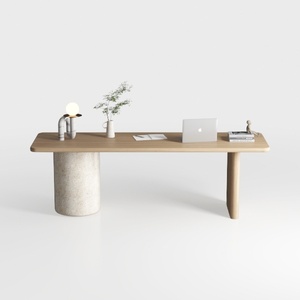
Minimalist Japandi Solid Wood Concrete Office Desk 3D Model
Homestyler offers an easy-to-use online design tool combined with stunning 3D renderings, inspiring design projects, and helpful DIY video tutorials—perfect for bringing your home decoration ideas to life with confidence and creativity.
立即免费设计
































