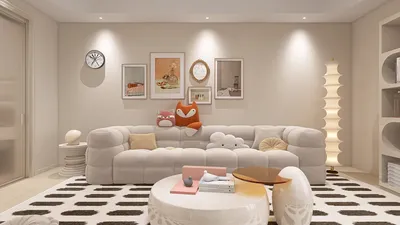


Direct Answer
Selecting the ideal home design game hinges on your skill level, the type of design control you desire, and the platform you prefer. Beginners benefit most from casual drag-and-drop style games, whereas seasoned users often gain from realistic simulators that feature layout planning and 3D visualization.
The optimal choice strikes a balance between creative freedom and usability, enabling you to concentrate on design rather than wrestling with complicated controls.
Quick Takeaways
Introduction
With over ten years in residential interior design, I've observed that many who enjoy home decoration find design games to be the safest way to experiment without real-world consequences. These games allow testing layouts, color schemes, and furniture arrangements that would typically require days and substantial expenses to trial in real life.
However, a frequent complaint I encounter is that users often feel overwhelmed by design tools and abandon the game shortly after downloading it. Conversely, some find games too simplistic and dull after only a few plays.
The key difference lies in selecting a game appropriate to the user's experience. Someone seeking casual living room decoration needs a vastly different experience than a person exploring entire floor plans. For those interested in how digital tools mimic real design workflows, experimenting with an interactive room layout using a virtual planning tool like Homestyler offers excellent insight into contemporary design software capabilities.
This guide elucidates the various categories of home design games, their target audiences, and subtle details often missing from common recommendations.
Save Pin
Varieties of Home Design Games Available
Key Insight: Most home design games are divided into three main categories, and choosing the correct category matters more than fixating on a specific title.
Many players mistakenly believe all home design games function alike, but in truth, the experience varies widely depending on the underlying game engine.
From a design vantage point, the three groups include:
Decorating puzzle games dominate mobile platforms owing to their ease of use and addictiveness, though they seldom teach spatial design concepts. Realistic simulators, however, align closer to professional design perspectives.
Research from the Interaction Design Foundation demonstrates that spatial visualization tools significantly enhance design understanding, as users can test layouts directly rather than imagining them.
Home Design Games for Beginners
Key Insight: Beginners should opt for games offering straightforward controls and a limited number of choices per step.
New players often make the error of diving into complex simulations involving walls, lighting, materials, and furniture at once, which can easily overwhelm.
Typical beginner-friendly games feature:
Such limits are beneficial—early design workshops commonly restrict options to foster creativity by controlling decision fatigue.
For those seeking a slightly richer experience without full complexity, experimenting with simple layout visualization through an AI-supported room styling process—like that found in Homestyler—provides a smooth bridge from casual games to full-fledged simulators.
Save Pin
Games for Advanced Interior Design Enthusiasts
Key Insight: Advanced users gain the most from games that emulate genuine spatial planning instead of mere decoration.
When you understand furniture scale, traffic flow, and balance, casual decorating games quickly feel restrictive.
Sophisticated simulators usually offer:
These features replicate true professional methodologies. In client projects, I start with circulation paths—how people traverse the room—before focusing on furniture style.
This explains why advanced designers gravitate toward tools enabling realistic spatial planning prior to decoration.
Save Pin
Choosing Between Casual and Realistic Design Simulators
Key Insight: Casual games deliver rapid creative gratification, while realistic simulators reward careful planning and patience.
This balance is rarely clarified well in most game suggestion lists.
Here’s a comparison:
The crucial trade-off involves time investment. Realistic simulators require longer learning periods but grant far greater creative authority. Many professionals test layout hypotheses with visualization platforms comparable to advanced simulation games.
Platform Considerations: Mobile vs. PC or Browser
Key Insight: Your chosen platform greatly influences design depth, more than many realize.
Each platform provides a unique design experience.
Design experts increasingly favor browser-based environments as they combine easy access with advanced visualization capabilities. If interested in realistic rendering, exploring a photorealistic 3D home visualization workflow via tools like Homestyler reveals how detailed and immersive these environments can become.
Save Pin
Checklist for Selecting the Best Home Design Game
Key Insight: The ideal home design game aligns with your patience threshold and preferred style of creativity.
Before downloading, consider this brief checklist:
From my experience, users enthusiastic about designing entire rooms usually outgrow casual games within a few weeks. Starting a bit above your current proficiency extends engagement.
Answer Box
The best approach to selecting a home design game is to align it with your skill level. Beginners should opt for casual decorating games, while experienced players gain from simulators that offer layout planning and realistic visualization.
Final Summary
FAQ
1. How should I choose a home design game?
Select a game that corresponds to your skill and preferred gameplay. Beginners benefit from straightforward decorating games; advanced users prefer feature-rich simulators.
2. What is the best home design game for novices?
Ideal beginner games include simple drag-and-drop controls, pre-set rooms, and limited decision-making.
3. Are realistic home design simulators difficult to master?
They often require more time to learn than casual games but provide enhanced creative flexibility and spatial precision.
4. Can home design games improve interior design skills?
Absolutely. Games incorporating layout planning, furniture scaling, and lighting simulation foster understanding of spatial design principles.
5. Which type of home design game suits creativity lovers?
Casual decorating games foster free-form creativity, whereas simulation games are better suited for realistic design experiments.
6. Are mobile home design games different from PC versions?
Yes. Mobile versions focus on quick decorating, while PC or browser-based tools offer deeper control.
7. What features define a quality home design game?
Key features include extensive furniture libraries, color customization, layout editing, and 3D visualization capabilities.
8. Can advanced users enjoy casual design games?
Yes, however, they typically prefer simulators that support full floor plan creation and spatial experimentation.
Built on technology originally developed at Autodesk, Homestyler empowers anyone to design beautiful, realistic spaces in minutes. Join over 18 million users who have already discovered a smarter way to plan, visualize, and bring their dream homes to life — all from the comfort of a browser.

Minimalist White Fabric L Shaped Sectional Sofa With Side Table Floor Lamp 3D Model
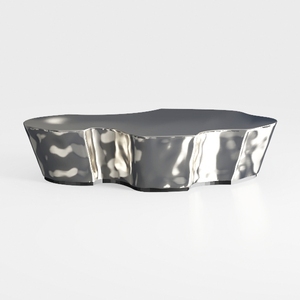

Modern Polished Metal Irregular Shaped Coffee Table 3D Model

Minimalist White Glass Top TV Cabinet 3D Model
Homestyler is an easy-to-use online platform offering powerful home design tools, realistic 3D renderings, inspiring design projects, and helpful DIY video tutorials. It’s perfect for turning your interior decoration ideas into beautiful realities, whether you’re a beginner or experienced designer.
立即免费设计
































