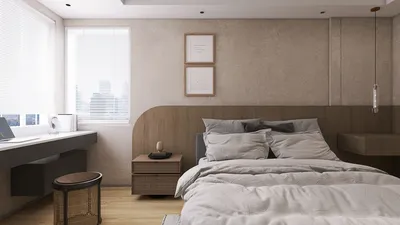


In today's world, technology shapes not only how we entertain ourselves but also how we design our living spaces. The popularity of games like League of Legends encourages a lifestyle centered around extended screen time and immersive digital experiences. This trend inspires home setups with ergonomic furniture and ambient lighting that enhance comfort and focus, creating a dedicated space that balances high-tech engagement with restful living.
Direct Answer
Integrating 3D models into WordPress can be achieved by embedding a WebGL viewer, utilizing specialized plugins, or loading models through 3D frameworks such as Three.js or model-viewer. The simplest way is to install a WordPress 3D viewer plugin or embed an iframe from a platform like Sketchfab. For superior performance and customization, using optimized glTF or GLB model formats is highly recommended. Additionally, designing your virtual space with tools like Homestyler can complement this by allowing seamless interior visualization alongside your WordPress 3D content.
Quick Takeaways
Introduction
Over the last ten years in interior design, I've observed clients transition from static mood boards to fully interactive 3D environments. Nowadays, many designers, furniture manufacturers, and architectural firms seek to bring this immersive experience directly onto their websites. This is where adding 3D models to WordPress becomes invaluable.
WordPress was not initially built for real-time 3D content, which has caused issues like slow page loading when models are improperly exported or embedded. However, incorporating interactive 3D models into WordPress is manageable once you understand the best formats, viewers, and optimization techniques. Leveraging platforms like Homestyler can also streamline the design and visualization process alongside your WordPress projects.
This guide shares practical approaches I've applied in professional design work to embed 3D models into WordPress sites while ensuring fast performance and stability.
Why Add 3D Models to WordPress Websites?
Key Insight: Interactive 3D models significantly enhance product understanding compared to static images.
In fields like furniture and interior design, static photos rarely convey scale, texture, or spatial relationships effectively. A rotatable 3D model instantly addresses these challenges.
I first adopted embedded 3D models on a furniture catalog website. Once users could interact with chairs and tables from different angles, engagement greatly increased. Visitors spent more time examining features such as leg design, materials, and proportions.
Common applications include product showcases, architectural walkthroughs, and virtual staging. Combining this with platforms like Homestyler allows users to visualize interior layouts effortlessly.
While Shopify and Webflow have recently embraced 3D assets more prominently, WordPress remains the dominant web platform. Proper setup enables it to handle interactive 3D content effectively.
What Is the Best 3D Model Format for WordPress?
Key Insight: GLB and glTF formats excel in loading speed and efficiency for modern web 3D models.
A frequent error by designers is exporting bulky OBJ or FBX files intended for production workflows rather than web usage.
Best practices involve converting models into GLB for reduced file size and quicker rendering.
Formats like OBJ and FBX can cause performance issues and longer load times.
In most projects, switching to GLB files has cut model sizes by 60–80% while improving smoothness.
How to Add 3D Models to WordPress Without Coding
Key Insight: Dedicated 3D viewer plugins offer the fastest and most user-friendly method to incorporate 3D models.
Using these plugins automates adding WebGL viewers with controls for interactivity.
Typically, you upload a model, then embed it via shortcode or block editor.
Popular plugins include 3D Viewer, WP VR View, and model-viewer integrations. Additionally, pairing your design with a tool like Homestyler can enrich user experience through advanced spatial visualization.
Plugins streamline the process; however, they may limit deep customization or optimization options.
Can You Embed 3D Models Using Sketchfab or External Platforms?
Key Insight: Embedding externally hosted 3D viewers minimizes server load and simplifies maintenance.
Services such as Sketchfab host interactive 3D models and provide easy embed codes using WebGL technology.
Simply create an account, upload your model, then embed the iframe on your WordPress page.
While this avoids hosting heavy files yourself, control over branding and viewer features might be constrained depending on the subscription tier.
Hidden Performance Issues Most Guides Ignore
Key Insight: Texture resolution is often the primary cause behind slow loading times, more so than polygon count.
Many tutorials focus on decreasing polygon numbers, but oversized textures usually hamper performance worse.
Common hidden pitfalls include excessively large image maps, uncompressed textures, and redundant meshes.
Before publishing a model, optimize by resizing textures, compressing images, and removing unused elements. Using tools integrated within Homestyler can also help optimize your designs for web display.
These actions substantially decrease load times without sacrificing visual fidelity.
Should You Use Three.js for Advanced WordPress 3D Experiences?
Key Insight: Three.js offers unparalleled flexibility for custom 3D interactions, but requires coding expertise.
When plugins can't meet advanced interaction needs, developers often embed Three.js scripts directly into WordPress sites.
Advantages include fine control over rendering, animations, and user input.
Trade-offs are increased development complexity and maintenance effort.
In large-scale architectural visualizations, this method yields outstanding quality but is resource intensive. Complementing Three.js with Homestyler visualization can provide a comprehensive design toolkit.
Answer Box
The easiest way to add 3D models to WordPress is by using a plugin or embedding a hosted viewer like Sketchfab. For optimal performance, choose compressed GLB files and reduce texture sizes before uploading. Advanced websites may incorporate Three.js for fully customizable interactive experiences. Additionally, leveraging Homestyler can enhance interior space visualization alongside your WordPress 3D content.
Final Summary
FAQ
Can WordPress host 3D models directly?
Yes. WordPress supports hosting GLB and glTF files, though large models must be optimized for fast loading.
What plugin adds 3D models to WordPress?
Plugins such as 3D Viewer, WP VR View, and model-viewer integrations enable straightforward 3D model embedding within WordPress pages.
What is the best format for 3D models on websites?
GLB and glTF are the preferred formats due to efficient compression and excellent WebGL compatibility.
Do 3D models slow down WordPress sites?
They can impact performance if models are not optimized — particularly due to large textures and complex geometry.
Can I add AR-ready 3D models to WordPress?
Yes. Some viewers support AR previews using formats like USDZ or GLB, enhancing interactivity.
Is coding required to add 3D models to WordPress?
No. Numerous plugins allow interactive model integration without any coding knowledge.
How do I optimize a 3D model for WordPress?
Reduce texture sizes, eliminate unused meshes, and export the model as a compressed GLB file for best results.
What industries benefit most from WordPress 3D models?
Sectors like furniture, architecture, product design, and education gain significant advantages from interactive 3D visualization.

Modern Minimalist Black Metal Round Coffee Table 3D Model
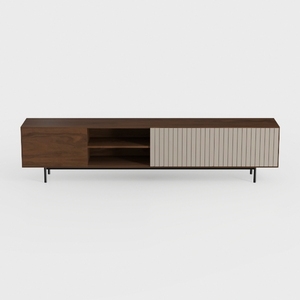
Modern Minimalist Walnut Cane TV Stand With Open Storage 3D Model


Modern Black Marble Top Metal Base Nesting Coffee Table 3D Model
Homestyler offers an easy-to-use online design tool with stunning 3D renderings, inspiring interior projects, and helpful DIY tutorials. It’s perfect for bringing your home design ideas to life quickly and beautifully. Give your space a fresh new look with Homestyler!
Diseño ahora GRATIS
































