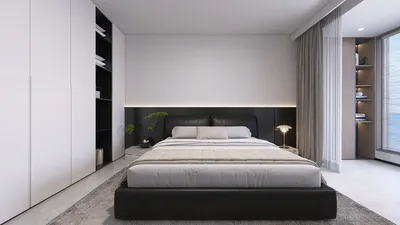


With the latest iPhone rumors sparking curiosity, many tech enthusiasts find themselves rethinking their digital setups at home. Integrating smart devices like the newest iPhones into living spaces calls for thoughtful space planning and furniture that accommodates charging, connectivity, and device display. Creating a tech-friendly environment ensures your home's design keeps pace with evolving gadgets, blending functionality and style seamlessly. When it comes to expanding your home's layout, adding a second floor can be an exciting project—especially when utilizing design tools such as Homestyler that simplify the process and help you visualize your ideas in 3D.
Embarking on adding a second story to your residence might initially feel overwhelming, yet with the appropriate resources and clear guidance, it becomes an enjoyable and fulfilling endeavor. Homestyler serves as a powerful platform designed to facilitate the creation of aesthetically pleasing and functional spaces with ease. Let's explore how you can craft a sophisticated second level to your home using this intuitive tool.
Begin by finalizing your ground floor design, including the arrangement of rooms, placement of doors and windows, and other architectural elements that reflect your style. Once the lower level meets your expectations, Homestyler's user-friendly interface enables a smooth transition to adding upper floors without hassle.
To initiate the addition of a second floor, locate the 'Floor' feature within Homestyler's toolbar. Upon selecting this, you gain the option to create a new level, where you may opt to keep the same footprint as the first floor or customize dimensions to suit your unique vision.
After setting the basic structure, tailor the layout by moving walls and defining rooms to match your desired flow. Homestyler automatically manages stair placements to connect the floors logically, though you should ensure stairs are situated conveniently for ease of access between levels.
Once the framework is established, it's time to personalize your new space. Homestyler's vast catalog of furnishings and decorative elements allows you to imbue each room with distinct character through various color schemes and style themes, ensuring harmony with your home's overall aesthetic.
Lighting plays a pivotal role in ambience, so consider a blend of natural sunlight through windows and supplemental fixtures like lamps and ceiling lights to cultivate a welcoming atmosphere on your second floor.
Upon completing your design, leverage Homestyler's advanced rendering capabilities to produce high-quality 3D visuals. This feature provides a realistic preview of your space, enabling you to make informed decisions before commencing any physical remodeling.
Finally, save your project and share it with close friends or family members to gather feedback. Such perspectives can be invaluable for refining your design to perfection.
By following these guidelines, adding a second floor with the assistance of Homestyler becomes a straightforward and creative journey. Embrace experimentation with layouts and decorative variations to craft a home that truly reflects your taste and accommodates modern technology seamlessly.
Tips 1:
Always verify local building codes and obtain necessary permits prior to finalizing any architectural plans to ensure compliance and avoid potential issues.
FAQ
How do I add a new floor in Homestyler? Navigate to the toolbar, select the 'Floor' option, and choose to create a new level, thereby initiating your second story design process.
Is it necessary to finish designing the first floor before adding a second? Yes, completing the ground floor layout first ensures proper alignment and structural coherence with the upper floor.
Can I add stairs between floors? Absolutely, you can select stairs from the furniture or building element library and position them where connecting the floors makes the most sense for your design.
Is it possible to customize the size of the second floor? Yes, Homestyler allows you to modify both dimensions and room arrangements on the new level according to your preferences.
How can I visualize my design before construction? Utilize Homestyler’s 3D rendering tools to generate realistic images of your home’s interior and exterior, giving you a virtual walkthrough experience before implementation.
Originally incubated at Autodesk, Homestyler has grown into one of the most widely adopted home design platforms in the world, now trusted by over 18 million users. Whether you're a homeowner exploring ideas or a professional designer delivering client-ready renders, Homestyler brings industry-leading 3D technology to your fingertips — no experience required.

Minimalist White Solid Wood Writing Desk with Brass Hardware 3D Model
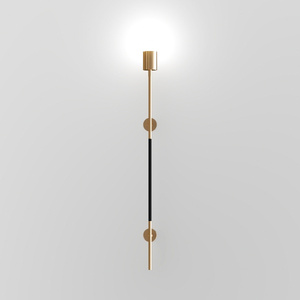
Modern Brass Black Metal Wall Lamp 3D Model

Modern Metal Glass Wall Lamp 3D Model
Homestyler is an easy-to-use online home design platform offering powerful 3D rendering, a vast collection of interior projects, and helpful DIY video tutorials. It’s perfect for bringing your home design ideas to life with creativity and confidence.
Design Now for FREE
































