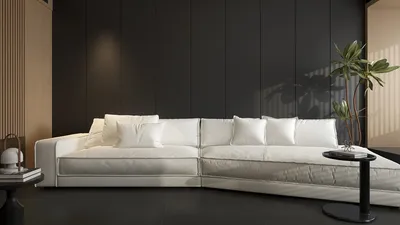


In today’s evolving home environment, integrating technology like advanced gaming consoles and innovative software such as Ninja Theory’s creations influences more than just entertainment—it shapes how we design our living spaces. Thoughtful spatial planning now considers immersive setups and ergonomic furniture that complement digital lifestyles, blending comfort and functionality with cutting-edge tech experiences right at home.
Designing a bathroom online proves most valuable when it aids decision-making rather than simply generating aesthetically pleasing visuals. An effective digital layout addresses practical concerns: Does the door open freely without hitting the vanity? Is the shower easily accessible? Are the materials harmonious under realistic lighting conditions? Can others easily identify the approved design version?
The process below guides you from creating a concise project brief to producing a shareable design package. It also helps you evaluate whether a free online tool suffices before dedicating significant time to modeling the entire bathroom.
Begin with a well-defined bathroom brief instead of facing a blank slate
Prior to launching any bathroom design software, clarify the room’s functional requirements. This ensures the planning remains focused amid numerous fixture options, finishes, and layout arrangements.
Document the essentials:
Distinguish between necessities and preferences. For example, having one sink is a requirement, while preferring a floating oak vanity is optional. Making such distinctions simplifies design revisions if spatial dimensions or budgets constrain initial choices.
When multiple stakeholders participate, establish consensus on the brief before placing any products. Online bathroom planning accelerates significantly when the team collaborates on a unified objective.
Gather accurate measurements as foundational data
You don’t need a full drafting session; rather, collect sufficient reliable measurements to recreate and evaluate the bathroom digitally.
Record the room’s wall-to-wall lengths, ceiling height, as well as the width and height of doors and windows. For doors, note the swing direction; for windows, measure their position along walls and height from the floor. Identify any fixed utilities such as waste outlets, water connections, electrical switches, sockets, vents, columns, and boxed-in pipes.
A simple hand-drawn sketch can serve as your measurement map. Annotate every dimension onsite and capture reference photos from various corners. Measure critical distances twice, especially in older structures where walls may not be perfectly square.
Maintain clarity by keeping three types of information separate:
Consider the online model as a planning draft rather than a substitute for professional site surveys. Final dimensions, utility placements, waterproofing details, and compliance with local regulations must be validated before construction or purchasing.
Construct the base room model and lock existing conditions
Select a platform that allows inputting precise measurements and simultaneously viewing the project in 2D and 3D. For example, Homestyler offers an intuitive room planning workflow encompassing layout, fixture arrangement, finish selection, and 3D visualization.
Start by building the room envelope—add doors, windows, and fixed elements before incorporating toilets, vanities, showers, or bathtubs. Confirm multiple known measurements against your notes; even a small error in wall length can invalidate the overall plan.
Once your base model matches the physical space, save it as a reference version. Duplicate this for testing different layouts instead of repeatedly modifying a single copy. This approach provides a reliable fallback if an idea does not work out.
Evaluate layouts by addressing constraints in sequence
The quickest approach to online bathroom planning is placing the least flexible fixtures first.
Position the toilet and other wet-zone elements initially, since plumbing, drainage, ventilation, and structural factors often dictate their position. Subsequently, add the vanity and storage solutions, followed by towel bars, lights, decor, and accessories only after establishing primary circulation paths.
When reviewing each design, consider questions like:
Avoid shrinking every fixture to fit the brief artificially. Use realistic product dimensions or placeholders close to the actual sizes of available items. Practical layouts require viable physical components.
For rooms with irregular shapes or when linked to broader renovations, working in a 3D floor planning environment can assist in analyzing the bathroom’s orientation within the entire living space without complicating the project with additional floor plans.
Generate clear alternatives that answer targeted questions
Random changes are difficult to assess. Assign each version a distinct goal:
Limit initial options to two or three practical layouts. Too many versions create confusion rather than aid decision-making. Name each clearly and maintain consistent viewpoints across all.
Use a concise evaluation scorecard to compare these plans:
The scorecard isn’t for estimating construction costs but to highlight which layout strengths and areas need expert validation.
Incorporate fixtures with attention to dimensions and relationships
Once a layout passes circulation considerations, replace generic shapes with more precise representations of the chosen fixtures. Verify dimensions from manufacturers before finalizing product selections.
Consider how items interact: a wide vanity may hinder shower access; a deep basin could limit drawer space; wall-mounted fixtures create sleek appearances but might require special installation; freestanding tubs need sufficient surrounding space for cleaning and usability.
Maintain a simple product schedule outside the visual model listing key details.
This prevents a polished 3D scene from hiding unresolved decisions.
Apply materials as a harmonious system
Material application should follow spatial planning stability. Start with dominant surfaces—floor, shower walls, other walls, vanity, and countertop—then add metal finishes, lighting, mirrors, and accessories.
Use a restrained palette initially. Judging proportion and contrast is easier with one floor finish, a primary wall treatment, and a few accent elements. Introduce patterns only after confirming the overall harmony.
Examine materials in the 3D environment:
While online previews convey design intent, screen colors and default textures cannot precisely replicate real-world finishes. Always check physical samples under actual daylight and artificial lighting before approving designs.
Leverage 3D previews as tools to detect errors
3D views are not solely for presentations. Navigate the room at approximate eye level, inspecting from the doorway, vanity, shower, and toilet positions. Elevated or corner perspectives can expose potential clashes invisible from single angles.
Check alignment of mirrors with basins and lighting, sightlines around tall storage units, and sensible material transitions. Review the room under various lighting conditions if supported. A design looking balanced in bright daylight may appear dull or too dark at night.
For stakeholder reviews, use consistent camera angles across designs. Comparable viewpoints provide clearer insights than biased perspectives. If higher-quality images are needed, explore export options within the 3D rendering workflow to confirm available resolution in your plan tier.
Compare, refine, and finalize the preferred design
Encourage feedback only when you can clearly articulate differences between options. Request specific comments addressing choices instead of subjective preference for visuals.
Compile feedback into one consolidated revision list. Avoid isolated edits during ongoing reviews. Once a final scheme is selected, mark it explicitly and retain rejected alternatives for future reference.
Perform a thorough final audit: revalidate key measurements, door swings, fixture sizes and clearances, material selections, and lighting placements. Document unresolved technical items separately to prevent confusion with approved elements.
Provide a comprehensive decision package, not just attractive renders
Effective handoffs deliver both the intent behind the design and sufficient detail to guide next steps. Depending on your platform’s capabilities, prepare a concise package including:
Date and assign a version identifier to reduce risks of outdated references among contractors, suppliers, or family members.
Remember that online designs facilitate communication with qualified professionals but do not replace technical drawings, specifications, structural reviews, waterproofing plans, or local regulatory approvals where required.
Is a free online bathroom planner sufficient?
"Free" can mean anything from a limited trial to a perpetual basic tier, so assess the workflow rather than relying solely on the label. Terms of use may evolve, affecting access, quotas, and features.
A free tool may be suitable for testing layouts, exploring material schemes, creating basic 3D visuals, and sharing early concepts. However, complex projects needing high-resolution exports, multiple renders, specialized catalogs, construction documents, collaboration features, commercial rights, or long-term project access may require paid solutions.
Before committing to the full design, conduct a brief trial:
A short experiment (about ten minutes) can reveal limitations relevant to your project beyond generic "free bathroom design online" claims.
Transform your online design into a practical build plan
To successfully design a bathroom online, proceed systematically: define the brief, verify measurements, test constrained layouts, select realistic fixtures, coordinate materials, review in 3D, compare named alternatives, and share a versioned package.
The ideal outcome is not the most decorated render but a scheme that communicates your needs clearly, fits the known space, identifies unresolved questions, and provides a solid foundation for verification before construction begins.
Homestyler's roots trace back to Autodesk, the global leader in design and engineering software. That heritage lives on in every feature we build. Today, with a community of more than 18 million users worldwide, Homestyler continues to make professional-quality interior design accessible to everyone — from first-time decorators to seasoned architects.
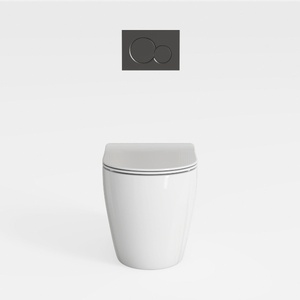
Smart Toilet with Built-in Bidet, One-Piece Bidet

Modern White Solid Wood Copper Accent Bathroom Vanity With Round Wall Mirror 3D Model

Minimalist White Acrylic Freestanding Bathtub with Brass Floor Tap 3D Model
Homestyler offers an easy-to-use online design tool packed with stunning 3D renderings, inspiring interior projects, and helpful DIY video tutorials. It’s perfect for bringing your home design ideas to life quickly and creatively.
Progetta ora GRATIS
































