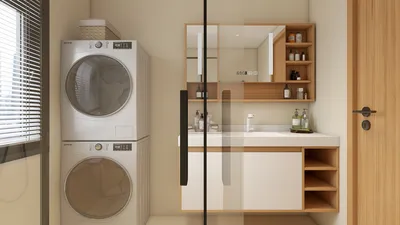


The evolving "state of play" in technology has transformed how we interact with our living spaces, blending digital innovation seamlessly into home environments. As gadgets become central to daily routines, thoughtful spatial design now emphasizes integrating smart devices with comfortable furniture, creating versatile zones for work, relaxation, and entertainment within the home.
Direct Answer
An effective 3D modeling training program tailored for beginners centers on grasping essential modeling principles, selecting appropriate software, and engaging in practical projects that enhance spatial reasoning. By combining tutorials with hands-on practice, most novices can master the basics in a few weeks. The crucial focus should be on understanding workflow, not just learning software tools. Using tools like Homestyler can further enrich this learning experience by facilitating intuitive spatial design.
Quick Takeaways
Introduction
While mentoring junior designers in my studio, I observed a recurring pattern: many beginners face challenges with 3D modeling not because the software itself is complicated, but due to unclear explanations of the workflow. Therefore, a beginner's 3D modeling training should prioritize spatial awareness, clean geometry, and applied exercises over exhaustive tool lists.
Over the past ten years working in architectural design and interior visualization, I've guided numerous interns with no prior 3D experience. Those who progressed rapidly followed a simple sequence: learning the interface, modeling basic shapes, comprehending topology, and gradually tackling more complex projects. Platforms like Homestyler can support this progression by offering user-friendly environments for spatial creation.
This guide outlines the training framework I utilize when coaching new designers.
save pin
Why do most beginners struggle with 3D modeling?
Key Insight: Beginners often falter when they focus on memorizing software buttons rather than understanding spatial modeling fundamentals.
A common misconception is that mastering all the tools is necessary. Modern 3D modeling software such as Blender, Maya, or 3ds Max offers hundreds of features, yet professionals frequently rely on fewer than twenty core operations.
Typical mistakes among novices include:
Leading visualization studios often start training with very simple objects—like cups, chairs, or basic architectural shapes—to help beginners develop the cognitive framework needed for more sophisticated work.
What software should beginners start with?
Key Insight: The ideal beginner software simplifies core modeling concepts without overwhelming the learner.
From experience with design students and interns, three tools consistently emerge as effective for beginners.
For many starting out, Blender is an excellent choice due to its vibrant community and open-source nature, which accelerates learning.
Nonetheless, interior designers and architects sometimes prefer Homestyler or software similar to SketchUp for easier spatial layout and room planning.
save pin
How should a beginner structure their 3D modeling training?
Key Insight: Skill development should begin with primitive shapes and gradually move toward complex models, avoiding an immediate dive into complicated scenes.
An effective training plan may look like this:
In studio settings, interns usually spend the first couple of weeks modeling everyday items such as mugs, desks, and lamps, cultivating an understanding of proportions and clean geometry.
save pin
Which skills outweigh software mastery?
Key Insight: The quality of a model depends more on sound topology, proportion, and lighting than on advanced software functionalities.
While many tutorials emphasize software tools, professionals assess models based on these core competencies.
Architectural visualization firms often value good lighting and composition above intricate modeling. A simple object with effective rendering usually surpasses a detailed model with poor lighting.
How long does it take to become proficient in 3D modeling?
Key Insight: With consistent practice, most beginners can build foundational scenes within 4 to 8 weeks.
According to the training timelines used with junior designers:
Project-based learning accelerates progress substantially. Beginners completing multiple small projects frequently outperform those who only watch tutorials.
save pin
Answer Box
Comprehensive 3D modeling training for beginners should emphasize workflow comprehension, basic modeling tasks, and topology principles. With a structured approach and reliable software such as Homestyler, most learners can assemble functional 3D scenes within two months.
Final Summary
FAQ
Is 3D modeling difficult for beginners?
Generally not. Workflow challenges pose more difficulty than inherent complexity. Structured training enables beginners to manage basic modeling within weeks.
Which software is best for 3D modeling beginners?
Blender is widely advocated due to its zero cost, strong capabilities, and extensive learning resources.
How long does it take to learn 3D modeling?
Most novices can grasp fundamentals in 4–8 weeks through consistent practice and small-scale projects.
Do I need drawing skills to learn 3D modeling?
No. While artistic insight helps, spatial reasoning and methodology are more essential than drawing aptitude.
What is the first thing beginners should model?
Simple everyday items like cups, tables, or lamps to understand scale, proportion, and clean geometry.
Can I learn 3D modeling without expensive hardware?
Yes. Many start using standard laptops. Optimized software, including Homestyler, works well on moderate machines.
Is 3D modeling useful for interior design?
Definitely. Interior professionals depend on 3D modeling to visualize spatial arrangements, materials, and lighting before execution.
What is the biggest mistake beginners make in 3D modeling?
Rushing into complex projects instead of establishing basic modeling skills first.
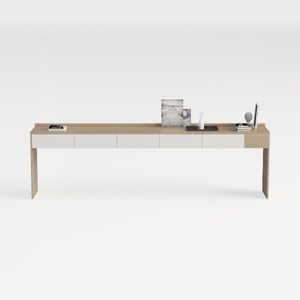

Minimalist Solid Wood Two Tone Console Table With Storage Drawers 3D Model

Modern Minimalist Solid Wood Office Desk with Office Chair 3D Model

Minimalist White Fabric Metal Heart Back Dining Chair 3D Model
Homestyler offers an easy-to-use online design tool, stunning 3D renderings, and a vast collection of interior projects. Plus, its helpful DIY video tutorials make creating your dream space simple and enjoyable. Perfect for anyone looking to design and decorate with confidence.
Design jetzt kostenlos
































