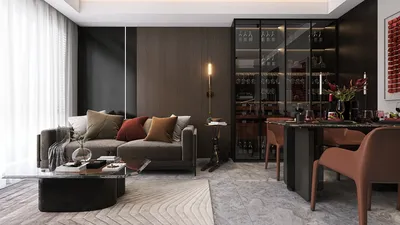


In today’s connected homes, the integration of a versatile TV app transforms how we interact with our living spaces. As streaming services become central to entertainment routines, designing a cozy media nook with ergonomic seating and adjustable lighting enhances both comfort and viewing experience. Thoughtful spatial planning ensures that technology blends seamlessly with home aesthetics, creating an inviting area tailored for relaxation and digital enjoyment.
Several years ago, I nearly committed a beginner error during a museum renovation project. I meticulously positioned exhibits to create a dramatic and cinematic atmosphere—only for the safety consultant to walk in and ask a simple yet critical question: “How do 200 people exit in an emergency?” Instantly, my carefully crafted layout resembled a confusing maze.
That experience left a lasting impression. Designing a museum isn’t solely about visual appeal; it’s equally about safeguarding visitors, protecting artifacts, and ensuring smooth operations. Overlooking minor layout details can introduce significant hazards.
Through time, I have realized that beginning with thoughtful planning alleviates stress during later stages. I often initiate by modeling circulation and safety elements using a quick 3D sketch, which exposes hidden problems well before construction starts.
If you’re considering a 3D floor plan for a museum hall, these five critical risk elements are essential to review from the outset.
Key Risks in Museum Hall Spatial Planning
A common pitfall is perceiving a museum hall as just an open area. In practice, it functions more like a managed flow environment, where visitors, staff, security personnel, and climate control systems all intersect.
When crafting exhibition halls, I focus on circulation layers: visitors should move effortlessly without crossing security routes or conservation zones. Overlapping these paths leads to operational confusion and potential security breaches.
Visual overload also presents a subtle risk. Crowding too many displays together might seem effective on paper, but visitors slow down noticeably when exhibits compete for their attention, disrupting the entire flow of movement within the hall.
Emergency Exits and Safety Clearance in 3D Layouts
Emergency preparedness elevates museum layout complexity. Exit routes must remain visible, unobstructed, and accessible even during peak crowds.
I rigorously assess sightlines from numerous spots within the gallery. If visitors can’t clearly see signage or understand escape paths, the design calls for revision. Additionally, broad corridors are crucial as evacuation speed greatly depends on clearance width.
Though regional rules vary, many projects turn to standards akin to the NFPA Life Safety Code, which delineates minimum exit widths and occupancy limits for public spaces (NFPA.org).
Avoiding Visitor Congestion and Bottlenecks
Crowd dynamics are often unpredictable. I designed a gallery once where a single interactive display caused a queue that blocked half the space within minutes.
To counteract this, I map out visitor circulation patterns early in the design phase. Simulating movement allows quick identification of choke points near entrances, popular exhibits, or narrow gallery passages.
A straightforward strategy is positioning visually engaging displays deeper inside the hall to draw visitors forward and distribute crowds more evenly.
Protecting Exhibits Through Smart Layout Design
Artifacts bring additional challenges rarely addressed in standard interior design. Factors like lighting intensity, humidity control, security perimeter, and accidental touch zones dictate exhibit placement.
Maintaining buffer zones around high-value items not only safeguards them but also enhances viewing comfort. Visitors who aren’t cramped tend to spend more time appreciating the displays instead of worrying about personal space.
Providing maintenance access routes for conservators ensures quiet, efficient service without disrupting visitor circulation.
Using 3D Floor Plans to Evaluate Operational Risks
Traditional flat drawings often fail to represent how visitors truly experience the space. Nowadays, I prefer digital simulations of various gallery scenarios to test crowd dynamics, sightlines, and exhibit spacing.
These advanced visualizations uncover issues commonly missed in standard planning, such as blind spots near security cameras or congested areas around interactive elements.
The objective goes beyond crafting a visually pleasing museum hall; it’s about creating a space that functions smoothly daily, while prioritizing visitor safety and artifact preservation.
FAQ
1. Why is risk planning essential for a museum hall 3D floor plan?
Risk planning guarantees visitor safety, artifact security, and operational efficiency. Without it, layouts may unintentionally cause evacuation difficulties or crowding issues.
2. What is the most frequent mistake in museum hall planning?
Overcrowding exhibits ranks high among pitfalls. When displays are too close, visitor traffic slows and bottlenecks develop.
3. What is the recommended width for museum walkways?
Designers typically aim for at least 6 to 10 feet in principal circulation pathways, depending on expected attendance. Wider aisles facilitate accessibility and expedite emergency egress.
4. How are congestion issues near popular displays avoided?
Positioning high-interest exhibits farther inside the gallery, combined with sufficient space for short lines, prevents blockages in main walkways.
5. Why prefer 3D floor plans in museum design?
Three-dimensional planning offers realistic perspectives on visitor circulation, sightlines, and spatial relationships, and enables rapid iteration of different configurations.
6. What safety standards influence museum floor planning?
Many projects refer to guidelines similar to the NFPA 101 Life Safety Code concerning occupancy and exit requirements, alongside local building codes.
7. How can layouts help protect valuable artifacts?
Designers usually create buffer zones, control lighting exposure, and ensure display cases are positioned within clear sightlines for security.
8. Can thoughtful layout planning enhance visitor experience?
Definitely. Smooth circulation and well-spaced exhibits encourage longer exploration and reduce navigation frustration.
Throughout this approach, leveraging tools like Homestyler facilitates intuitive 3D visualization and spatial planning, making complex design decisions more accessible and efficient for both professionals and clients.


Homestyler offers an easy-to-use online design tool with stunning 3D renderings, a vast collection of interior projects, and helpful DIY video tutorials—making it simple and fun to create your dream home design from start to finish.
Zaprojektuj teraz za darmo
































