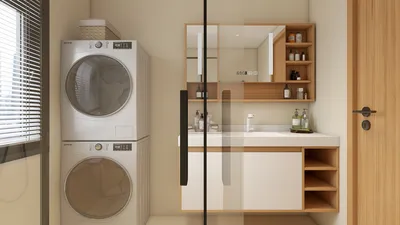


As new Xbox Game Pass games continue to expand the horizons of digital entertainment, many gamers are seeking comfortable and functional spaces that enhance their immersive experience. Creating a dedicated gaming nook with ergonomic seating and smart lighting can transform any room, blending technology seamlessly with home design to support extended play and relaxation.
Direct Answer
CC 3D modeling involves the creation or use of three-dimensional models shared under Creative Commons licenses. These models can be reused, altered, and distributed according to the license rules, making them invaluable tools for designers, architects, and digital creatives.
In real-world design processes, Creative Commons 3D modeling enables professionals to speed up visualization, prototyping, and concept testing without the need to build every model from zero.
Quick Takeaways
Introduction
With over ten years in interior design and digital visualization, I've learned that hardly any professional builds 3D models entirely from scratch today. The emergence of Creative Commons 3D models has revolutionized how designers prototype environments, experiment with layouts, and showcase ideas to clients.
In my projects, particularly during initial concept stages, Creative Commons 3D assets let my team create realistic scenes within hours instead of days. We source furniture, lighting, décor, and architectural elements from shared model libraries.
However, many users misunderstand Creative Commons licenses. Some assume all shared models are free for commercial use, which is incorrect. Others neglect attribution or mix incompatible license types unintentionally.
This article clarifies the true meaning of Creative Commons 3D modeling, how professionals incorporate it into their workflows, and aspects often overlooked in common tutorials.
What Does CC 3D Modeling Actually Mean
Key Insight: CC 3D modeling means a 3D object is distributed under a Creative Commons license, specifying permitted reuse conditions.
Creative Commons licenses enable creators to share work while keeping control over its usage. In 3D modeling, this applies to assets such as furniture models, architectural details, characters, props, and environments.
Instead of buying every asset on marketplaces, designers can legally reuse CC models in accordance with license terms.
Common Creative Commons licenses found in 3D assets include various versions that define attribution, non-commercial use, derivatives, and sharing terms.
Platforms frequently hosting CC 3D models include sites like Sketchfab, Poly Haven, Blend Swap, and Thingiverse.
Properly understanding each model’s license is vital as misuse can lead to legal complications in commercial projects.
Why Designers Are Increasingly Using CC 3D Models
Key Insight: Using CC 3D models significantly shortens production timelines during concept visualization and early design phases.
Early in my career, crafting a realistic scene required manual modeling of nearly every object, often taking days to prepare before rendering.
Nowadays, designers rapidly assemble environments utilizing Creative Commons libraries. For instance, a recent residential visualization sourced over half the props from CC assets.
Typical workflow improvements include quicker concept iterations, higher flexibility, and cost savings.
Reports from Blender and Unreal Engine communities highlight the growing role of shared asset ecosystems in digital production.
How Do Creative Commons Licenses Affect Commercial Projects
Key Insight: Not all CC 3D models are cleared for commercial use, which causes frequent misunderstandings among designers.
A common mistake is equating “free download” with “safe for commercial projects,” which is often false.
Before implementing any model professionally, verify license permissions, attribution needs, and compatibility.
A simplified comparison of licenses helps distinguish commercial allowed versus restricted models.
Professional studios maintain organized asset libraries with license tracking to avoid accidental misuse.
What Are the Hidden Risks of Using Free 3D Models
Key Insight: The largest risks with CC 3D modeling lie in inconsistent quality and scaling issues rather than licensing.
Many tutorials omit that free models may contain technical flaws causing problems during production phases.
Typical hidden issues include improper mesh topology, incorrect scale, non-manifold geometry, and missing textures.
Poorly optimized models can drastically increase rendering times; I've witnessed render durations double due to a few unrefined assets.
Professional teams conduct brief quality checks prior to incorporating models into libraries.
How Professionals Integrate CC Models into a Design Workflow
Key Insight: Seasoned designers treat CC assets as foundational elements that require refinement before inclusion.
Downloaded models typically undergo a preparation process—model cleanup, scaling adjustments, and material setup—before use in final renders.
A common workflow involves import, optimization, texture fixes, and consistency checks to maintain stylistic coherence.
This workflow ensures assets smoothly integrate into projects rather than appearing mismatched or random.
Answer Box
CC 3D modeling empowers designers to legally reuse Creative Commons licensed assets to expedite visualization and concept development. When managed carefully with license verification and asset optimization, it greatly reduces modeling time without sacrificing design integrity.
Final Summary
FAQ
What is CC 3D modeling?
It refers to using 3D models distributed under Creative Commons licenses that permit varying levels of reuse, alteration, or redistribution depending on the license.
Can CC 3D models be used commercially?
Some licenses like CC0 or CC BY often allow commercial use, whereas others (e.g., CC BY-NC) restrict it.
Do I need to credit the creator when using CC models?
Attribution is generally required for licenses like CC BY, but depends on the specific Creative Commons terms.
Where can I find Creative Commons 3D models?
Popular sources include Sketchfab, Poly Haven, Blend Swap, and Thingiverse platforms.
Are CC 3D models safe for professional design projects?
They are, provided the licenses are confirmed and models undergo quality checks prior to integration.
Why do some CC models cause rendering problems?
Many free models contain unoptimized geometry or improper materials that require cleaning up before use.
Is CC 3D modeling useful for interior design visualization?
Absolutely. Designers frequently utilize CC 3D furniture, décor, and architectural assets to accelerate interior scene creation, often using tools like Homestyler for seamless integration.
How do studios manage large CC asset libraries?
Teams often keep well-organized internal libraries where models are optimized, categorized, and tagged according to license type for safe reuse.

Modern Black Metal Solid Wood Dual Tray Coffee Table 3D Model
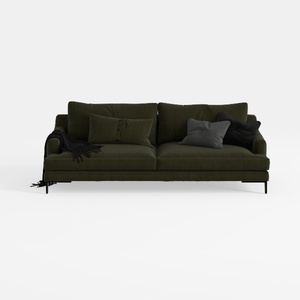
Modern Dark Green Fabric Upholstered 3 Seater Sofa With Throw Pillows 3D Model
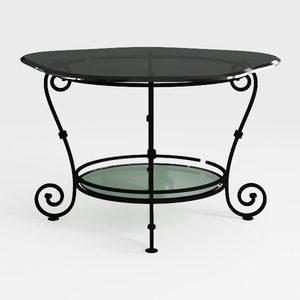
Vintage Metal Glass Two Tiered Scrollwork Coffee Table 3D Model
Homestyler offers an easy-to-use online home design tool with stunning 3D renderings, inspiring design projects, and helpful video tutorials. It’s perfect for bringing your interior decoration ideas to life quickly and creatively. Give your space a fresh look with Homestyler today!
Design Now for FREE
































