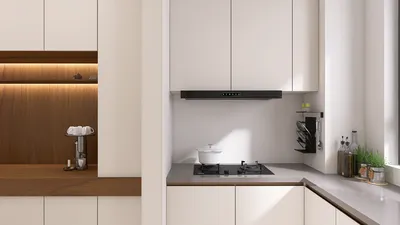


In today's smart homes, seamless integration of technology like the Nest app is key to managing comfort and security effortlessly. When the Nest app faces interruptions, it reminds us how crucial a reliable tech setup is in our living spaces. Designing furniture that accommodates smart devices while maintaining aesthetic harmony can enhance the overall functionality and atmosphere of any room, making technology a natural part of our home environment. Tools such as Homestyler facilitate this by enabling users to incorporate modern tech elements smoothly into their interior designs, blending utility with style.
Executive Summary
Selecting the ideal AI home design tool from the expanding array available today hinges less on finding a definitive "best" option and more on aligning a tool's capabilities with your unique workflow needs. Whether you're a homeowner, an interior designer, or a real estate agent, your priorities vary—from quick floor plan creation to photorealistic 3D imagery or comprehensive platforms that handle projects from initial 2D drafts to client-ready visuals. This article equips you with a practical evaluation framework based on essential functions: floor plan creation, interior styling, 3D rendering, editing flexibility, export options, and overall workflow compatibility. Instead of arbitrary ratings, we analyze each capability category's deliverables, crucial compromises, and verification methods to transform AI drafts into dependable planning tools.
Why a Capability-First Framework Matters
The landscape of AI-driven home design solutions has evolved swiftly. Two years ago, most software offered basic features like uploading a room photo and selecting a style to generate redesigned images. Nowadays, the market is divided into at least four distinct categories, with many platforms overlapping functionalities. For example, one might excel in generating 2D floor plans but provide limited rendering options, whereas another may offer impressive 3D visuals but restrict layout edits post-creation.
Consequently, direct comparisons of "the best tool" are unreliable across different user needs. A homeowner adjusting a living room demands different tool attributes than an interior designer conceptualizing multiple client options or a real estate professional needing quick dimensioned floor plans for listings. Reviewing how platforms perform across various scenarios and pricing tiers is advisable before committing.
A capability-first approach involves answering critical questions upfront to avoid choosing a tool strong in less-needed areas but lacking in essential functionalities.
The Four Core Capability Categories
Contemporary AI home design applications generally fall into four major categories. Grasping what each specializes in—and their limitations—is fundamental for informed tool selection.
AI floor plan generators transform descriptions, sketches, measurements, or existing drafts into structured, scale-accurate 2D layouts. Top solutions produce plans that remain editable, allowing users to adjust walls, resize spaces, relocate doors, and swap furnishings even after initial generation.
For instance, a quick photo of a hand-drawn sketch combined with at least one known measurement lets the AI map out walls and openings, condensing hours of manual drafting into mere minutes.
Key factors to evaluate in floor plan tools include:
AI interior design tools specialize in restyling spaces visually. Users upload a room photo, select desired design aesthetics—like Scandinavian, industrial, or Japandi—and obtain restyled images swiftly. More sophisticated platforms enable refinement through natural language prompts, such as changing wall hues or furniture styles.
These applications best serve design exploration, allowing users uncertain about style to preview multiple options rapidly before investing. However, the outputs are primarily visual concepts without scale accuracy, meaning some furniture shown might not fit or obstruct pathways.
Key evaluation criteria for interior design tools include:
AI rendering software adds photorealistic quality to designs by converting 2D blueprints, 3D models, or rough sketches into detailed images or animated walkthroughs. This automation saves architects and designers hours of manual lighting and material configuration.
These tools usually offer modes such as "accurate," preserving original geometry and materials with realistic lighting, and "style transfer," applying the look of reference images for idea generation. Additional features might involve noise reduction and image enhancement.
Key points to assess in rendering tools include:
Integrated platforms unify floor planning, styling, and rendering within one interface. Changes in 2D floor plans instantly reflect in 3D models and rendered visuals, eliminating the need for multiple software handoffs.
For users desiring a comprehensive AI design journey—from concept sketch to photorealistic presentation—integrated platforms offer the smoothest workflow. You can create or import floor plans, furnish spaces, test materials and lighting, and generate final renders without switching applications. The tradeoff lies in a steeper learning curve than using standalone tools.
How to Select the Right Tool: A 7-Step Workflow
Follow this structured checklist to align a tool's strengths with your practical requirements, avoiding feature-chasing pitfalls:
The Editability Factor: Why Locked Outputs Are a Dealbreaker
A major differentiator among AI home design applications is whether their outputs remain editable or are locked post-generation. Tools producing attractive floor plans without allowing edits to walls, doors, or furniture placement limit usability—you can admire results but not tailor them to real needs.
Editability is vital throughout design iterations:
Opt for platforms that view AI outputs as drafts to refine instead of finished products. The core benefit lies in accelerating early design phases, supplementing rather than replacing human judgment.
Limitations and Practical Verification
While AI tools greatly assist planning, being aware of their constraints safeguards against overdependence:
No AI-produced floor plan qualifies as a permit-ready construction document without review by licensed architects or engineers. Local regulations, structural requirements, and system layouts are beyond AI's current scope.
Visual realism does not imply spatial accuracy—AI-generated interior images may feature furniture that won't physically fit or layouts blocking traffic flow. Always verify designs against actual measurements.
Style interpretations vary due to differing training datasets. For example, what one tool labels "modern farmhouse" might resemble "minimalist" or "Scandinavian" elsewhere. Treat style categories as inspiration starting points, not fixed standards.
Free plans often have significant restrictions, such as limited generations, lowered resolution, or watermarked exports. Testing whether a free tier can handle a small complete project before upgrading is prudent.
Iterative refinement is crucial; initial AI outputs rarely suffice. Produce multiple versions, compare usability aspects, and iteratively enhance chosen directions. Avoiding this step is a frequent newbie error.
Matching Tools to Use Cases
Different roles benefit from particular capability sets. The following mappings illustrate which tool types best suit homeowners, designers, or real estate professionals.
The Case for Integrated Platforms
Single-purpose tools often outperform multitaskers in their niches: dedicated floor plan generators yield better 2D layouts than all-in-one visualizers, while focused renderers create superior photorealism compared to bundled modules.
However, juggling multiple tools incurs workflow inefficiencies—exporting, re-importing, editing across applications causes rework, version confusion, and error risks.
Integrated platforms like Homestyler maintain synchronization among 2D plans, 3D models, and rendered outputs, automatically propagating changes. Professionals needing frequent layout-to-visualization workflows save hours by adopting such solutions that support end-to-end project management within a single environment.
FAQ
Beginners to digital home design should seek tools with intuitive three-step processes: upload a photo, select a style, and get a result, instead of those requiring complex prompts or CAD knowledge. Free trials help evaluate ease of use before commitment. Template-based designs also help overcome the intimidation of starting from scratch.
No, AI does not replace designers but shifts their role towards refining AI-generated options. Homeowners can test multiple concepts rapidly, arriving at clearer preferences. Designers then apply their expertise for proportion, materials, code compliance, and technical feasibility. Complex structural projects still require licensed professionals.
Accuracy depends heavily on input type. Measures-based inputs yield the most reliable results; sketches and text produce approximate layouts needing validation. AI floor plans remain schematic aids, not final construction documents.
For frequent users, paid subscriptions provide worthwhile benefits like faster iterations, high-res exports, commercial rights, and watermark removal. Occasional users may find free plans adequate but should test them with real workflows before subscribing.
AI layout generators create editable 2D floor plans focusing on spatial arrangements, while interior design tools focus on stylized room visuals. Combining these via integrated platforms produces the most comprehensive results: first perfect the layout, then apply style.
Kitchen and bathroom design require unique considerations—plumbing, ventilation, clearances, waterproofing—that general AI tools may overlook. Seek AI solutions offering specific cabinetry, appliance, and workflow features, yet always confirm designs with professionals before construction.
Most AI home design tools export common formats including PDF, JPG, PNG, and sometimes CAD-compatible DWG or DXF. Before sharing AI drafts with contractors, verify dimensions, add annotations, and clarify designs as schematics rather than build-ready drawings.
Free versions tend to restrict generation counts, resolution, export capabilities, and commercial licenses, and may lock outputs from editing. Serious users typically upgrade, but free tiers remain valuable for early evaluation of workflow fit.


Modern Marble Top Black Metal Leg Coffee Table 3D Model

Minimalist Textured Base Glass Top Coffee Table 3D Model

Modern Marble Top Black Metal Round Side Table 3D Model
Homestyler offers an easy-to-use online home design tool with stunning 3D renderings, inspiring design projects, and helpful DIY video tutorials. It’s perfect for visualizing and creating your dream space effortlessly, whether you’re a beginner or a design enthusiast.
Diseño ahora GRATIS
































