


Transforming a topographic survey into a three-dimensional model is a fundamental aspect of contemporary design methodologies. By leveraging the right techniques, one can accurately visualize terrain features and their interplay. In this article, we will delve into the process of converting a topo survey into a 3D representation using tools like Homestyler to enhance your designs.
Grasping the Essentials of Topographic Surveys
A topographic survey delivers a comprehensive depiction of a site's surface characteristics, including elevations, contours, and noteworthy landmarks. Mastering these components is essential for producing a precise 3D model. Have you ever grappled with contour lines? They can be complicated, yet gaining proficiency with them is vital!
To initiate the modeling process, scrutinize the survey data for essential points that will form the basis of your model. This involves pinpointing significant landmarks, slope variations, and any notable elevation shifts. Engaging deeply with this data will not only enhance your understanding but also ensure that your model faithfully represents real-world conditions.
Preparing Data for 3D Modeling
Once you’ve clarified your topo survey data, the next step is to prepare it for 3D modeling. This entails organizing the data to guarantee all points are viable. Did you realize that a tiny elevation error could cause major discrepancies in your 3D model? Therefore, it is crucial to maintain a high degree of accuracy.
Subsequently, convert the survey data into a format compatible with your 3D modeling software, such as DXF or CSV. This stage is crucial; failing to do so could lead to compatibility challenges that might hinder your work. Software like AutoCAD can significantly aid in simplifying this conversion process, ensuring a seamless transition into modeling.
Building the 3D Model with Software
Now that your data is cleaned and properly converted, it’s time to engage with your modeling software. Popular options encompass SketchUp, Revit, and Blender, each tailored to different modeling needs. Take the time to select the software that aligns best with your project requirements.
Import your data into the software and utilize tools such as terrain or surface modeling capabilities to construct a 3D representation of the area. It's essential to adjust the scale and resolution to ensure detailed accuracy. Early detection of potential errors can save you significant time and effort as you progress!
Enhancing Your 3D Model
After creating the fundamental model, enhance it by integrating textures, colors, and additional elements like vegetation or buildings. This not only lends a realistic touch to your model but also transforms it from a basic representation into a captivating visualization. Have you contemplated how intricate details can greatly influence a viewer’s interpretation of a space?
Organize your model by creating layers for different components, making it easier to manage and manipulate various aspects without needing to start anew. This approach fosters greater creative liberty and enhances efficiency in the design process.
Finalizing and Distributing Your 3D Model
Once enhancements are complete, it’s time for the final tweaks. Conduct a thorough quality check to confirm that all elements are accurate and realistic. Validate measurements, textures, and the overall composition. When you are content with the results, export your model in the preferred format for presentations or other uses. Sharing your creation can yield valuable feedback; collaboration often brings forth significant insights and enhancements!
Frequently Asked Questions (FAQ)
Q: What are the best tools for creating 3D models from topographic surveys? A: Some of the top tools include SketchUp, Revit, and Blender, each providing distinct functionalities for effective modeling.
Q: How do I convert topographic survey data into a compatible format for modeling? A: Utilizing software like AutoCAD will help convert data into formats like DXF or CSV, ensuring smooth compatibility with your chosen modeling software.
Q: Is it possible to enhance my 3D model after its initial creation? A: Certainly! You can augment your model with textures, colors, and additional features to enhance realism and better convey your design intentions.
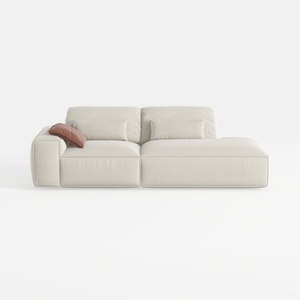
109" Cloud Sectional Couch - L Shaped Chenille Cou
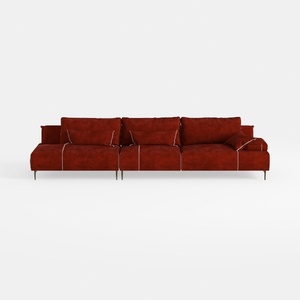

Alexent Oversized Fluffy Sofa Chaise Set 2 Pieces

Explore your creativity with Homestyler, the ultimate online home design platform! With a user-friendly design tool, stunning 3D renderings, and countless DIY video tutorials, you can effortlessly transform your space into a personalized masterpiece. Unleash your inner designer and start your project today!
تصميم الآن مجانا
































