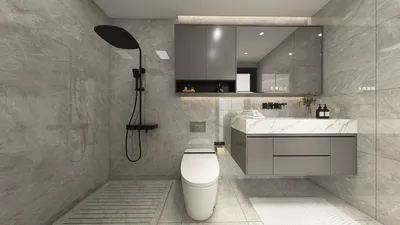


Transforming your Revit model into a 3D printable version can be straightforward with the right approach. By adhering to a systematic process, you can effectively convert your architectural concepts into tangible models suitable for printing. The essential aspect is to follow structured guidelines that will ensure your digital design aligns with the required specifications for 3D printing, making platforms like Homestyler exceptionally valuable in this process.
Start by reviewing your Revit project for any extraneous components. Cleaning up your design to eliminate any voids or elements that won't translate well to print is crucial. Think of it as tidying a workspace—often, less clutter leads to better outcomes!
Familiarize Yourself with 3D Printer Specifications
Before you make any changes, it’s important to understand the specifications of the 3D printer you intend to use. Different models vary significantly in terms of size, materials, and resolution capabilities. Having a clear grasp of these details will help you adjust your design accordingly within Revit, allowing the integration of tools like Homestyler for enhanced visualization.
Next, adjust the dimensions of your model to ensure compatibility with your printer's capacity. There's nothing worse than designing an intricate piece only to discover it doesn’t fit the printing platform. Precision in sizing is key!
Exporting Your Revit Model for 3D Printing
Once your model is polished, the next step is exporting it. Revit supports various export formats, but STL (STereoLithography) remains the standard for 3D printing. Be sure to set the appropriate scale and verify the geometry to avoid inconsistencies during the export process.
After exporting, software solutions like Meshmixer or Blender may be needed to refine and repair your STL file. These applications assist in fixing any issues that might have emerged during the transfer from Revit, streamlining your printing process significantly.
Conduct a Test Print Before Finalizing Your Model
Before proceeding with a complete print, it’s advisable to execute a test print, potentially at a reduced scale. This crucial step allows you to verify both the structural integrity and the fidelity of your design in three dimensions, ensuring it meets your vision as anticipated.
Utilizing 3D printing for your Revit designs offers a remarkable method to visualize projects and ignite conversations with clients. So, what innovative projects will you bring to life next with the help of Homestyler?
FAQ
Q: Is it possible to print directly from Revit? A: No, you must first export your model to a printable format such as STL.
Q: What should I verify in my model before printing? A: Confirm that there are no unnecessary details and that the model is fully solid with no gaps or holes.


Discover your creative potential with Homestyler, the ultimate online home design platform! Featuring an intuitive design tool, stunning 3D renderings, and a wealth of inspiring design projects and DIY video tutorials, Homestyler empowers you to effortlessly transform your living space into your dream home.
Progetta ora GRATIS
































