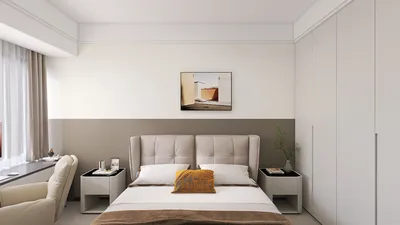


Transforming photographs into 3D room models offers an innovative way to visualize spaces. Whether you're a seasoned interior designer or an enthusiastic DIYer, mastering this skill can take your design capabilities to the next level. By using this technique, you can encapsulate the essence of your room and explore new design possibilities without the hassle of moving furniture or making major purchases.
The primary focus here is 'transforming photos into 3D room models'. This process is vital for visualizing potential updates and improvements to your home, establishing it as a crucial skill in contemporary interior design.
Fundamentals of 3D Modeling
Before you delve into the specifics of 3D modeling, it's important to understand some foundational concepts. 3D modeling encompasses the creation of a mathematical representation of an object in three-dimensional space, commonly utilized in fields like architecture and interior design.
Using images as a guide allows you to craft a model that accurately captures the space and its characteristics. Make sure your photos are clear, well-lit, and taken from various angles, as this will provide a solid foundation for creating accurate models while capturing every detail of the room.
Selecting the Best Software
Choosing the appropriate software is key to effectively turning photos into 3D models. The market offers a variety of tools catering to different expertise levels. Notable options include SketchUp, Blender, and specialized programs like Homestyler that streamline the process of designing rooms.
Each application has its unique features, so opt for one that supports photo-to-3D conversion or facilitates easy importation of images. Additionally, consider user-friendly interfaces, particularly if you're starting out in the modeling domain.
Importing Photos and Initiating the Modeling Process
With your software chosen, you can begin importing your photographs. Most modeling applications allow you to use these images as references that can be aligned with your 3D model. It is crucial to keep perspective in mind, as this ensures your model genuinely reflects the spatial dimensions of the room.
Start by outlining the basic structure of the room—walls, windows, and doors. Then, enrich your model by integrating elements such as furniture, fixtures, and textures to increase its realism.
Incorporating Details and Textures
Having established the primary framework, it's time to add intricate details that breathe life into your model. Incorporating textures, colors, and shading can enhance the realism of your 3D representation. Most software, including Homestyler, allows for the addition of materials that closely resemble those depicted in your photos, which is essential for achieving an authentic appearance.
Utilizing texture mapping techniques can also help apply images of fabrics, wood, or wallpaper directly onto your 3D surfaces, further enhancing the model's authenticity.
Rendering Your 3D Model
After enriching your model with all the details, the next step is rendering it. Rendering refers to the generation of a 2D image from your 3D model, allowing you to visualize how the space would appear in real life.
Different software applications come with various rendering options, so it may be necessary to experiment with the settings to achieve optimal results. This step is critical as it brings your model to life and can be detailed—requiring time and patience for perfecting the final render.
Presenting Your 3D Model
Once you are pleased with your 3D model, think about sharing it. Numerous platforms permit the export of your model in multiple formats for different uses or allow for direct sharing on websites and social media. This is an excellent way to exhibit your design abilities or collaborate with clients, thereby enhancing your professional portfolio.
Frequently Asked Questions
Q: What software is best suited for beginners aiming to produce 3D models from photos? A: User-friendly software options like SketchUp and Homestyler provide extensive tutorials and community support for newcomers.
Q: Is it possible to create a 3D model with no design background? A: Certainly! Software with guided interfaces such as Homestyler can assist novices in easily creating models.
Q: What should I keep in mind when taking photos for modeling? A: Make sure your photos are clear, well-lit, and captured from multiple angles to ensure every detail is accurately represented.


Homestyler is an outstanding online home design platform that empowers you to unleash your creativity. With its user-friendly design tool, stunning 3D renderings, a wealth of inspiring design projects, and engaging DIY video tutorials, transforming your home has never been easier or more fun!
Design Now for FREE
































