

Transforming line drawings into 3D models is a fulfilling and imaginative journey. Whether you are a seasoned designer or a novice, grasping the fundamental steps can open the door to your creative expression. This article will guide you through the process of converting your two-dimensional sketches into breathtaking 3D models, using tools like Homestyler to aid in your design endeavor.
Understanding the Fundamentals of 3D Modeling
Before diving into modeling, it’s vital to familiarize yourself with the basic principles of 3D modeling. A 3D model serves as a digital representation of a physical item, comprised of various points in three-dimensional space known as vertices. When these vertices are connected, they form surfaces that shape your model.
To begin, reflect on the intention behind your line drawing. Are you crafting a character, designing an architectural feature, or developing a product prototype? Identifying your ultimate goal will guide the specific details you need to model. Are you ready to transform your ideas into reality?
Essential Tools for 3D Modeling
Creating 3D models requires specific software. Popular choices include Blender, SketchUp, and Tinkercad. The complexity of these tools varies, so select one that matches your expertise. For those new to modeling, Tinkercad offers an intuitive interface and straightforward features for understanding the basics.
Have you selected your software yet? Once downloaded and installed, you're set to start your modeling journey!
Step-by-Step Guide to Transforming Line Drawings into 3D Models
1. **Digitize Your Drawings**: If your sketches are on paper, scan them or take high-resolution photographs. This process digitizes your artwork, making it simpler to input into your chosen software.
2. **Load into Software**: Import your scanned line drawings into your 3D modeling program as a reference image. These will guide you as you create your object.
3. **Construct Basic Shapes**: Begin by shaping the basic forms that align with your drawing's outlines. Most software includes primitive shapes such as cubes or spheres, which you can manipulate to develop your model.
4. **Polish the Model**: Gradually refine your shape by modifying vertices, edges, and surfaces. Continuously refer to your drawing to preserve proportions and intricate details.
5. **Incorporate Details**: After establishing the basic form, focus on adding unique features that enliven your model. This aspect can involve textures, colors, and finer elements.
6. **Model Rendering**: Once your model is complete, consider rendering it to produce a more lifelike image. This stage adds lighting and shading, enhancing the realism of your creation.
Now that you are capable of visualizing your drawing in three dimensions, are you eager to explore various tools and techniques?
Enhancing Your 3D Modeling Abilities
Improvement comes with practice. The more you experiment, the more refined your skills will become. Consider engaging with online forums or communities focused on 3D modeling to share your creations and gather helpful feedback.
Moreover, numerous online tutorials and classes exist for beginners eager to elevate their skills. What new talent are you excited to learn?
Common Questions
Q: What software is best for beginners creating 3D models from sketches? A: Tinkercad is often recommended for its ease of use, perfect for newcomers starting to render 3D models from designs.
Q: Is it possible to use my smartphone to create 3D models from drawings? A: Absolutely! Many mobile applications are available that facilitate the creation of 3D models from line sketches.

Techni Mobili 63” W L-Shaped Electric Standing Des
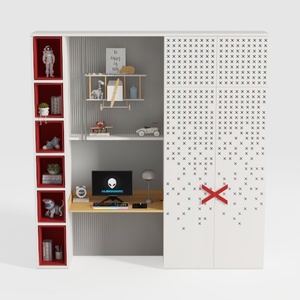

BAKAJI Scrivania con Doppia Libreria 7 Ripiani Tavolo da Lavoro Porta Pc Computer Struttura e Piano in Legno MDF Arredamento Casa Ufficio Cameretta Design Moderno 120 x 60 x 148 cm (Red)
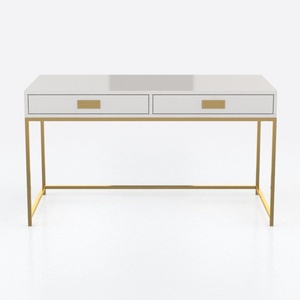
CosmoLiving by Cosmopolitan Camila Writing Desk, W
Homestyler is your go-to online home design platform! With its easy-to-use design tool, stunning 3D renderings, and a wealth of DIY video tutorials, you can effortlessly create and visualize your dream space. Perfect for both novices and design aficionados!
立即免费设计
































