


Transforming textures from 3D models into sewing patterns is a sophisticated technique that has gained traction among designers aiming to connect digital creations with tangible fabric. This method focuses on converting the digital surface information—known as UV maps—of a 3D model into flat, printable templates suitable for cutting out fabric pieces. Here, we will outline the essential steps of this process:
From my perspective as a designer, this approach resembles the planning phase of interior design: it involves taking intricate three-dimensional concepts and converting them into functional, two-dimensional formats ready for execution. For those keen on accurately visualizing pattern distributions or seeing how fabrics drape in a digital setting prior to making a garment, employing tools like a 3D Floor Planner can offer a valuable overview. This ensures precision and reduces materials waste, much like we optimize space in interior projects, especially with utilities such as Homestyler.
Tips 1:
- Ensure your 3D model's topology is well-structured and simple; steer clear of excessive subdivisions to facilitate smoother unwrapping.
- While refining the exported UV map, keep proportional accuracy to prevent fitting discrepancies.
- Perform test prints on paper before committing to fabric to conserve resources.
- Clearly label your pattern components to simplify the assembly process.
- Keep records of each phase for straightforward revisions and enhancements.
FAQ
Q: Which software is most effective for crafting sewing patterns from 3D models?
A: Programs like Marvelous Designer, Clo3D, and Blender are top choices for 3D clothing design and UV unwrapping. For editing and perfecting pattern layouts, Adobe Illustrator or Inkscape are widely utilized.
Q: Is it possible to automate the transition from 3D textures to sewing patterns?
A: While certain specialized applications can facilitate the generation of sewing patterns from 3D garments, it’s often necessary to conduct manual refinements to achieve optimal results.
Q: How do I manage intricate curves when flattening my 3D model?
A: Dealing with complex curves may involve incorporating darts, pleats, or gathers into your sewing pattern. It’s wise to prototype with a test fabric and make adjustments as necessary.
Q: Which file format should I choose for exporting my patterns?
A: Vector file formats like SVG or PDF are recommended because they retain accuracy regardless of scale and are perfect for both editing and printing.
Q: How reliable are sewing patterns generated from 3D model textures?
A: The reliability largely hinges on the quality of your 3D modeling, UV mapping, and the pattern refinement process. Always prototype and adjust to ensure the best fit possible.
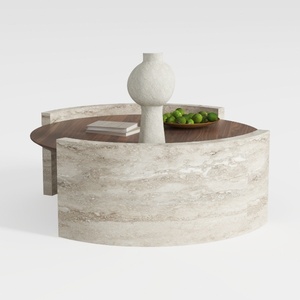
Round Coffee Table,29.52IN Wooden Coffee Table,Mid

IKEA desk, White/
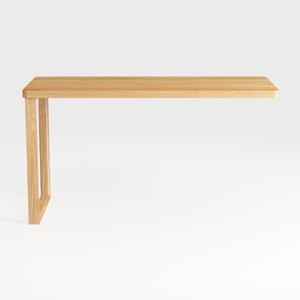
ZQQLVOO Writing Computer Desk,Home Office Desk,Hom
Discover the ease of home design with Homestyler! This user-friendly online platform offers an exquisite design tool, stunning 3D renderings, a variety of design projects, and helpful DIY video tutorials. Transform your creative ideas into reality, no matter your experience level!
Дизайн сейчас бесплатно
































