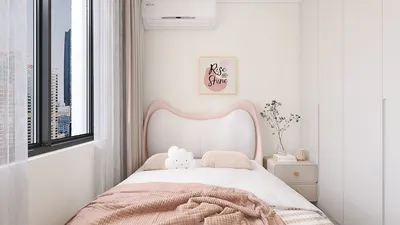


Are you interested in transforming a 3D model into a PNG image? This straightforward guide provides simple steps to help you get there! Whether you're presenting your interior designs or crafting impressive marketing materials, converting 3D models to PNGs can significantly elevate your presentations.
Step 1: Select the Appropriate Software
Begin by choosing a 3D design software that enables you to export your models effectively. Programs like Blender, SketchUp, and 3ds Max are excellent options. Ensure the software you opt for supports the PNG format for image exports, guaranteeing compatibility with various platforms while maintaining exceptional image quality.
Step 2: Prepare Your Model for Export
Prior to exporting, it’s vital to ensure that your 3D model is fully textured and lit. Adjust the camera angle to capture the view you want—this is crucial as it greatly influences the final result in PNG format. Remember to remove any extraneous backgrounds or elements that may distract from your model's focus.
Step 3: Exporting as PNG
When your model is prepared, find the 'Export' or 'Render' function within your software. Select PNG as the desired file format. This option often lets you configure image quality and size, so ensure these settings coincide with your intended use. Some applications also provide advanced options such as transparency—be sure to utilize these features when necessary, particularly if you plan to place your PNG against different backgrounds.
Tips for Success:
Experiment with various render settings to determine what works best for your specific project. Keep in mind that opting for higher quality settings can result in larger file sizes, which may affect loading times when utilized online. Consider using tools like Homestyler to achieve even more refined results.
FAQ
Q: Which software is the best for converting 3D models to PNG? A: Well-regarded software options include Blender, SketchUp, and 3ds Max, all of which support PNG exports and offer comprehensive features for producing high-quality images.


Looking to transform your space effortlessly? Homestyler is the ideal online platform for you! Enjoy its user-friendly design tool, stunning 3D renderings, a plethora of interior design projects, and informative DIY video tutorials. Create your dream home today without any prior experience!
Design Now for FREE
































