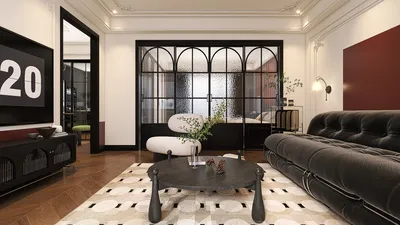


The advent of 3D modeling in the creation of anime has transformed the approach that animation studios and enthusiasts take towards this artistic medium. By merging traditional anime styles with advanced 3D technology, creators are now able to deliver vibrant visuals, intricate camera movements, and streamlined production processes. Below is a comprehensive guide on how to convert your 3D models into lively anime scenes effectively, embracing tools like Homestyler for any spatial design needs.
Step 1: Conceptualization and Storyboarding
Begin with a solid narrative and visual concept. Employ storyboards to outline critical scenes and camera viewpoints, ensuring that your storyline transitions fluidly. This initial stage is akin to the fundamental processes found in both traditional and contemporary animation workflows.
Step 2: 3D Modeling
Create your characters, settings, and props utilizing 3D modeling software such as Blender, Maya, or 3ds Max. Focus on achieving the right proportions, line art style, and facial rigging that embody a captivating anime aesthetic.
Step 3: Texturing and Shading
Implement cell-shaded materials and textures to achieve the classic appearance reminiscent of 2D anime. Fine-tune your shading techniques, utilizing flat colors and sharp highlights to imitate hand-drawn visuals while still benefiting from the adaptability of 3D assets.
Step 4: Rigging and Animation
Set up your characters using bones and controllers for seamless motion. While keyframe animation is the norm, employing motion capture technology can also yield more fluid movements. Aim to preserve the exaggerated expressions and stylized actions that are hallmarks of anime.
Step 5: Camera and Lighting
Design compelling camera angles and dynamic lighting to infuse emotion and depth into your scenes. Leverage the capabilities of 3D to maneuver the camera in ways that would prove difficult in traditional hand-drawn animation, thereby enhancing the narrative's impact.
Step 6: Rendering and Post-Processing
Render your animations using non-photorealistic rendering (NPR) engines to maintain that quintessential anime flair. During post-processing, compositors can enhance the visuals by adding outlines, speed lines, and effects, creating a cohesive and polished final product.
As a designer, I’ve realized that one of the greatest perks of blending 3D techniques into anime production is the ability to modify layouts and settings without the hassle of redrawing each frame. For those seeking to optimize and visualize their anime environments, platforms like Homestyler can effectively connect virtual set design to creative storytelling, allowing precise scene blocking while staying true to the anime aesthetic.
Tips 1:
Start with simple projects; concentrate on one character or environment before attempting a complete episode. It's crucial to ensure consistency in lighting and shaders to prevent an eerie 3D effect. Collaborating with 2D artists for textures or post-production effects can help maintain a hand-crafted appeal.
FAQ
Q: Is it possible to create anime using free 3D modeling tools?
A: Certainly! Well-known free software like Blender accommodates anime-style 3D modeling, texturing, and rendering processes.
Q: How can I achieve a 2D anime look with my 3D models?
A: Employ cell shading, outline effects, and stylized textures to emulate the flat appearance characteristic of traditional anime.
Q: Does producing 3D anime take less time than traditional hand-drawn methods?
A: After establishing models and rigs, 3D anime often allows for greater efficiency, particularly for recurring assets and complex scenes.
Q: Which rendering engines are favored for anime-style 3D productions?
A: Popular choices include Blender’s Eevee, Unity with NPR plugins, and Maya’s Toon Shader, all of which are excellent for anime-style rendering.
Q: Is it feasible to combine 2D assets with 3D environments in my anime?
A: Absolutely! Many animations utilize 2D characters placed over 3D backgrounds to create dynamic perspectives and enhance animation efficiency.

Discover Homestyler, the ultimate online home design platform! With its user-friendly design tool, stunning 3D renderings, diverse design projects, and helpful DIY video tutorials, you can easily create and visualize your dream spaces—transforming your ideas into reality has never been easier!
Progetta ora GRATIS
































