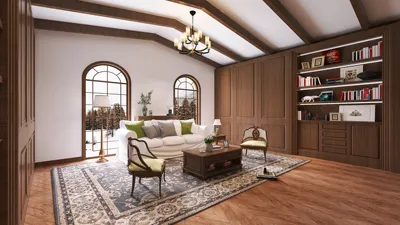


Transforming a 2D floor plan into elevations might appear challenging, but with the right methods and tools, you can achieve outstanding results. Elevations play a vital role in visualizing a space from various perspectives, which helps to refine your design before progressing. Here’s a streamlined approach to efficiently create elevations from your 2D floor plan using tools like Homestyler.
Grasping the Essentials of Your 2D Floor Plan
Prior to creating elevations, it’s important to thoroughly understand your 2D floor plan. Ensure your design includes:
By having this information at your disposal, translating your 2D layout into a three-dimensional representation becomes much easier.
Step-by-Step Process for Creating Elevations
Here’s a straightforward guide to assist you in generating elevations from your floor plan:
Choose design software capable of importing your 2D floor plan and creating 3D models. Some popular choices include:
These programs can greatly enhance how you visualize your space.
After selecting your software, the next step is to import your 2D floor plan. Most applications allow for image uploads or direct drawing over the existing layout.
Utilize the tools within the software to start building walls based on the measurements derived from your floor plan. Be sure to accurately position doors and windows to maintain precision.
Add elements such as furniture, fixtures, and architectural details. This step elevates the visual quality of your elevation and helps provide context for the space.
Apply different materials and finishes to your walls, floors, and other surfaces. Selecting appropriate textures and colors is essential for achieving a realistic appearance in your elevation.
Most design solutions, including Homestyler, offer features that allow for the automatic generation of elevations. Take the time to review these views and make any necessary adjustments to enhance both precision and appeal.
Once you’re content with your elevations, export them in the format of your choice for either presentation or additional modifications.
Advice for Successful Elevation Creation
Here are some quick strategies to ensure effective elevation designs:
Frequently Asked Questions
Q: Which software is ideal for creating elevations? A: Popular options include SketchUp, AutoCAD, and Homestyler, known for their user-friendly features and robust capabilities.
Q: Is it possible to create elevations without professional software? A: Yes, there are online alternatives available that assist in creating elevations from 2D plans, although they might not be as comprehensive as professional software.
Q: How vital are elevations in interior design? A: Elevations are essential as they provide a visual outline of a space, aiding in the efficient planning of layout and design elements.
Welcome to the Ultimate 2D Floor Planner
Projete agora para LIVRE
































