


Are you interested in transforming your Visio floor plans into detailed 3D designs? This transformation can significantly elevate your presentations and provide a clearer spatial comprehension of your projects. By utilizing the right tools, you can effortlessly convert those 2D layouts into engaging 3D models. In this guide, we'll delve into the most effective methods to accomplish this and illustrate how you can animate your designs with the help of tools like Homestyler.
Understanding the Fundamentals of 3D Conversion
To begin with, it’s vital to grasp the distinction between 2D and 3D designs. Although Visio enables you to craft intricate floor plans, shifting them into 3D requires additional software capable of interpreting those dimensions and elements correctly. Solutions like Homestyler can streamline this transition effortlessly.
A Step-by-Step Guide to Transforming Your Floor Plans
1. **Export from Visio**: Save your Visio floor plan in a format that’s compatible, typically as a DXF or SVG file. This ensures that all dimensions and details remain intact during the export process.
2. **Import into a 3D Design Tool**: Utilize a robust 3D design tool, such as Homestyler, to import your exported file. This application can effectively convert your 2D layout into an immersive 3D model.
3. **Customize and Enhance**: After importing, you can personalize your model by incorporating textures, colors, and furnishings to develop a realistic visualization that breathes life into your design.
Advantages of 3D Models Compared to 2D Floor Plans
3D models provide a more engaging experience, allowing stakeholders to visualize spaces with clarity. They assist in uncovering design issues and facilitate informed decision-making before construction begins. Moreover, sharing these models with clients becomes a straightforward task, promoting enhanced communication and collaboration.
Join the Interactive Design Community
Become a part of the Homestyler Design Community to share your insights and learn from others who have successfully made the leap from 2D to 3D designs. It’s an excellent opportunity to gather knowledge and improve your design capabilities.
Frequently Asked Questions
What tools are available for converting Visio files into 3D? Several online platforms and applications can assist in this area, with Homestyler standing out for its user-friendly design tools aimed at easing this conversion process.
Can I edit my 3D model after it has been converted? Absolutely! The majority of 3D design software, including Homestyler, allows you to make comprehensive modifications to your model even after the conversion is complete.
Welcome to Utilize Free 3D Floor Planner

Modway EEI-6401-IVO Oasis Upholstered Fabric Sofa,

Meridian Furniture 668Brown-S144B Cube
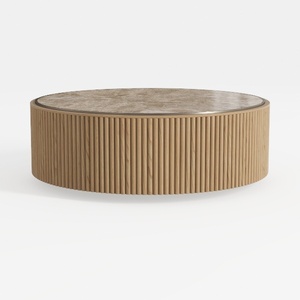
Round Coffee Table with Storage,Fluted Lift Up
Looking to transform your space effortlessly? Homestyler offers a user-friendly online design tool that enables stunning 3D renderings, a wealth of design projects, and helpful video tutorials. Whether you're a DIY enthusiast or a design novice, it's the perfect platform to bring your vision to life!
Design Now for FREE
































