

Transforming your Roblox avatar into a 3D model is an exciting opportunity to enhance your creative endeavors, whether it’s for animations, design prototypes, or custom merchandise. Many users are pleasantly surprised by the simplicity of extracting high-quality 3D models from Roblox, especially when approached with a designer's mindset. Below is a comprehensive guide for those wanting to convert their unique Roblox style into a useful 3D file applicable in various design contexts.
1. Launch Roblox Studio: Begin by downloading and installing Roblox Studio if you haven't done so yet. This official tool from Roblox is not only meant for creating and editing experiences but also provides a robust way to access your avatar’s 3D model.
2. Add Your Avatar: In Roblox Studio, initiate a new baseplate project. Utilize the toolbox or explorer panel to insert your avatar. You can log in and select your character from the “Avatar” tab or make use of free plugins like “Load Character” found in the Roblox library to seamlessly add your avatar into the scene.
3. Extract the 3D Model: Locate your inserted avatar in the Explorer panel, right-click to choose “Export Selection.” Decide on a location to save the file, and opt for the widely accepted .obj or .fbx format. These file types are compatible with most 3D modeling applications.
4. Optimize for Design Purposes: As a designer, I suggest opening the exported file in software like Blender or SketchUp to refine polygon structures, adjust textures, or re-pose the avatar for rendering. This step allows you to add a personal touch to the model, enhancing its suitability for mockups, posters, or digital artwork.
From a design viewpoint, incorporating your Roblox avatar model into broader interior scenes—like a fantasy gaming room or a themed workspace—can significantly elevate your creative expression. If you're looking to visualize how your avatar fits into imaginative spaces, utilizing a professional 3D rendering home tool like Homestyler will enable you to seamlessly integrate your custom 3D models into realistic environments, making your project both enjoyable and visually striking.
Tip 1:
Be sure to respect copyright regulations and Roblox’s guidelines when redistributing or selling designs made with their avatars. For optimal results in other software, enhance mesh and textures post-export. While creating scenes for your portfolio or presentations, play around with lighting and camera perspectives—the appropriate setup can make your avatar stand out in a 3D interior visualization.
FAQ
Q: Is it possible to animate my Roblox avatar’s 3D model?
A: Certainly! Once you've exported it as a .obj or .fbx file, you can rig and animate your Roblox avatar using software such as Blender.
Q: Are there online services that can directly create 3D models of my Roblox avatar?
A: While there are some third-party solutions available, the most trustworthy method remains exporting directly from Roblox Studio to guarantee both accuracy and security.
Q: Can I produce a physical figurine of my Roblox avatar?
A: Definitely! After exporting and refining your model, you can easily prepare it for 3D printing in applications like Meshmixer or Cura.
Q: Will accessories and clothing be included when I export my avatar?
A: Generally, yes, provided they are attached in Roblox Studio during the export process. Ensure all elements are selected before you export.
Q: How can I incorporate my avatar into a home design scene?
A: Use home design software that supports .obj or .fbx files—after exporting your avatar, you can integrate it into your digital room designs for dynamic visual representations.
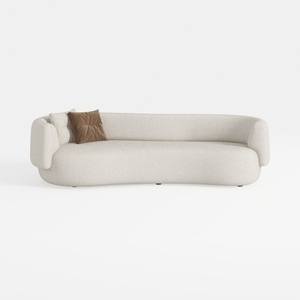
Oversized Sectional Sofa for Living Room, 106’’ Mo
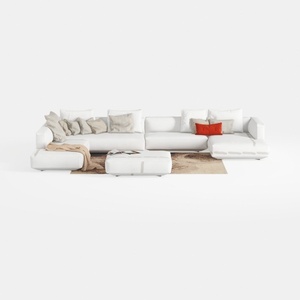
Oversized Sectional Sofa 9 Seater Large U Shaped
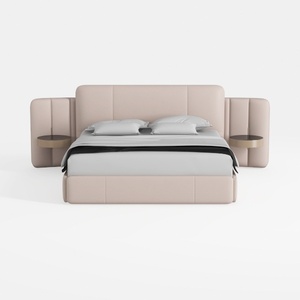
Meridian Furniture B1214Grey-K Vaughn Collection M
Homestyler makes home design a breeze with its intuitive online tool. Dive into stunning 3D renderings, explore inspiring design projects, and learn from engaging video tutorials. Perfect for everyone, from novices to seasoned designers looking to visualize their dream spaces!
Zaprojektuj teraz za darmo
































