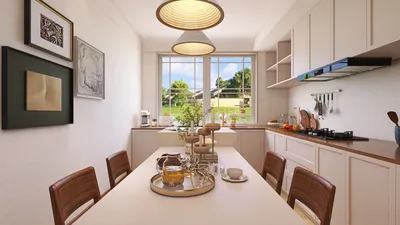


Homestyler has emerged as a revolutionary tool for interior designers eager to transform their concepts into stunning visual representations. Whether working on a snug apartment or a large office environment, Homestyler empowers users to craft captivating visualizations that leave a lasting impression on clients while highlighting the designer's creativity. With its intuitive interface and robust functionalities, it facilitates effective communication of design ideas.
Why Opt for Homestyler in Your Interior Design Endeavors?
Homestyler distinguishes itself in the rendering software market for various compelling reasons:
Essential Features to Discover
With Homestyler, designers can generate realistic environments enriched with natural lighting, dynamic weather effects, and attractive landscapes, significantly elevating the presentation of their designs.
A notable aspect of Homestyler is its capability to produce animations. Users can create immersive walkthroughs, enabling clients to navigate through spaces virtually for a deeper engagement with the design.
Homestyler integrates effortlessly with widely-used design applications such as SketchUp, Revit, and ArchiCAD, allowing for easy model imports and immediate rendering initiation.
Strategies to Maximize Your Use of Homestyler
Here are practical suggestions to enhance your rendering experience with Homestyler:
Frequently Asked Questions
A: Yes, Homestyler is optimized to efficiently manage large-scale projects with its advanced rendering engine.
A: Definitely! The user-friendly nature of Homestyler makes it accessible for beginners to dive into rendering effortlessly.
A: Homestyler can be utilized for a diverse range of projects, from residential homes to commercial spaces and landscape designs.
Welcome to the Premier Home Design Software
Projete agora para LIVRE
































