


Are you interested in transforming an image into a 3D model? This process may appear challenging, but it’s easier than you might imagine! Regardless of whether you are a designer, gamer, or artist, generating 3D models from images can unlock numerous opportunities for your creative endeavors. Let’s get started with the essential steps!
Grasping the Fundamentals of 3D Modeling
Before embarking on this journey, it's crucial to comprehend what a 3D model entails. Essentially, a 3D model serves as a digital portrayal of a three-dimensional object. To convert an image into a 3D model, you’ll need to infuse depth and volume into a flat picture. This can be accomplished using various software options and techniques, like Homestyler, which is particularly user-friendly.
The primary aspect to think about is the type of image you wish to convert. Simpler images with distinct shapes and edges are the best for beginners. So, grab your preferred software, and let’s dive in!
Selecting Your Software
A variety of tools can facilitate the creation of 3D models from images. Applications like Blender, SketchUp, and even specialized solutions such as 3D Builder offer robust features. For ease of use, we will concentrate on Blender, which is free and widely recognized in the industry.
Once you've installed Blender, import your 2D image and use it as a reference. This initial step is crucial for converting that flat image into an engaging 3D model!
Steps to Transform an Image into a 3D Model
1. **Import the Image**: Begin by opening Blender and importing your 2D image as a reference or background image. 2. **Trace the Image**: Utilize the curve tool to outline your image. Precision is key, so make sure you're as accurate as possible! 3. **Extrude and Shape**: After tracing your outlines, use the extrude tool to add depth, converting those 2D shapes into 3D forms. 4. **Refine and Texture**: Lastly, enhance your model by adjusting vertices and incorporating textures or colors to breathe life into it!
Each of these steps may take some time, particularly if you are a novice at 3D modeling, but remember that practice is essential to mastery! Keep refining your model until you achieve your desired result.
Exporting Your 3D Model
Once your model is complete, it’s time to export it. Blender provides the option to save your creation in multiple formats like OBJ or STL, ensuring compatibility with various other applications.
And there you have it! You've successfully transformed an image into an impressive 3D model!
Strategies for Success
1. **Start Simple**: Choose uncomplicated images at first to better familiarize yourself with the tools. 2. **Utilize Online Tutorials**: A wealth of tutorials is available online. Take full advantage of these resources! 3. **Embrace Experimentation**: Don’t hesitate to explore different shapes and techniques. Every attempt provides valuable lessons.
Frequently Asked Questions
Q: Which types of images are most suitable for 3D modeling? A: Ideally, images with clear outlines and distinct shapes are recommended. Steer clear of overly intricate images if you are new to this process.
Q: Is specialized hardware necessary for 3D modeling? A: While having a capable computer helps, most software options are designed to operate on standard machines. Just ensure that your system meets the software's requirements.
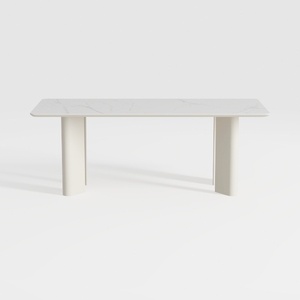
Akate Ceramic Top and Natural Double Pedestal Dini


CubiCubi 63" L Shaped Executive Standing Desk with
Discover your creative potential with Homestyler, the ultimate online home design platform! Utilize its user-friendly design tool to create stunning spaces, explore a rich library of 3D renderings, and enhance your skills with engaging DIY video tutorials. Transform your home design dreams into reality!
Concevez maintenant gratuitement
































