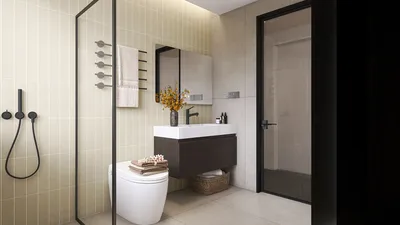


Are you interested in designing an impressive floor plan while being able to visualize it in 3D? With Homestyler, transforming your designs into vivid three-dimensional representations is simple and efficient. This guide will lead you through the steps to view your floor plan in 3D using Homestyler, allowing you to fully realize your home’s potential.
Getting Started with Homestyler
To view your floor plan in 3D, first, ensure you have Homestyler set up and familiarize yourself with its user-friendly interface. Here’s how to begin:
Switching to 3D View with Homestyler
After laying out your floor plan, switching to a 3D perspective is a straightforward process. Just follow these easy steps:
Enhancing Your 3D Visualization with Homestyler
To maximize your 3D visualization experience, consider incorporating these elements:
Exporting Your 3D Floor Plan from Homestyler
If you would like to share your 3D floor plan with others, Homestyler makes it easy to export your design in various formats:
Conclusion
Exploring your floor plan in 3D with Homestyler significantly enhances your design experience. By following these straightforward steps, you can effectively visualize your concepts, helping to create the ideal space tailored to your needs.
FAQ
A: Yes, you can revert to the 2D view to make necessary adjustments before returning to the 3D perspective.
A: Definitely! Sharing your designs is easy with Homestyler, as you can export your creations in multiple formats.
Welcome to Use Homestyler’s Free 3D Floor Planner
Concevez maintenant gratuitement
































