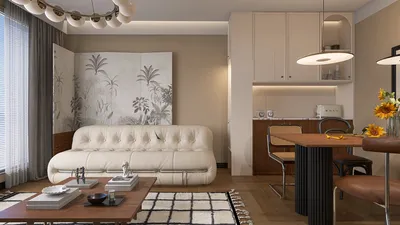


Selecting the ideal software for interior design can often feel daunting due to the plethora of choices. Regardless of whether you're a seasoned professional or an eager novice, having the right tools at your disposal is crucial for enhancing your projects. In this article, we'll delve into some of the top software options available today, catering to a range of requirements and experience levels.
1. ** Homestyler** - A leading choice among designers, Homestyler boasts a comprehensive collection of furniture models and templates. With countless 3D models and features that allow for the creation of stunning high-quality visualizations, Homestyler streamlines the design experience. Its intuitive interface enables swift learning, making it a great fit for both beginners and veterans. Moreover, the Homestyler community provides an abundance of inspiration and support for its users.
2. **SketchUp** - This software is renowned for its user-friendly design functionalities, making it perfect for those who enjoy a tactile approach to 3D modeling. Its extensive library and various plugins allow for significant customization of designs, which is why it's especially favored by architects and interior designers when crafting intricate models.
3. **AutoCAD** - As a cornerstone in the design industry, AutoCAD offers robust drafting tools, although it is not specifically focused on interior design. It's commonly utilized by professionals to produce accurate floor plans and elevations. However, its steep learning curve can pose challenges for those just starting out.
4. **Homebyme** - Ideal for visualizing designs in a 3D space, Homebyme allows users to create realistic layouts while experimenting with different arrangements of furniture. This software encourages collaboration by enabling project sharing for feedback.
5. **Planner 5D** - True to its name, this tool excels at space planning in both 2D and 3D formats. Planner 5D accommodates users of varied skill sets, thanks to its easy-to-use drag-and-drop interface that facilitates the realization of ideas without needing extensive design expertise.
6. **Roomstyler** - Focusing on usability, Roomstyler lets users design floor plans and furnish them with actual products. Its straightforward interface is accessible to anyone interested in trying their hand at interior design. The community gallery also offers a wealth of inspiration for users.
7. **Sweet Home 3D** - This open-source application presents a minimalist approach to interior design. Users can easily create floor plans and subsequently furnish and decorate their spaces in a 3D environment. Its simplicity makes it a fantastic choice for newcomers eager to grasp the fundamentals of space planning.
The most suitable software for interior design will ultimately hinge on your individual requirements, skills, and stylistic preferences. By assessing the options discussed here, you can identify the ideal tool to transform your visions into reality.
Tips 1:
Utilize user forums and tutorials available on these platforms to enhance your skills and maximize your experience with your chosen software.
FAQ
Q: Are these software options available for free? A: Many of them come with free versions or trial periods, though full access may necessitate a subscription or one-time payment.
Q: Which software is most suitable for newcomers? A: Homestyler, Planner 5D, and Roomstyler are particularly user-friendly, featuring intuitive interfaces that cater to beginners.
Q: How can I enhance my interior design skills? A: Regular practice, seeking critiques from experienced designers, and exploring online resources and courses will help you grow.
Looking to transform your space effortlessly? Homestyler is your go-to online home design platform! With its user-friendly design tool, stunning 3D renderings, and a wealth of DIY tutorials, you can explore endless decorating possibilities and bring your vision to life like a pro.
Diseño ahora GRATIS
































