

Quick Summary
- Homestyler provides 2D design along with real-time 3D rendering, featuring a vast library of furniture and collaborative options.
- SketchUp offers flexible and user-friendly 3D modeling capabilities, allowing for easy import and export of various file formats, ideal for both conceptual and detailed presentations.
- Room Planner allows users to quickly visualize room layouts through its drag-and-drop interface, making it simple to adjust elements instantly.
Are you an interior design enthusiast seeking the best apps for interior design on Mac? Whether you're a seasoned professional or a DIY home decorator, utilizing the right tools can significantly enhance your ability to bring your creative ideas to fruition. In this article, we will delve into some of the top interior design applications compatible with Mac, assisting you in crafting beautiful spaces with ease.
1. Homestyler: Your Comprehensive Design Tool
Homestyler stands out as a robust interior design application that combines an intuitive interface with powerful features. Its 2D design functionality and 3D rendering options allow for real-time visualization of your spaces. You can easily plan room layouts, try out different color schemes, and choose from an extensive furniture library. Additionally, it enables collaboration within the design community for sharing insights and obtaining feedback.
2. SketchUp: A Versatile Choice for Professionals
SketchUp is a favorite among interior designers due to its flexibility and straightforward usability. It provides a solid foundation for creating intricate 3D models of your designs. With the capability to import and export a variety of file types, it integrates seamlessly with other applications, making it suitable for both conceptual development and detailed presentations.
3. Room Planner: Making Space Planning Easy
The Room Planner app is perfect for those who want to generate functional layouts without a steep learning curve. This app lets you drag and drop furniture and accessories into a virtual room, allowing for quick visualization of how different elements come together and adjustments can be made in real-time. Explore the possibilities with Room Planner for effective design solutions.
FAQ
Still uncertain about which app is the best fit for you? Here are some frequently asked questions:
Q: Are these applications suitable for newcomers? A: Certainly! Most of these tools, including Homestyler, are crafted to be intuitive and accessible, making them ideal for beginners.
Q: Can I utilize these applications for commercial projects? A: Yes, indeed! Many professionals employ these tools for both residential and commercial interior design assignments.
Welcome to Homestyler, your gateway to innovative interior design solutions!
Built on technology originally developed at Autodesk, Homestyler empowers anyone to design beautiful, realistic spaces in minutes. Join over 18 million users who have already discovered a smarter way to plan, visualize, and bring their dream homes to life — all from the comfort of a browser.
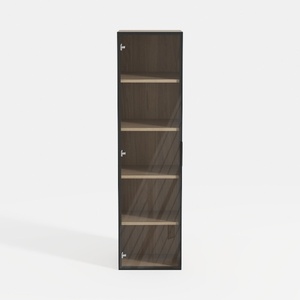
Modern Black Frame Solid Wood Open Shelf Tall Cabinet 3D Model

Minimalist Tan Leather L-Shaped Sectional Sofa 3D Model

Minimalist Linen Fabric Extra Large Sofa With Throw Pillows And Blanket 3D Model
Homestyler is an outstanding online home design platform perfect for anyone looking to create their dream space. With its user-friendly design tool, stunning 3D renderings, a wealth of design projects, and helpful DIY video tutorials, you’ll transform your ideas into reality effortlessly!
Design jetzt kostenlos
































