

Concise Overview
- SketchUp and Homestyler emerge as exceptional house design software for Mac, featuring intuitive user interfaces and robust 2D/3D capabilities.
- Homestyler caters to both residential and commercial design requirements effectively.
- There are free alternatives available on OS X, including versions of SketchUp that come at no cost.
Designing a home can be a thrilling yet complex endeavor, especially when paired with the right house design software for OS X. Whether you are a seasoned architect or an aspiring DIY designer, the appropriate tools can greatly enhance your creative workflow. This article will delve into some of the finest house design software for Mac users, showcasing solutions that accommodate various design requirements, from 2D layouts to immersive 3D modeling.
Top House Design Software for Mac Users
In the realm of house design software tailored for OS X, numerous options thrive. Applications such as SketchUp and Homestyler offer accessible interfaces along with powerful features, simplifying the design process. For instance, SketchUp is renowned for its intuitive 3D modeling, while Homestyler excels in delivering an outstanding platform for both 2D and 3D designs, especially in interior decoration.
Key Features to Consider in Design Software
Selecting the ideal house design software entails evaluating several critical features. Seek tools that provide effortless drag-and-drop functionality, enable the creation of intricate floor plans, and offer an extensive library of design elements. Additionally, platforms like Homestyler cultivate an online community where users can share their designs and draw inspiration from each other.
Getting Started with House Design Software
To embark on your design journey, start by choosing the software that aligns with your needs. If available, download a trial version to familiarize yourself with its functionalities. Consider crafting a basic layout of your dream home and experiment with colors, textures, and furnishings to visualize your concept better. Be sure to explore Homestyler’s floor planner and 2D design tools for additional support.
Frequently Asked Questions
Which house design software is best suited for beginners on Mac? Software such as Homestyler and SketchUp stands out for beginners, thanks to their intuitive interfaces and comprehensive tutorial resources.
Is it possible to use house design software for commercial projects? Absolutely, many house design software options, including Homestyler, are equipped with features that accommodate both residential and commercial projects.
Are there free design options available for OS X? Indeed, free versions of software like SketchUp are accessible, allowing users to commence their design journey without any upfront costs.
Welcome to Homestyler
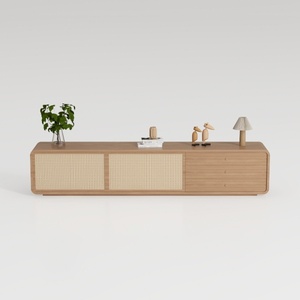
Walker Edison Sasha 4-Door Sideboard Buffet with


Kodiak Stylish Daybed – Modern Twin Daybed for Ver
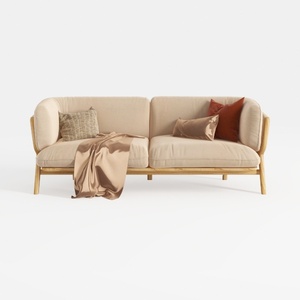
Tennozu Linen Fabric Loveseat Sofa, Convertible Fu
Looking to transform your space? Homestyler is the ultimate online home design platform! With its easy-to-use design tool, breathtaking 3D rendering, extensive design projects, and helpful video tutorials, you’ll be inspired to bring your dream home to life effortlessly.
Zaprojektuj teraz za darmo
































