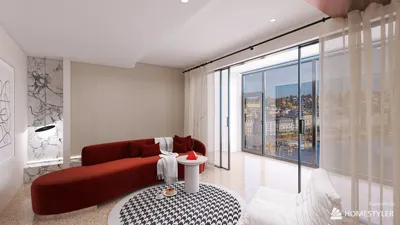


Incorporating the charm of instant photography with devices like the Instax Mini Evo Cinema can inspire creative home office or studio setups. Designing spaces that accommodate technology and encourage artistic hobbies often involves blending functional furniture with aesthetic appeal, creating zones where inspiration flows freely and memories are captured not only digitally but tangibly within your living environment.
Quick Summary
- The best home design software for Mac offers 2D and 3D visualization to enhance the creative process.
- Free home design software for Mac exists but typically has limited features compared to paid versions.
- Many programs provide cloud access so users can work from anywhere, enhancing flexibility in design.
Choosing the right home design software is essential, particularly for those using Mac systems. Whether you are a professional interior designer or a DIY fan, quality software offers a multitude of features that greatly facilitate the creative process. These tools range from 2D floor planning to immersive 3D visualizations, all crafted to assist you in manifesting your design ideas effectively.
Top Home Design Software Options for Mac
Several outstanding home design software options are tailored for Mac users. For instance, programs like SketchUp are known for their intuitive interface, allowing users to craft intricate 3D models with ease. Alternatively, platforms such as Homestyler provide a full array of features, including both a floor planner and a 2D design tool, which can be extremely beneficial when it comes to visualizing your space comprehensively.
Features to Look for in Home Design Software
When choosing home design software for Mac, key features to prioritize include realistic rendering capabilities, seamless drag-and-drop functionality, and an extensive library of furniture and decor items. An effective program should also facilitate collaboration among designers, with tools that allow users to connect with interior designers or engage with the design community for fresh inspirations, as is the case with Homestyler.
FAQs About Home Design Software for Mac
Here are some common inquiries regarding home design software for Mac:
1. Can I find free home design software for Mac? Yes, free options are available, although they often have features that are less comprehensive than those found in paid versions.
2. Is it easy to learn home design software? Most contemporary software comes equipped with tutorials and user-friendly interfaces, making the learning curve manageable.
3. Can I access my designs online? Numerous programs allow for cloud access, providing the convenience of working from virtually anywhere.
Welcome to Homestyler!
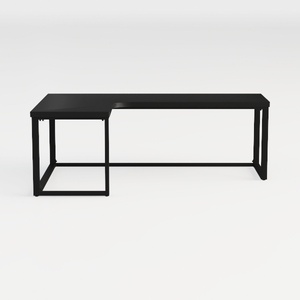
SEDETA L Shaped Gaming Desk, Reversible Computer D


NicBex Computer Desk Home Office Desk with Storage

Tribesigns 63-inch Executive Desk, Vintage Home Of
Homestyler is an outstanding online home design platform perfect for all skill levels. With its intuitive design tool, stunning 3D renderings, and a wealth of DIY video tutorials, you can effortlessly create and visualize your dream spaces. Transform your home design journey today!
Projete agora para LIVRE
































