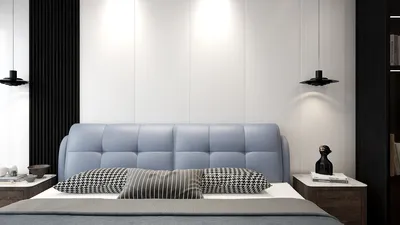


Are you on the lookout for outstanding home design software that is both free and compatible with Apple devices? Your search stops here! This guide showcases incredible alternatives designed to help you turn your living space into a haven of style and comfort.
Creating your ideal home requires a blend of creativity, efficiency, and the perfect tools, especially when you're using a Mac or iPad. Let's delve into some of the top free home design applications that can elevate your design journey and deliver impressive results!
1. SketchUp Free
SketchUp Free serves as an excellent web-based platform that allows users to design in 3D effortlessly. With its intuitive user interface and a variety of templates, you can craft everything from simple blueprints to intricate models. Its adaptability makes it suitable for both novice and experienced designers alike. Plus, the basic version is completely free! Have you had a chance to explore SketchUp for your design tasks? How did it align with your design goals?
2. Sweet Home 3D
This open-source software is tailored for individuals looking to design their interiors with ease. Sweet Home 3D features dual view functionality that displays a 2D layout while simultaneously showing a 3D perspective, effectively helping you visualize your space. Are you eager to see how your furnishings will appear in your updated arrangement? This user-friendly tool is here to assist you in realizing your vision with creativity and simplicity!
3. Roomstyler 3D
Roomstyler 3D presents another fantastic option for Apple users seeking a seamless design experience. This platform allows you to swiftly drag and drop furniture into your layout, modify colors, and effortlessly construct your dream room. Have you used Roomstyler to create something extraordinary? Share your designs with the community and inspire others in their design adventures!
4. Planner 5D
Planner 5D is equipped with an extensive array of resources and functionality, making it an indispensable asset for home designers. It features drag-and-drop functions for both furniture and decor, all displayed within an aesthetically pleasing interface. The capability to toggle between 2D and 3D views smoothly can significantly enhance your design workflow. What features do you rely on most in design software when envisioning your dream home?
5. Homestyler
Homestyler is particularly well-suited for budget-minded designers who seek high-quality results without breaking the bank. This software enables you to play around with different styles, colors, and layouts within a user-friendly setting. Its ease of use allows you to share your creations with peers for feedback. What types of projects do you usually work on, and how has Homestyler made your design planning more efficient?
FAQ
A: Some of the leading free home design software options available for Apple users include SketchUp Free, Sweet Home 3D, Roomstyler 3D, Planner 5D, and Homestyler. Each platform offers unique features tailored to various design requirements.
A: All the software options mentioned are free to utilize; however, some may provide premium features that are available for purchase to further enhance your design experience.
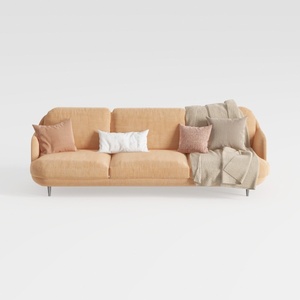

Modern Minimalist Peach Fabric Sofa with Throw Pillows and Blanket 3D Model

Rustic Solid Oak Round Coffee Table Unique Geometric Base 3D Model
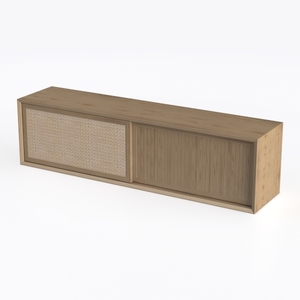
Minimalist Oak Rattan TV Cabinet 3D Model
Discover your creative potential with Homestyler! This user-friendly platform offers an intuitive online design tool, stunning 3D renderings, and a wealth of design projects and DIY video tutorials. Transform your home design ideas into reality effortlessly, whether you're a beginner or an experienced decorator!
تصميم الآن مجانا
































