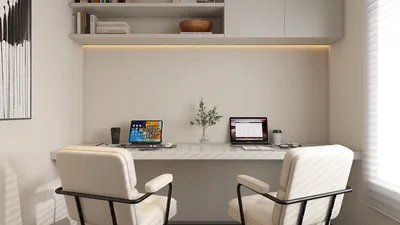


For interior designers aiming to produce captivating visuals of their designs, digital rendering software is crucial. By utilizing the right tools, you can effectively manifest your creative ideas, allowing clients to truly envision the end results. In this comprehensive guide, we'll delve into some of the leading digital rendering software choices available today tailored to a range of preferences and expertise levels, including the versatile Homestyler.
1. SketchUp: A Beginner-Friendly Option
SketchUp stands out as one of the most widely used digital rendering programs, appealing to both novices and experts. With its user-friendly interface, it enables quick creation of 3D models. Additionally, users can enrich their designs by integrating realistic rendering plugins like V-Ray, which enhances visual quality.
2. Blender: A Free Yet Powerful Solution
Blender offers an open-source 3D creation platform, enabling you to design incredible visualizations without any cost. Its extensive features—ranging from sculpting and shading to rendering—make it an exceptional choice. Although it comes with a steeper learning curve, the abundant community support and educational resources justify its value for dedicated designers.
3. Lumion: Exceptional Real-Time Rendering
Lumion is celebrated for its capability to produce high-quality renders instantaneously, making it perfect for architects and designers needing quick presentations. With its vast library of objects and materials, you can effortlessly animate your projects using realistic lighting and breathtaking landscapes.
4. 3ds Max: The Professional's Choice for Rendering
3ds Max serves as a premier choice among professional 3D rendering software within architecture and design sectors. Its robust modeling and rendering features cater to creating intricate visualizations. Enhanced by integration with V-Ray, it delivers stunningly photorealistic results.
5. Chief Architect: Tailored for Interior Designers
Designed exclusively for residential and light commercial projects, Chief Architect boasts powerful rendering tools and a vast collection of materials and fixtures. This intuitive software is a favorite among interior designers who want to generate thorough and accurate depictions of their designs.
Conclusion: Selecting the Right Software for Your Needs
Determining the ideal digital rendering software hinges on your individual requirements, budget, and expertise level. Whether you are just starting out or are a seasoned expert, the right tools—including options like Homestyler—can remarkably improve your design workflow and presentation skills.
FAQ
Q: What is the purpose of digital rendering software? A: Digital rendering software allows the creation of 3D visualizations for design projects, facilitating client understanding of the final product.
Q: Are there any free options for digital rendering software? A: Certainly! Blender serves as a robust and cost-free choice for designing 3D models and renders.
Q: Which software is commonly used by professional interior designers? A: Many interior design professionals rely on software such as 3ds Max, SketchUp, and Chief Architect to meet their rendering needs.
Welcome to Your Number One Home Design Software Solution
Progetta ora GRATIS
































