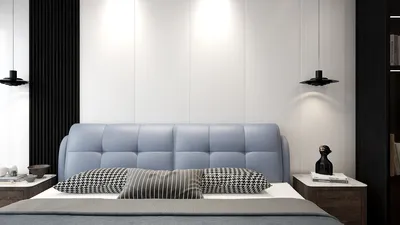


When designing study rooms, I liken them to performance spaces: they should enhance concentration, support lengthy sessions, and minimize visual fatigue. One of the simplest and most effective ways to manage atmosphere is through wall colors, which are even more impactful when combined with appropriate lighting and ergonomic considerations. Recent studies in work environments have demonstrated that the interplay of color and light significantly influences attention span. The WELL Building Standard v2 suggests a light intensity of 300–500 lux on working surfaces, along with glare management to prevent eye strain, informing decisions on both paint reflectivity and the placement of light sources. Research by Steelcase indicates that cognitive load can be negatively impacted by environmental distractions, while a carefully selected color palette can diminish those small disruptions that accumulate over time.
Color psychology serves as a useful framework: according to Verywell Mind, blue hues promote calm and focus, green shades inspire balance and renewal, while yellows evoke optimism and creativity. For paint selections, I prefer soft mid-tone blues (L* value around 55-65), muted sage greens, and light butter or wheat tones for accents—avoiding vibrant colors on large surfaces. From a brightness perspective, guidelines from the Illuminating Engineering Society recommend steering clear of glossy finishes that can reflect light; instead, opting for eggshell or matte paints maintains contrast and helps the eyes follow text without distractions from shimmer.
Establish Your Visual Balance: Primary, Secondary, Accent
I implement a rule of 70–20–10 for a well-balanced room design: 70% primary wall color (serene, low-chroma), 20% secondary (a subtle shift towards warm or cool to define areas), and 10% accents (strategically placed to uplift mood or highlight focus areas). This distribution enhances visual rhythm and avoids color fatigue during extended study periods. In smaller spaces, a cool primary wall can make the area feel less confined; conversely, in larger rooms, a warmer secondary color helps counter the feeling of emptiness and maintains a human-scale environment.
Effective Color Palettes
- Deep Lake + Paper White: A subdued blue-green for the main wall, complemented by bright neutrals elsewhere. This cooler hue promotes calmness while ensuring clarity—perfect for analytical tasks.
- Sage + Mist: A soft green for the primary wall paired with a muted gray secondary; this combination supports prolonged reading and digital work while imparting a restorative feeling.
- Wheat + Slate Trim: A gentle yellow-tan for the primary wall complemented by slate-colored baseboards or window trim; keep accents minimal to prevent overstimulation.
- Greige + Ink Niche: A warm greige is used overall, with a small ink-blue niche around a desk to define a focused area. This strategy creates a designated cognitive zone without casting shadows across the entire space.
Integrating Light, Reflectance, and Paint Finish
Choosing paint should align with the lighting scheme. Aim for desk lighting levels of 350–450 lux during study sessions, with ambient light in the surrounding areas providing 150–300 lux to soften harsh contrasts. A matte or eggshell finish will help maintain a consistent light balance while minimizing glare. If your desk positions towards a window, avoid high-gloss paints opposite it, as these will reflect sunlight and increase perceived brightness. Under LED illumination, a color temperature of 3000–4000K is ideal for maintaining a warm-neutral focus; 4000K is effective for promoting alertness without feeling overly sterile. Refer to the WELL v2 Light concept and IES standards for suitable baselines, and fine-tune your desk area with task lights accordingly.
For a deeper understanding of lighting principles that affect how paint colors are perceived, consult materials from IES (standards) and the WELL v2 (Light concept). I frequently use these references while determining reflectance values and fixture placements to ensure authentic color representation and visual comfort. For insights into behavioral dynamics and workflow efficiency, Herman Miller’s research library provides evidence-based strategies on how environments impact performance.
Utilizing Color for Zoning: Layout and Flow Strategy
Color choices can direct movement and daily routines. Assign a cooler, low-chroma color to the primary workspace wall to reduce sensory overload. A slightly warmer secondary tone on shelving or reference walls encourages engagement during breaks and quick tasks. A minor accent, placed near a pinboard or as a narrow vertical stripe, can help refocus attention when you lift your gaze from your work. When rearranging furniture or experimenting with desk placements, tools like Homestyler can assist in visualizing sightlines, window glare, and the interaction between wall colors and natural light throughout the day.
room layout tool
Ergonomic Considerations for Visual Comfort
While color is critical, it is only part of the comfort equation. Neutral backgrounds combined with moderate contrast lessen the strain on your eyes, especially given that text size and monitor brightness may vary. Match the wall brightness behind your monitor to reduce the contrast difference; a mid-value wall positioned behind the screen minimizes halos and perceived flickering. Reduce high-chroma distractions from the peripheral field of your desk to prevent your eyes from wandering. It's also worth noting that seated users typically maintain a visual cone of approximately 30–40 degrees; within that zone, selecting calm visuals is key. In off-axis fields, a subtle accent may be acceptable without becoming intrusive.
Strategies for Finishes and Materials
- Finish: Use matte or eggshell for walls, with satin on trim to resist marks—avoid semi-gloss finishes on large areas as they are too reflective under task lighting.
- Washability: Opt for durable, low-VOC formulations. Low-VOC paints enhance indoor air quality both during and post-installation. Ensure adequate ventilation and drying times.
- Texture: A slight texture (like limewash or microfiber roller application) can diffuse light softly, offering a uniform reading field. Keep textures fine; heavy patterns may increase visual noise and micro-contrast.
Small Room Design Tips
- Choose a cool light color for the largest wall to visually expand the space.
- Paint ceilings in a lighter tint to enhance perceived height without creating stark white glare.
- Apply vertical accent bands to elongate the room; avoid dark horizontal colors that constrict the space.
- Control shiny clutter: minimizing glossy surfaces contributes to a stable luminance field.
Large Room Design Tips
- Warm secondary tones create intimacy, best applied to corners or alcoves to downsize expansive areas.
- Layer general, task, and accent lighting to maintain gentle contrast throughout the space.
- Introduce deeper trim colors to define edges, improving sightlines across wider distances.
The Practical Side of Color Psychology
Blues and blue-greens generate calm, making them excellent foundational colors for an analytical environment. Greens, particularly subdued sages, facilitate recovery and diminish fatigue between study periods. Reserve yellows for minor highlights, like a lamp base, a narrow stripe behind a pinboard, or a single alcove. It’s best to keep reds and bright oranges away from main walls, as they can heighten arousal levels and disrupt focus cycles. If the goal is creative stimulation, consider placing warm accents in peripheral views rather than directly in your sightline.
Balancing Acoustic and Visual Environments
Acoustic comfort significantly influences color perception. Soft, absorptive materials—like felt pinboards, wool rugs, and fabric window shades—dampen sound reflections and make colors appear deeper and more calming. Conversely, hard, echo-prone rooms can feel visually harsh; in these cases, opt for softer finishes and lower glare paints to restore sensory balance.
Testing Before Finalizing Your Color Choices
Before committing to a color scheme, I recommend patch-testing in at least two locations: close to the window and beside the desk under evening lighting. Apply paint samples at least 2x2 feet in size and observe them for 48 hours. Monitor how the hue alters from morning to night and how your task lighting engages with the paint sheen. Taking photographs of the room in grayscale can assist in assessing value balance; strive for mid-value walls and avoid drastic contrasts between wall and desk surfaces.
Care and Long-Term Maintenance
Study spaces are prone to fingerprints and wear. Opt for scrubbable paint and keep a small container for touch-ups. Satin trim can withstand minor scrapes. During busy exam periods, reconsider your approach: rotate accent objects instead of repainting; if repainting is necessary, stay within the same value band to retain luminance consistency.
Frequently Asked Questions
Q1: Which paint finish reduces eye fatigue in study areas?
A matte or eggshell finish for walls minimizes specular glare and stabilizes contrast, enhancing reader comfort during long sessions.
Q2: What light levels should be aimed for at the desk?
Aim for approximately 350–450 lux on the work surface, and ambient light levels around 150–300 lux to soften contrasts. These ranges align well with WELL v2 and IES recommendations for general tasks.
Q3: Which colors best foster sustained concentration?
Muted blues and blue-greens are excellent for primary walls, while soft sages provide a balanced restorative effect. Use warm highlights (yellows, terracottas) sparingly in peripheral areas.
Q4: How can I prevent screen glare with my wall paint?
Keep the wall behind your monitor a mid-value shade with a low sheen. Avoid high-gloss paints facing windows or luminaires that might reflect directly into your field of view.
Q5: Is white a suitable choice for study rooms?
Bright white can be overly stark and high-contrast, especially under cool LED light sources. Choose soft whites or light neutrals with a hint of gray or cream to mitigate glare.
Q6: Are darker accents suitable for small spaces—won't they feel cramped?
Dark accents can work if they're kept vertical and narrow, away from main sightlines. In small rooms, prioritize light and cool primary colors while using darker tones to frame areas instead of overwhelming them.
Q7: How do acoustics influence color decisions?
Rooms prone to echoing can feel visually uninviting; opt for gentle, matte finishes and include absorbent materials to stabilize both auditory and visual experiences.
Q8: Are low-VOC paints advantageous for study environments?
Absolutely. Low-VOC paints help decrease indoor air pollutants during application and use, enhancing comfort for prolonged study sessions. Combine them with good ventilation for optimal results.
Q9: How can I use color to delineate areas without clutter?
Implement a cooler primary for your focus wall, a slightly warmer secondary for storage or reference zones, and a subtle accent near a pinboard to signal breaks—remembering to keep the 70–20–10 balance.
Q10: What color temperature is ideal for my lighting?
Warm-neutral lighting in the range of 3000–4000K supports both alertness and comfort. Pair this with a high-CRI task lamp to maintain color accuracy against your painted surfaces.
HOOBRO 47 inch Gaming Desk with LED Lights & Power

Folding Camping Table,Beach Tables for Sand

Furologee 47 Inch Computer Desk Gaming with 4
Homestyler is your go-to online platform for all your home design needs! With a user-friendly design tool, stunning 3D renderings, and a wealth of inspiring design projects and DIY video tutorials, transforming your living space has never been easier or more enjoyable. Dive in and unleash your creativity today!
تصميم الآن مجانا
































