


Creating three-dimensional floor plans has become incredibly straightforward, particularly with the sophisticated tools now available for iPad users. Whether you are an interior designer, architect, or just someone aiming to visualize your living area, a variety of applications can assist you in turning your concepts into reality. These tools provide intuitive interfaces and lifelike visualizations, enabling you to craft intricate 3D floor plans right from your device.
Top Applications for 3D Floor Planning on iPad
There is a wealth of amazing applications designed for creating 3D floor plans on your iPad. One standout option is Homestyler, which features an easy-to-use interface along with robust design capabilities. You can effortlessly drag and drop furniture, modify dimensions, and observe your creations in 3D. This makes it ideal for both seasoned professionals and DIY enthusiasts alike. Moreover, you may also explore other notable applications like Room Planner and MagicPlan, which offer impressive functionalities as well.
How to Begin Your Journey with 3D Floor Planning
Starting your journey with 3D floor planning on the iPad is quite straightforward. First, select an application that meets your requirements. Homestyler's Floor Planner is an excellent choice. Upon downloading, you can initiate a new project and begin sketching your room layout. Make use of the diverse tools available to add walls, windows, and doors. When your layout is finalized, begin furnishing your space using the app's extensive catalog. Remember to try out various styles and color combinations!
Enhancing the Visual Appeal of Your Designs
To elevate the visual appeal of your 3D floor plans, think about incorporating realistic textures and lighting effects. Many applications, including Homestyler, enable you to tweak lighting conditions, allowing you to see how your space will appear at different times during the day. This enhances the overall aesthetics of your designs and aids in making informed design choices.
Frequently Asked Questions
1. Is it possible to create 3D floor plans for free on the iPad? Yes, numerous applications offer free versions with basic functionalities, although premium versions unlock more advanced tools and features. 2. Do I need prior design experience to utilize these applications? Not at all! Most applications are crafted to be user-friendly and intuitive, making them suitable for beginners. 3. Can I share my designs with others? Absolutely! Most applications provide the option to export your floor plans as images or PDFs, making it easy to share with clients or friends.
Discover the Benefits of Using a Free 3D Floor Planner


Modern Marble Gold Trim Round Coffee Table 3D Model
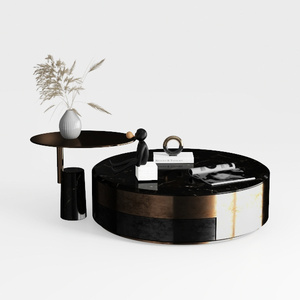
Modern Marble Metal Round Coffee Table and Side Table Set 3D Model

Modern Rattan Linen Outdoor Sofa With Decorative Throw Pillows 3D Model
Looking to transform your space effortlessly? Try Homestyler! This incredible online platform offers a user-friendly design tool, stunning 3D renderings, inspiring design projects, and easy-to-follow video tutorials. Whether you're a novice or a pro, Homestyler makes home design enjoyable and accessible for everyone!
Design Now for FREE
































