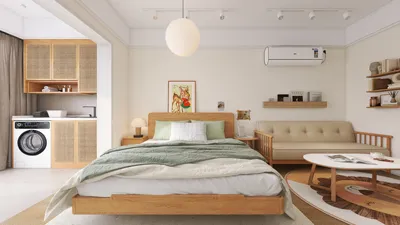


Selecting a compact printer suitable for dormitory life involves more than just its dimensions. It requires considerations around dependability, affordability in operation, minimal noise, and the capability for easy wireless printing from a smartphone, especially during late-night study sessions. In my experience with setups aimed at dorm life, I focus on printers that manage a mix of notes, essays, and the occasional colorful graphic, while maintaining a low noise level for the sake of roommates.
Both space constraints and budget are significant factors, but so are aspects of well-being and concentration. Research by Steelcase demonstrates that noise control and acoustic comfort can markedly influence perceptions of productivity in compact shared environments. Likewise, the WELL Building Standard v2 points out that adjustable noise levels and glare mitigation contribute positively to cognitive functioning. Practically, this translates to printers that operate quietly, employ matte finishes to prevent glare, and fit comfortably on shelves without overheating. For a deeper understanding of the impact of space on productivity, explore Steelcase’s research findings along with the WELL Building Standard v2.
Essential Features for a Dorm-Friendly Printer
In tight quarters, clutter can accumulate quickly. I assess five key criteria: size, noise levels, cost per page, wireless connectivity, and robust construction. The ideal printer for dorm life should possess:
Inkjet vs. Laser: A Student’s Choice
If your primary need is printing text and you prioritize sharp lines and smudge-resistant pages, a compact monochrome laser printer is a fantastic choice. This type of printer is especially effective since toner won’t dry out between use, perfect for sporadic printing needs. For projects that require graphics, color charts, or design boards, a smaller inkjet printer with pigment black for text and dye colors for graphics strikes a good balance. Many modern inkjets come with high-capacity cartridges that can help keep expenses manageable. It’s wise to estimate your monthly print volume, even roughly, to help you make your decision.
Printer Setup and Placement in a Dorm Room
The placement of your printer can have implications for noise, heat management, cable organization, and accessibility. I recommend positioning it on a ventilated shelf at elbow height, away from soft furnishings like pillows. Allow at least 2–3 inches of space on the sides and back for adequate airflow. Ensure that the printer is not subjected to direct glare from task lighting, as high-gloss materials may reflect light, causing visual strain during long study periods. Consider using a room layout tool, such as Homestyler, for quickly testing possible configurations of your desk, shelves, and power strips to facilitate optimal cable routing and accessibility.
In small spaces, sound and glare tend to amplify. I recommend placing printers on felt desk pads or rubber feet to mitigate vibrations, and utilizing warm-white task lighting (approximately 3000K–3500K) to minimize harsh reflections off the printer’s surface. Avoid putting the printer in corners with hollow walls that might amplify sound.
Best Printer Recommendations Based on Use
For students focused on written assignments, a compact monochrome laser printer is my top recommendation. Look for models less than 15 inches wide that offer at least 20 pages per minute print speed, automatic duplexing, and a 150-sheet capacity. High toner yields of 1,000 to 1,500 pages will help ensure a smooth midterm period. Opt for a model with a silent operation mode if available.
If you anticipate needing color for charts or class posters occasionally, seek a small inkjet printer that can handle pigment black for text and dye for color graphics, equipped with extra-large cartridges. Duplex printing is essential to minimize paper usage. Check for borderless printing capabilities to ensure clean visuals for project presentations.
When sharing space with three or four roommates, look for a printer that features a larger input tray, accommodating between 150 and 250 sheets, paired with a faster printing capability. Position it on a communal shelf along with a dedicated surge protector for safety, and consider labeling the Wi-Fi network name or including a QR code inside the printer lid to ease network connections without regular reconfigurations.
Critical Features That Matter
Optimizing Ergonomics and Workflow in Limited Spaces
Focus on accessibility and regular use frequency. Store frequently used items like paper and spare cartridges within an arm's reach, whether that’s a drawer, a shelf bin, or a wall-mounted pocket. Reserve space higher up for less frequently used materials such as specialty color paper or photo stock. To manage your cables, use clips underneath the desk, and keep power supplies elevated to prevent accidental disconnections during late-night adjustments.
Using Color Psychology to Enhance Study Atmosphere
While the color of your printer won’t directly affect your grades, the hues around your workspace can significantly influence your mood. Soft neutrals along with calming shades of blue and green near your printing area can promote focus, while a touch of warm color can help maintain energy levels during intense study periods. Research on color psychology from Verywell Mind suggests that shades of blue often support tranquility and concentration.
Priority Features to Consider
Aim for printers that are under 15 inches wide, offering front-feed capabilities and trays that can fold flat. It’s an added perk if the power supply is internal, which helps decrease desk clutter.
Monochrome laser printers frequently outperform color inkjets in terms of cost per page when printing text. For users needing color, focus on high-yield ink sets and self-cleaning mechanisms to reduce waste.
Look for models that provide quiet or eco-friendly environments; specifications usually reveal the sound levels. Position the printer on a soft pad to limit vibration from being transferred to the desk.
Select a model that features both manual and rear feeds to accommodate thicker media, as well as borderless color options to prevent curling during printing.
Sustainability and Maintenance Considerations
Opt for printers that are ENERGY STAR certified and set duplex printing as the default option. Aim to use at least 30% recycled paper for everyday prints, and keep a microfiber cloth nearby for wiping dust from intake sections to ensure smooth operation. Participate in recycling programs for cartridges either through manufacturer initiatives or campus collection points.
Day One Setup Checklist
Common Questions
Identify printers that measure around 15 inches wide and 10 inches deep, equipped with a front-feed tray that does not require back clearance. This size is appropriate for most 24 to 30-inch desks or wall-mounted shelves.
For text-heavy printing needs, a compact monochrome laser printer is typically faster and cleaner. If you're in need of color graphics or occasional posters, a small inkjet featuring high-yield cartridges offers a good balance of cost and versatility.
Most smaller printers come with a silent operation feature that minimizes the sounds of mechanics and fans. Pairing them with a felt pad can help absorb vibrations, and positioning them away from sleeping areas can enhance your rest.
Choose printers that support Wi-Fi functionality with AirPrint (iOS/macOS) or Mopria (Android/Windows) to make printing seamless from your mobile devices and laptops. Wi-Fi Direct is also beneficial when campus networks pose restrictions on device discovery.
Make duplex printing the standard, select draft mode printing for lecture notes, and invest in high-yield cartridges or toner. Generally, monochrome lasers present the most economical per-page pricing for text printing.
Absolutely. Use a guest password or set up Wi-Fi Direct, and consider attaching a QR code for printer configuration inside the lid. Renaming the printer can help prevent confusion between different room assignments.
Store paper properly when not in use to prevent it from curling due to humidity. Always fan the paper stack before loading, and make sure not to overfill the trays. Cleaning the pickup rollers periodically can also prevent jams.
Refrain from positioning shiny surfaces beneath bright, cool-white task lighting to reduce glare. Maintain the printer on a stable shelf that is away from corners to minimize noise amplification, and consider using a soft pad to absorb vibrations.
Definitively—implement duplex printing by default, utilize recycled paper options, and engage in cartridge return initiatives. ENERGY STAR compliant models can significantly lower energy usage during idle periods, a necessity for continuously operating dorm-sized setups.
Monthly maintenance should include a quick dust collection and checks for nozzles and rollers, while a more comprehensive seasonal review could involve updates and alignments. Store spare supplies in cool, sealed spaces to prevent degradation or clumping.
Looking to unleash your creativity in home design? Homestyler offers a user-friendly online design tool, stunning 3D rendering options, and a wealth of DIY video tutorials. Whether you're a beginner or an experienced designer, you can turn your home ideas into reality effortlessly!
Дизайн сейчас бесплатно
































