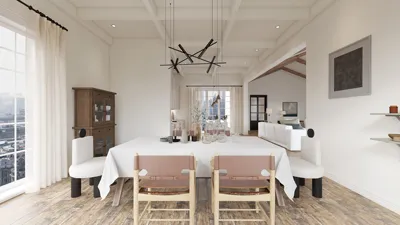


Having designed numerous study environments for both houses and smaller apartments, I can assert that choosing the appropriate wall color significantly impacts focus, atmosphere, and overall productivity. Color influences more than just aesthetics—it cleverly influences cognitive load, visual comfort, and the duration one can maintain concentration. When combined with suitable lighting, materials, and spatial arrangement, selecting the right palette can create a study area that feels customized to your cognitive needs and activities, making programs like Homestyler particularly useful for visualization.
Studies illustrate the substantial effect of color and light on cognitive function and overall well-being. The WELL Building Standard suggests that common workspaces should maintain ambient light levels between 300–500 lux, alongside glare management and tailored task lighting (source: WELL v2). Research by Steelcase on workplace satisfaction underscores the importance of visual comfort and environmental control in enhancing sustained focus and productivity. According to Verywell Mind, hues like blue and green are linked to tranquility and equilibrium—ideal for reading and analytical tasks—while yellows may stimulate creativity when used sparingly.
Understanding How Color Influences Focus, Mood, and Visual Comfort
In designing study rooms, I focus on colors that minimize visual distractions and promote sustained attention. Muted cool colors such as soft blue-gray, gentle sage, and light turquoise are conducive to mental clarity. Blue tones can facilitate prolonged focus, while greens promote balance and can alleviate visual fatigue. It’s important to keep color saturation low to prevent overstimulation. Warm neutrals like greige, ivory, and light taupe offer a serene backdrop, allowing vibrant accents to infuse energy without overwhelming the visual field.
Lighting and color interaction is crucial. Blue and green shades appear vibrant under 4000K–4500K neutral-white lighting, whereas warmer whites (3000K–3500K) enhance taupes and greiges. Ambient lighting should be maintained at 300–500 lux, with task areas ramping up to 500–750 lux for reading fine print. Adhering to IES recommendations regarding uniformity helps avoid contrast fatigue, and incorporating glare control at the desk minimizes harsh brightness levels.
Color Suggestions Based on Study Activities
For analytical tasks like reading, research, and coding, consider utilizing soft blue-gray (high L*, low saturation), misty teal, or pale cool gray. These selections keep the visual space orderly, allowing the eyes to navigate text without excessive stimulation.
For activities such as creative writing and brainstorming, opt for muted sage, soft yellow-cream on an accent wall, or warm off-white with light texture. A gentle warm undertone can trigger divergent thinking while avoiding visual chaos.
For multimedia tasks or prolonged screen usage, choose low-gloss pale gray or balanced greige. It's advisable to reduce wall reflectivity near the monitor to minimize veiling reflections, and bright whites should be avoided behind screens to reduce eye strain from high contrast.
Maintaining Balance Between Saturation, Light Reflectance, and Finishes
Consider the light reflectance value (LRV) while selecting colors. Most study rooms should have major walls within the 60–75 LRV range, balancing light reflection without creating glare. Accent walls can range from 30–45 LRV to anchor the room visually and diminish edge-of-vision distraction. Additionally, pay attention to finishes: opt for matte or eggshell qualities, steering clear of high-gloss paints, which can exacerbate glare and highlight defects, capturing attention during extended tasks.
Contrasting Warm and Cool Palettes: Selecting Appropriately
Cool color palettes (blue/green/neutral cool gray) excel for detail-oriented and task-heavy work. Conversely, warm palettes (greige, cream, muted ochre) create a more inviting atmosphere, enhancing comfort during long study sessions, especially in the evenings when warmer task lighting is often preferred. If you find yourself studying at night, a warm-neutral setting with neutral-white task lighting tends to be the most well-balanced choice.
Light, Shadows, and Ergonomic Setup
Employing color alone won't remedy inadequate lighting or an uncomfortable workspace. Achieving ambient uniformity, integrating dimmable task lighting, and adjusting color temperature according to the time of day—neutral white for daytime clarity and warmer shades for evening comfort—are essential. Ensure monitor height aligns with eye level, set desk depth to avoid visual clutter, and paint the brightest wall outside your immediate line of sight to prevent micro-glare fatigue. Insights from Herman Miller's research consistently connect ergonomic design to reduced strain and enhanced cognitive endurance.
Accent Color, Contrast, and Visual Dynamics
Introduce a tasteful accent palette to redirect attention appropriately. For instance, maintain most surfaces in soft blue-gray, introduce a muted sage bookcase niche, and include a natural wood shelf for warmth. Limit strong contrasts to specific areas such as the task zone or bulletin board while ensuring a consistent visual rhythm: large calm surfaces contrasted with smaller, lively accents. This strategy minimizes attentional distraction triggered by overly busy or high-contrast backgrounds.
Choosing Materials with Sustainability in Mind
When selecting materials, opt for low-VOC paints to safeguard indoor air quality, and take into account mineral or water-based options that have undergone certified emissions testing. Combine walls with matte finishes alongside acoustic panels made of fabric or cork to dampen sound. Sustainable selections not only favor your conscience but also cognitive function by minimizing odors and off-gassing, keeping the environment comfortable for lengthy study sessions.
Color Layout Considerations
Position darker, lower-LRV colors behind shelving or storage to provide visual grounding and reduce distractions; utilize lighter shades in circulation areas to maintain a sense of spaciousness. If you are reconfiguring your study setup—like desk position, shelving, or task areas—a room design visualization tool such as Homestyler can aid in understanding how colors interact with natural and artificial light.
Managing Daylight, Windows, and Glare
North-facing light works well with cooler colors; south-facing rooms generally benefit from slightly warmer neutrals to counterbalance harsh daylight. Light-filtering shades can soften contrast effectively. For desks positioned near windows, painting the wall in a mid-tone neutral can help prevent harsh silhouette glare. Minimizing reflective surfaces within direct sightlines is also advisable.
Quick Palette Formulas
Calm Focus: Soft blue-gray as the main wall color (LRV ~70), muted sage accent niche (LRV ~40), warm white ceiling (LRV ~85), with a matte finish. Aim for around 4000K ambient lighting, with task lighting between 500–700 lux.
Warm Endurance: Light greige on main walls (LRV ~70), pale clay accent wall (LRV ~45), neutral white ceiling, with a 3500K ambient setting and task lighting calibrated to 500–650 lux.
Screen Comfort: Pale neutral gray (LRV ~65) on main walls, avoiding bright whites behind monitors, wood texture accents, with ambient lighting around 4000K and an anti-glare task lamp.
Insights from Real-World Projects
In settings dedicated to competitive exam preparation, shifting from harsh bright whites to gentle blue-grays has significantly reduced reported eye strain, especially under 4000K lighting. In a novelist's studio, creating a warm greige ambiance paired with a muted yellow-cream pinboard wall positively influenced mood and creative flow without causing distracting glare. Students studying late at night experienced improved circadian comfort with warm-neutral palettes, combined with consistent task lighting and blackout options.
Monochrome or One Accent Wall?
In smaller or cluttered spaces, opt for a monochrome approach with subtle undertones (cool gray on major walls, slightly warmer off-white for ceilings and trims). Larger areas can incorporate a single accent wall positioned opposite the desk or behind storage to create depth without diverting focus during work.
Authoritative Resources for Further Guidance
For comprehensive insights into color psychology and health-oriented lighting criteria, refer to the WELL v2 lighting guidance and Verywell Mind’s overview of color psychology. These educational materials reinforce what has been observed in practical applications: effective color and light combinations are foundational for cognitive ease and prolonged focus.
Frequently Asked Questions
Soft blue-gray or muted sage with a matte finish works well. Pair with 4000K ambient lighting set between 300–500 lux and 500–700 lux for task lighting to ensure gentle contrast.
Bright whites should be avoided unless glare is meticulously managed. They tend to increase luminance contrast around screens and printed materials, potentially leading to eye strain. Off-white or pale gray are preferable alternatives.
For an accent wall, warm greige or a very subdued yellow-cream works well. Keep saturation low and frame it with calming neutral colors for balance.
Cool neutrals are best suited for north-facing light; south-facing rooms tend to thrive with warmer tones to balance brightness. Implement light-filtering shades and steer clear of high-gloss finishes.
Matte or eggshell finishes are recommended as they minimize reflections and support uniform luminance across the visual landscape.
For screens, use pale neutral gray or greige on the wall behind the monitor to diminish veiling reflections. Avoid stark whites and glossy finishes in that area.
Accent walls can be effective if carefully planned. A mid-tone, low-saturation accent situated behind shelving or opposite the desk can introduce depth without drawing focus away.
Neutral white should hover around 4000K–4500K to keep blues and greens sharp. For warmer palettes, aim for a range of 3000K–3500K for a more harmonious feel.
For balanced reflectance, major walls should rest around LRV 60–75, while accents can be in the 30–45 range to provide visual grounding. Higher ceilings can be set to 80–85 to foster an open atmosphere.
Color contributes to visual comfort while ergonomic setup prevents physical discomfort. Together, they play a significant role in minimizing cognitive fatigue. Adhering to fundamental ergonomic principles—ensuring screen height is at eye level, providing suitable chair support, and managing glare—is crucial.
Looking to transform your home effortlessly? Homestyler is your go-to online platform! With an intuitive design tool, stunning 3D renderings, and a wealth of design projects and DIY video tutorials at your fingertips, creating your dream space has never been easier. Start designing today!
Design Now for FREE
































