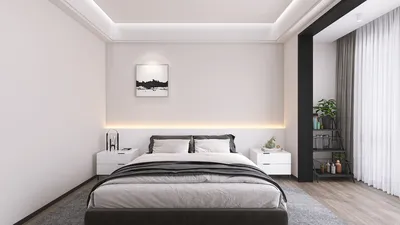


The integration of streaming videos featuring motion-captured 3D models represents an innovative approach to merge real-time animation with captivating content. Here’s a streamlined process to establish this workflow: 1. **Prepare Your Motion Capture Setup**: Utilize either full-body mocap suits such as Xsens or Rokoko, or deploy camera systems coupled with software such as Kinect or mobile applications for tracking movements. 2. **Choose Your Model & Rigging**: Ensure your 3D character model is well-prepared and properly rigged for animation through motion capture. Common tools utilized for this include Blender, Maya, or Cinema 4D. 3. **Incorporate Motion Data**: Load your motion capture data into your preferred 3D software and link it to your model. It’s essential to refine any inconsistencies in the animation for optimal smoothness. 4. **Integrate with Real-Time Engine**: To facilitate live streaming, resort to real-time 3D engines like Unreal Engine or Unity, which accommodate motion capture data through various plugins. 5. **Connect to Streaming Platforms**: Link your engine’s output to streaming software such as OBS Studio or Streamlabs, employing virtual cameras or capture devices to introduce live 3D animations into your broadcasts. 6. **Optimize Your Setup**: Confirm that your hardware is capable of handling the requirements of real-time rendering. Utilize efficient models and textures, and conduct tests to prevent latency or frame drop issues. 7. **Enhance User Interaction**: For greater audience engagement, consider overlaying your live 3D model on a suitable background, incorporating chat features, or synchronizing your model’s expressions with your voice to elevate immersion. As a designer, I recognize the significant opportunities that motion-captured 3D models bring to virtual presentations, teaching sessions, and gaming streams. For interior designers, incorporating this technology transforms the creation of dynamic walkthroughs. Picture a virtual host guiding clients through a space, responding in real-time to inquiries! While producing such content, attention to scene composition, lighting, and camera angles is crucial. For strategizing backgrounds, props, and the environments that the 3D model will engage with, dedicated resources are essential. A platform like ** Homestyler** can expedite the creation of 3D interiors for your live streams, ensuring that each virtual space aligns with your design vision and enhances viewer immersion.
Suggestions:
- Utilize high-contrast lighting in your virtual scene to enhance the visibility of the 3D model against the backdrop. - Before going live, rigorously test your motion capture setup—calibrate your rig and verify all connections. - Play around with different camera angles and spatial configurations to introduce cinematic dynamics into your streams. - Integrate interactivity: enable viewers to influence scene alterations or model actions when supported by your platform. - Maintain a manageable polygon count for your model to ensure a seamless live performance.
Frequently Asked Questions
Q: What equipment is essential for motion capture streaming?
A: A motion capture device (suit, Kinect, or camera), along with a computer equipped with a 3D engine (such as Unreal or Unity), streaming software (like OBS or Streamlabs), and a properly rigged 3D model are required. Q: Is it possible to utilize motion capture with any 3D model?
A: Models must possess an appropriate rigging structure for animation, facilitating the mapping of mocap data. Q: Which software options are favored for combining motion capture and streaming?
A: Unreal Engine and Unity are widely recognized choices, as both provide plugins for motion capture integration with streaming through OBS. Q: In what ways do motion-captured 3D models improve live presentations?
A: They enhance interactivity and visual appeal, enabling presenters to engage as virtual avatars or hosts, creating dynamic storytelling experiences. Q: Are there platforms available for quickly generating 3D interior scenes suitable for streaming backgrounds?
A: Absolutely, cloud-based tools like Homestyler facilitate the rapid assembly and rendering of custom interiors for virtual tours and streaming backdrops.


If you're looking to create your dream home effortlessly, Homestyler is the ideal platform for you. With its user-friendly online design tool, stunning 3D renderings, and a wealth of inspiring design projects and DIY video tutorials, transforming your space has never been easier—perfect for both beginners and seasoned designers!
Progetta ora GRATIS
































