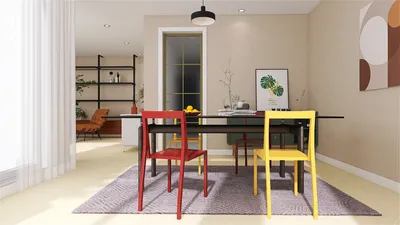


Developing a site plan render featuring buildings is vital for any indoor designer aiming to effectively convey their creative vision. A skillfully crafted render not only highlights the layout but also delivers a tangible perception of scale and space, which is particularly significant for designs in compact areas. By paying attention to diverse components such as building arrangement, landscaping, and functional zones, you can produce a render that embodies your design philosophy with the help of tools like Homestyler.
Grasping Essentials of Site Plan Rendering
To produce a compelling site plan render, it is crucial to comprehend the basic elements at play. This includes site dimensions, building orientations, and the surrounding landscape. Here’s a brief roadmap to get you started:
Select rendering software that aligns with your requirements. Notable options like Homestyler, SketchUp, AutoCAD, and Revit offer detailed and precise depictions of your creative concepts.
Precision in measurements is essential. Be sure to properly delineate the boundaries of your site, accounting for any existing structures if applicable.
Reflect on how each building interacts with its surroundings. Consider aspects such as sunlight exposure, views, and accessibility.
Integrating Landscaping Aspects
Landscaping significantly enhances the visual charm of your site plan. Here are some recommendations for effectively merging landscaping into your renders:
Utilize high-quality plant models that accurately represent the types of vegetation you intend to incorporate into your design.
Illustrate how your landscaping evolves with the seasons. This inclusion fosters depth and authenticity in your render.
Incorporating Enhancements to Your Render
Details are what elevate your site plan render. Keep the following points in mind:
Use realistic textures for buildings and surfaces, such as brick, wood, and glass to enhance visual appeal.
Lighting has a substantial impact on the overall ambiance of your render. Play with various lighting configurations to discover what best highlights your design.
Finalizing and Showcasing Your Work
After completing your render, think about how best to showcase it. A well-structured presentation can significantly amplify the allure of your design:
Make certain your site plan is clearly legible and comprehensible. Employ straightforward labels and a logical sequence.
Be prepared to present your render to clients or colleagues, and remain open to constructive feedback that can enhance your design.
Frequently Asked Questions
Q: Which software is optimal for site plan rendering? A: Well-known choices include Homestyler, SketchUp, AutoCAD, and Revit, each offering distinct advantages for creating site plans.
Q: What strategies can I employ to enhance the realism of my render? A: Focus on textures, lighting, and natural landscaping to achieve a more lifelike representation.
Q: What common pitfalls should I steer clear of while rendering? A: Ensure measurements are accurate, avoid overloading the scene with excessive details, and maintain attention to scale.
Welcome to the Top-Rated Home Design Software
Zaprojektuj teraz za darmo
































