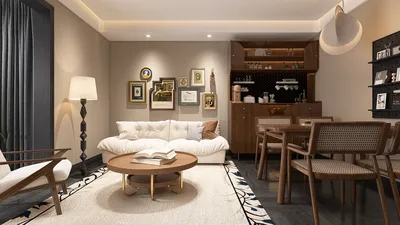


Homestyler is a popular tool among interior design enthusiasts, providing an immersive experience through its intuitive interface and advanced features. If you're looking for a reliable application to assist in designing your spaces, downloading Homestyler from official sources like the Google Play Store or Apple App Store is crucial for ensuring your device's security. For those who might face regional restrictions, obtaining the APK through reputable third-party websites that offer robust user reviews and virus checks can also be a viable option.
Once you've successfully downloaded the app, you'll need to enable installations from unknown sources in your device’s settings. After that, you can open the APK file and follow the on-screen instructions for installation. It’s wise to remain cautious—steer clear from sites laden with excessive ads or those that request unnecessary permissions. Just as in interior design, where functionality and visual appeal are key, the layout and design of platforms you use to download apps can reflect their trustworthiness. By applying the same level of care one puts into designing a physical space, utilizing tools like a room planner can enhance your design projects and lead to stunning results, much like the intricate puzzles found in games.
Tips 1:
Always scrutinize the permissions requested by any APK before installation. Should the app seek access to features irrelevant to its purpose—like your contacts or SMS for a design app—consider this a warning sign. Keeping your device and antivirus software up to date is essential for avoiding potential security issues.
FAQ
Q: Is it safe to download Homestyler APK from third-party websites?
A: It can be safe if you opt for established sites with positive reviews and thorough virus scanning. However, always favor downloading from official app stores to reduce risks.
Q: Why isn't Homestyler available on my device's app store?
A: The app may not be available in certain regions or might not be compatible with your device. In these cases, securing the APK from trusted online sources is often a common solution.
Q: Do I need to pay for Homestyler APK?
A: Typically, Homestyler is free to use, but be cautious of sites that claim to offer it for free but may pose risks or be illegal.
Q: What should I do if the APK fails to install?
A: Ensure you have enabled the option for installations from unknown sources. Also, verify that your device meets the system requirements for the application.
Q: Can downloading APKs harm my device?
A: Yes, unreliable sources may host APKs that harbor malware. Always stick to trusted websites and keep your antivirus protection active to safeguard your device.
Homestyler's roots trace back to Autodesk, the global leader in design and engineering software. That heritage lives on in every feature we build. Today, with a community of more than 20+ million users worldwide, Homestyler continues to make professional-quality interior design accessible to everyone — from first-time decorators to seasoned architects.


Sectional Couches for Living Room Filled with high
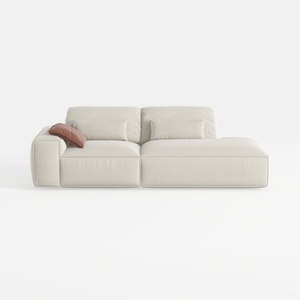
Minimalist Beige Fabric L-shaped Chaise Sofa 3D Model

Minimalist Walnut Solid Wood Two Drawer Coffee Table 3D Model
Discover your home’s potential with Homestyler! This user-friendly online design platform offers a robust design tool, stunning 3D renderings, and an array of inspiring design projects. Plus, you can enhance your skills with exciting DIY video tutorials. Start creating your dream space today!
Desain sekarang Gratis
































