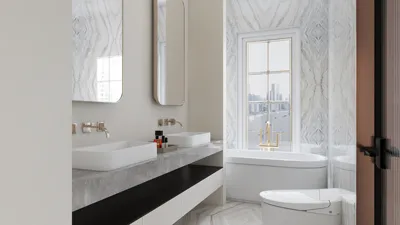


Are you prepared to revamp your home with a fresh aesthetic? A room paint simulator offers a fantastic way to visualize your design concepts before any alterations are made. Whether you're eager to try bold shades, muted tones, or intriguing textures, these virtual tools serve as a creative playground. Thanks to modern technology, you can explore various paint selections and witness their transformative power on your space. Let’s embark on an exciting journey into the realm of room paint simulators, including the innovative features of Homestyler!
Advantages of Utilizing a Room Paint Simulator
Employing a room paint simulator brings a wealth of benefits for both homeowners and interior designers. First, it grants you the freedom to play with diverse color schemes without the necessity of buying paint. You can observe how different tones interact with your furniture and décor. Additionally, it streamlines the decision-making process, alleviating stress and uncertainty. Instead of doubting your selections, you get to see an accurate depiction of your ideas in real-time. Lastly, many simulators, including Homestyler, allow you to plan your room layout, enabling you to make educated decisions regarding both color and space.
Notable Room Paint Simulators to Explore
Today, several impressive room paint simulators are at your disposal. One remarkable option is the Homestyler Room Planner, which empowers you to design your space and experiment with various colors effortlessly. Another fantastic resource is the Sherwin-Williams ColorSnap, featuring a vast array of paint colors that you can visualize in multiple environments. Lastly, Behr’s user-friendly paint simulator allows users to see their rooms adorned with various paint finishes. Each of these tools is designed to enhance creativity and inspire your upcoming home improvements.
Strategies for Effectively Using a Room Paint Simulator
To maximize your experience with a room paint simulator, begin by uploading an image of your space or choosing from available templates. Next, select a color palette that resonates with your aesthetic. Feel free to combine contrasting shades until you discover the ideal match! Utilize the simulator's features, like virtual furniture arrangement, to evaluate how your new paint choice complements your existing decor. Finally, save your creations and seek input from friends or family for additional insights!
Frequently Asked Questions
What exactly is a room paint simulator? A room paint simulator is a digital tool that facilitates the visualization of different paint colors and designs in your space before making any purchases. Is it possible to use a room paint simulator on my smartphone? Absolutely! Many room paint simulators offer mobile-optimized versions or applications to enable designing on the go.
Welcome to Homestyler
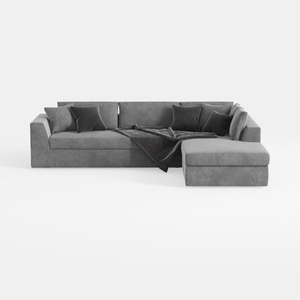


Homestyler is an outstanding online home design platform perfect for everyone, from beginners to seasoned decorators. With its easy-to-use design tool, stunning 3D renderings, a variety of design projects, and helpful video tutorials, you can effortlessly bring your dream spaces to life!
Design Now for FREE
































