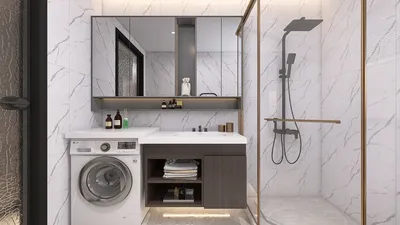


Printing a PDF in landscape orientation can be an easy task, but it’s important to verify that the layout aligns with your goals—especially when dealing with presentations, charts, or broader tables. Below is a comprehensive guide tailored for different operating systems:
In advanced design projects, ensuring your PDF is properly formatted with generous margins and visual balance is essential for a professional appearance on landscape paper. As a designer, I frequently utilize tools that allow me to preview layouts in various orientations prior to printing. This process not only prevents unexpected outcomes but also conserves resources. Software that incorporates 3D floor planning features or effective print previews can be extremely beneficial for both professionals and DIY enthusiasts aiming to realize their project ideas in both digital and physical forms, such as those offered by Homestyler.
Tips 1:
If your PDF isn’t showing up correctly in landscape, take a moment to verify the “Page Setup” or “Properties” dialog in your print window. Some PDFs come with embedded orientations, necessitating adjustments in the PDF editor prior to printing.
FAQ
Q: Is it possible to print specific pages in landscape from a PDF?
A: Absolutely. Within the print window, you can select the desired page numbers and set the orientation to “Landscape.” You may print other pages in portrait separately if required.
Q: Why does my PDF print sideways, even after selecting landscape?
A: This could occur if the document layout is locked or if the pages are rotated. Open the PDF in an editor, use the “Rotate” function to make adjustments, and save it before printing.
Q: Are all printers capable of landscape printing for PDFs?
A: Most modern printers indeed support this feature. However, if you experience difficulties, ensure that your printer driver and model are compatible.
Q: How can I permanently set my PDF to landscape orientation?
A: Launch the PDF in an editing program, adjust the pages as necessary, and save the file. The saved document will retain the landscape orientation for future printing.
Q: What should I do if the “Landscape” option is grayed out or unavailable in my print dialog?
A: Consider updating your printer drivers or switching to a different PDF reader, as specific software limitations can sometimes hinder orientation adjustments.



Homestyler is the ultimate online home design platform, perfect for anyone looking to create their dream space. With its user-friendly design tool, stunning 3D rendering, extensive design projects, and helpful DIY video tutorials, transforming your ideas into reality has never been easier!
Diseño ahora GRATIS
































