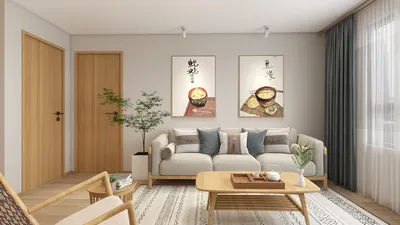


Personalizing your Google Home layout is crucial for optimizing its functionality while crafting a space that mirrors your unique style. In this guide, we will delve into effective strategies to ensure that your Google Home operates at its maximum potential.
Overview of Google Home Layout Customization
The initial stage in personalizing your Google Home layout is grasping the fundamentals of its user interface. It comprises various modules and areas tailored for distinct functions such as smart device management, media playback, and more. By familiarizing yourself with these elements, you can make informed decisions that best suit your requirements.
Selecting Appropriate Widgets
Widgets play a crucial role in personalizing the Google Home interface. Based on your daily routines, you can add or remove widgets that operate smart lighting, play your favorite tunes, or show your schedule. It’s important to ensure that the essential widgets are easily accessible, allowing for quick interaction with the features you utilize most.
Efficiently Organizing Smart Devices
For an effortless control experience, effective organization of your smart devices is key. You can create specific groups of devices based on their location or function. For instance, having all your living room gadgets grouped together simplifies management, enabling you to control them with a single voice command. This structured approach not only boosts convenience but also heightens the efficiency of your overall setup.
Customizing Visual Aspects
Google Home provides options to modify certain visual aspects and backgrounds. Tailoring these to complement your home decor is a satisfying way to enhance your design. You have the freedom to select from numerous color schemes and layouts, ensuring that your Google Home integrates seamlessly into your living environment. An aesthetically pleasing interface can greatly enrich your user experience and harmonize with your home's style.
Evaluating Your Layout
Once you’ve customized your layout, take some time to evaluate its effectiveness. Confirm that frequently used functions are easily accessible and that your layout operates intuitively in your daily routine. Regular review of your layout is essential to adapt to evolving usage patterns or to integrate new devices without disruption.
Common Questions
Q: Is it possible to modify the Google Home layout using voice commands? A: While the majority of customization happens within the app, voice commands can be utilized to control and manage your devices.
Q: What should I do if I later add new smart devices? A: You are always encouraged to revisit and rearrange your layout to accommodate new devices. Keeping your setup updated is vital for maintaining a streamlined experience.
Discover the ease of home design with Homestyler! This user-friendly online platform offers a powerful design tool, stunning 3D renderings, and a wealth of design projects and video tutorials. Transform your vision into reality and create your dream space effortlessly!
Zaprojektuj teraz za darmo
































