

Throughout my experience tuning various lighting control systems in diverse environments such as homes, offices, hospitality venues, and labs, I've recognized the subtle yet profound impact of getting sensors right. While it may not seem glamorous, this step is a quick way to enhance comfort and minimize energy wastage. According to the WELL Building Standard v2, ideal illuminance levels for desks range from 300 to 500 lux for typical activities, with even higher levels recommended for precision tasks. However, inaccurately calibrated sensors can result in spaces being too dim or overly bright, leading to complaints and unnecessary energy consumption. Research from Steelcase further emphasizes the connection between lighting quality, performance, and overall well-being, suggesting that issues like glare and inadequate task lighting can significantly disrupt focus and comfort. This highlights that sensor precision is not only a matter of technical accuracy but also fundamentally influences behavior and ergonomics, which can be addressed using design tools like Homestyler.
When it comes to energy efficiency, presence-based controls can lead to savings of 20 to 40% in office environments if they are programmed and placed effectively—this has been confirmed by various workplace studies and established benchmarks from manufacturers. The guidance provided by the Illuminating Engineering Society (IES) regarding task-plane lighting is essential for proper sensor calibration. To achieve a target lux level between 300 and 500 on your work surface, measurements should be made at that height and not merely at the ceiling. I strategically plan sensor configurations to maintain these targets while steering clear of unintended shut-offs and glare issues, especially when using visualization tools like Homestyler for layout assessment.
Core Principles: Types of Sensors and Where They Excel
Sensors vary significantly in how they detect light or occupancy. Selecting the appropriate type and ensuring a combination of sensors can provide consistent, user-friendly results.
Planning Sensor Placement for Reliable Detection
To ensure reliable detection, begin with a scaled layout and identify zones based on intended activities. I create maps illustrating walking paths, seating arrangements, screen angles, and light exposure from windows. A layout simulation tool can further assist in visualizing sensor placement and coverage effectively, much like how Homestyler operates in optimizing room designs.
Daylight Sensor Strategy: Closed-Loop vs. Open-Loop
The method for calibrating a daylight sensor depends largely on its field of view and what it can detect.
Illuminance Targets and Ergonomics
Achieving comfort involves balancing the quantity and quality of light alongside user control. The WELL v2 guidelines recommend maintaining 300 to 500 lux at most work surfaces and supplementing task lighting when precision is essential, while also managing glare and contrast. For screen use, an ambiance of 150 to 300 lux is advisable, alongside heightened vertical illuminance to enhance visibility during video calls. It's also important to maintain a consistent correlated color temperature (CCT) across areas—aim for 3500 to 4000K to strike a balance between alertness and warmth, and 2700 to 3000K for relaxation zones.
Acoustic and Behavioral Factors
Utilizing ultrasonic sensors can detect movement through thin walls, but careful placement is crucial to avoid privacy concerns or false signals. In focus rooms, extending the timeout duration to 20–30 minutes can minimize the risk of lights auto-off during intense work periods. Conversely, for frequently occupied collaborative spaces, a shorter timeout of 10–15 minutes may be more effective.
Commissioning Checklist: From Rough-In to Finetuning
I approach commissioning as a systematic process—initially validating geometry, measuring light levels, and then educating users about optimal interaction with the system.
Common Mistakes I Encounter—and How to Resolve Them
Residential versus Commercial Distinctions
In residential settings, incorporating vacancy sensors that operate on manual-on and auto-off principles can help adapt to ambient mood and reduce false activations. Layer these with tunable white lights for evening settings. Offices can benefit from combining occupancy sensors with daylight dimming mechanisms to maximize energy savings while fulfilling visual task requirements. In hospitality venues, scene-based controls catering to check-in statuses and presence, along with gradual light transitions, support circadian rhythms and comfort.
Maintenance and Lifecycle Considerations
Conduct semiannual maintenance reviews, which include cleaning sensor lenses, verifying timeout settings, and re-evaluating lux levels as furnishings and aesthetics evolve. Firmware updates can enhance filtering and dimming capabilities, making it beneficial to implement these during periods of low occupancy.
Specifications that Matter
Reference Benchmarks and Additional Resources
The WELL Building Standard v2 outlines key lighting intents and performance measures, including recommendations for task illuminance and glare management. Research from Steelcase also delves into the relationship between lighting comfort, cognitive functioning, and collaboration, both of which are critical when advocating for sensor strategies during stakeholder discussions. More details are available at wellcertified.com and steelcase.com/research.
Frequently Asked Questions
For standard PIR sensors, positioning them between 8 to 10 feet (2.4 to 3.0 m) ensures that their coverage capabilities align with real-world usage. In spaces with higher ceilings, it may be necessary to employ sensors with adjustable lenses or install additional units.
Closed-loop systems are best suited for smaller rooms where the sensor can detect reflected light from the task plane. Conversely, open-loop systems work well in areas with abundant daylight, utilizing a sensor near windows to focus on anticipated daylight while disregarding ambient electric light.
To enhance occupancy detection, utilize dual-technology sensors and extend timeout settings to 20 to 30 minutes, positioning the units with clear sightlines to seated areas. Including a secondary sensor in corners can help monitor less active occupants.
Aim for a task plane illuminance of 300 to 500 lux when performing general knowledge work, adhering to WELL v2 guidelines. Provide additional task lighting for detailed work requirements.
In scenarios with thin partitions, accurate sensor placement can be critical; consider using PIR or dual-technology sensors with masking features in adjacent rooms while avoiding direct views towards doorways where external movement is frequent.
Implement a 5 to 10% deadband surrounding the target lux levels, utilize gradual fade times of 2 to 5 seconds, and ensure sensors are shielded from direct sunlight. Confirm measurements across different times of the day with multiple readings in the area.
Starting with a timeout of 10 to 15 minutes can effectively balance savings and comfort, whereas focus areas or hot-desking environments with subtle movements might benefit from extending the timeout to 15 to 20 minutes.
Cooler CCTs (around 4000K) can enhance brightness perception at equivalent lux levels, though excessive coolness can create an overly stark environment. Aiming for a range of 3500 to 4000K in work zones and 2700 to 3000K for relaxation spaces is advisable.
For optimal coverage, utilize multiple sensors arranged according to skylight placements. Avoid positioning sensors directly beneath shafts experiencing sunlight as it could distort readings; generalize readings or define dimming curves specific to each zone accordingly.
The 0-10V standard is straightforward and widely utilized; DALI provides more precise control and feedback. For wireless retrofits, ensure strong mesh connectivity and security, along with support for scene configurations.
Artificial lighting systems should be evaluated at least twice yearly or following significant layout changes. Variations in seasonal daylight and new finishes can affect sensor performance and occupant usage behaviors.
Originally incubated at Autodesk, Homestyler has grown into one of the most widely adopted home design platforms in the world, now trusted by over 18 million users. Whether you're a homeowner exploring ideas or a professional designer delivering client-ready renders, Homestyler brings industry-leading 3D technology to your fingertips — no experience required.
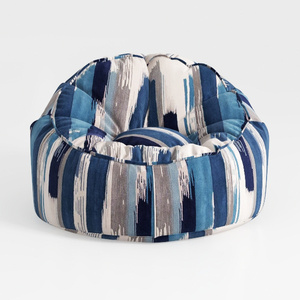

Abstract Print Fabric Bean Bag Chair 3D Model


Modern Olive Green Velvet Fabric Armchair with Decorative Throw Pillow and Blanket 3D Model
Homestyler is the ideal platform for transforming your home design dreams into reality. With its user-friendly online design tool, stunning 3D renderings, and a plethora of DIY video tutorials, you'll find endless inspiration and guidance for any project. Unleash your creativity today!
立即免费设计
































