

Designing conference rooms to optimize communication is key: participants should easily enter, present, and ensure that everyone, whether in-person or remote, comprehends the discussion clearly. This relies on three critical factors: microphone strategy, speaker arrangement, and sound management. In medium-sized rooms accommodating 10 to 14 people, I prefer using ceiling array microphones featuring beamforming technology, alongside distributed ceiling speakers and a calibrated digital signal processor (DSP). For smaller huddle spaces, a quality table microphone combined with two wall-mounted speakers often strikes the right balance between cost and functionality, integrating well with platforms like Homestyler for visual layout planning.
The importance of sound quality cannot be overstated. Research from Steelcase indicates that inadequate audio can hinder participation and trust, with 70% of hybrid workers reporting weekly audio challenges. The WELL v2 (Sound concept) addresses the need for speech privacy and clarity, recommending a Speech Transmission Index (STI) of 0.6 or better as a standard for effective communication in meetings. I adjust the gain structure to target an average sound level of 65-70 dB SPL at seating areas, ensuring dialogue peaks around 75-78 dB SPL to maintain clarity while minimizing listener fatigue. For room configuration, I typically begin with a dedicated microphone beam for each seating cluster and ensure that speaker-to-listener distances are symmetrical to keep level variances to a minimum.
Beyond equipment, factors like lighting, ergonomics, and participant behavior are equally vital. Glare can lead to strain and affect vocal performance, which may introduce noise into open mics. Implementing the WELL v2 guidelines for lighting and acoustics helps mitigate glare while enhancing sound clarity; I adjust color temperature to between 3500 and 4000K and make sure the Color Rendering Index (CRI) is at least 90 at the table to accurately represent skin tones on video, while avoiding harsh shadows that could disrupt lip-reading. From an operational viewpoint, I ensure mute controls are within easy reach of primary seats and keep cable pathways clear of leg areas to reduce accidental noise.
Foundational Elements: Microphone Patterns, Coverage, and Gain Structure
Choosing the right microphone is crucial and should consider the arrangement of seats and the room's reverb time (RT60). For spaces with an RT60 around 0.4 to 0.6 seconds (treated), utilizing ceiling array microphones with steerable beams allows me to create targeted sound lobes for each seating area. In untreated environments with an RT60 exceeding 0.7 seconds, I prioritize adding sound-absorbing materials before relying on advanced beamforming techniques. The approach to gain staging is straightforward: set preamp gain to capture natural speech at approximately -20 dBFS, apply a compressor with a ratio of 2:1 to 3:1, and set the threshold around -18 to -14 dBFS while ensuring a fast attack and a release of 80 to 120 milliseconds to maintain transients without distortion. I establish a standard DSP preset for each room size to help streamline the process.
Speaker Arrangement: Achieving Uniform Coverage Without Echo
Maintaining speech intelligibility relies on consistent sound coverage. In rooms measuring between 6 to 9 meters in length, positioned ceiling speakers placed at intervals of 2.4 to 3 meters provide even sound pressure levels (SPL) distribution; meanwhile, wall-mounted nearfield speakers are effective in smaller rooms but may localize sound to a single wall. I strive for a direct-to-reverberant ratio that ensures dialogue is crisp: listeners should experience uniform clarity at all seating positions without any localized hotspots exceeding +3 dB. I also employ time alignment when integrating front-of-room speakers with ceiling-mounted options so that remote audio feels anchored to the display, which helps avoid perceptual dislocation.
Acoustic Solutions: Controlling RT60 and Flutter Echo
Even the highest quality microphones fall short in echo-heavy environments. I aim for an RT60 of about 0.4 to 0.5 seconds in small to medium-sized rooms. Practical adjustments include installing 25 to 35% of wall surface with broadband sound absorption (with an NRC of 0.8 or higher), placing a rug beneath tables, and utilizing acoustic ceiling tiles that balance ceiling attenuation coefficient (CAC) and NRC. To eliminate flutter echo, I incorporate shallow diffusers or shelving to disrupt parallel surfaces. It's essential to keep HVAC noise levels under NC-30 to prevent sound masking; this aligns with WELL v2 Sound criteria.
Arranging Layout: Seating, Sightlines, and Cable Management
The layout has a significant impact on audio. Position primary seating within the defined microphone lobes; the edges of tables should be maintained at a distance of 600–800 mm from walls to prevent vigorous first reflections. When testing various table arrangements, employing a room layout tool, such as those available in Homestyler, helps visualize seating clusters, camera sightlines, and mic coverage before installation. Displays should always be centered to provide a psychoacoustic anchor for remote audio. For adaptable spaces, I suggest adding floor boxes at the ends of tables and beneath the head seat to facilitate organized power and signal routing.
Configurations for Small, Medium, and Large Rooms
• Small (suitable for up to 6 participants): One high-quality table microphone equipped with built-in AEC, along with two wall or ceiling speakers directed toward the participants, supported by a simple DSP configuration. Aim for an RT60 of around 0.4 to 0.5 seconds. Set output levels at 65 to 70 dB SPL at seating locations.
• Medium (accommodating 8 to 14 participants): Ceiling array microphone with 4 to 6 lobes, ceiling-mounted speakers, specialized DSP including active echo cancellation and automatic mixing features. A mild compression strategy and per-lobe equalization (removing 120 to 250 Hz muddiness) can be beneficial.
• Large (for 15 or more participants): Implement multiple ceiling arrays or a blend of boundary and table microphones, zoned loudspeakers, and a matrix DSP. Incorporate assisted listening outputs to ensure accessibility and increase the microphone count utilizing automatic gating methods.
Maintaining Signal Flow and DSP Purity
The ideal signal chain follows this sequence: microphone → preamp → AEC → auto-mixing → EQ → dynamics → matrix → amplifiers → speakers. Each stage should be kept unobtrusive; heavy processing can lead to audio artifacts. AEC is crucial in environments hosting remote participants; it is advisable to adjust convergence times and double-talk thresholds with actual meeting scenarios rather than only testing with pink noise. High-pass filtering of microphones around 80 to 100 Hz effectively removes HVAC noise and table vibrations. For loudspeakers, targeted notch filters on room modes (such as 120 to 160 Hz) should be applied to minimize audio distortion without broad frequency cuts.
Human Interaction: Controls, Indicators, and Behavioral Considerations
Participants require accessible and intuitive controls. Positioning mute and volume controls where users would naturally reach—near the primary display or at the ends of tables—is essential. Utilizing LED indicators on microphones can help diminish accidental side conversations. Avoid complicated touch panels that obscure essential functions; a straightforward mute button is often more effective than complex systems. Conduct user testing to understand behaviors: some individuals might lean back and speak softly, while others may fidget with papers near microphones. Employing an auto-mix strategy with a fast attack and slow release will ensure soft voices are captured while reducing incidental noise.
Lighting and Color: Enhancing Focus and Video Quality
I synchronize audio with lighting, recognizing that glare and stark contrast can heavily influence auditory perception. A neutral-white color temperature between 3500 and 4000K helps maintain participant alertness without the harshness often found in 5000K setups. Ensuring faces receive vertical illumination around 150 to 250 lux will improve camera capture quality; however, overhead lighting that creates bright spots can cast severe shadows detrimental to lip and facial cue recognition. Color psychology indicates that rich reds can elevate arousal levels; hence, for meeting spaces, I generally favor calming palettes of blue and green to alleviate vocal tension while promoting engagement.
Evaluating, Commissioning, and Ongoing Maintenance
Commissioning should be executed through a detailed checklist. Verify the STI using measurement tools, assess room modes, and conduct real-speech evaluations with diverse participants. Use pink noise for level calibration to ensure auditory consistency. It's also important to document DSP settings and cable layouts, tagging each connection point for ease of reference. Scheduled maintenance should encompass microphone cleaning, firmware upgrades, and quarterly checks of AEC and auto-mix functionalities, especially following any changes to room furniture or installations of glass walls.
Future-Proofing Against Hybrid Operations and Flexible Spaces
As hybrid working evolves, I design systems with modular adaptability in mind: adding microphone lobes, zoned speaker configurations, and scalable DSP. For rooms that can be divided, a well-organized matrix allows for rapid adjustments to split and combine setups with aligned mute functionalities and shared AEC. It’s essential to keep USB and network interfaces within easy reach for potential platform changes. As organizations increasingly shift toward remote collaboration, establishing baseline acoustic standards (RT60 and NC ratings) alongside intelligibility benchmarks ensures that our conference rooms remain versatile and effective.
Frequently Asked Questions
Q1: What sound pressure level (SPL) should I be aiming for to ensure clear speech at the seating area?
A1: Strive for an average SPL of 65 to 70 dB, with dialogue peaks reaching 75 to 78 dB. This will facilitate intelligibility without causing listener fatigue and allow for adequate headroom for dynamic audio content.
Q2: How many microphone lobes are necessary for a medium-sized conference room?
A2: Plan for one microphone lobe per seating cluster or every 2 to 3 chairs. In spaces designed for 10 to 12 participants, a setup of 4 to 6 lobes typically ensures thorough coverage while minimizing cross-pickup.
Q3: What is the ideal RT60 for effective conferencing?
A3: Aim for an RT60 of 0.4 to 0.5 seconds in small to medium-sized rooms. If the RT60 exceeds 0.7 seconds, consider incorporating additional broadband absorption and soft materials to diminish reflections before leaning on DSP solutions.
Q4: Is acoustic echo cancellation (AEC) necessary if beamforming microphones are in use?
A4: Absolutely. While beamforming microphones enhance direct sound pickup, AEC is vital whenever there is remote audio being received in the room to eliminate echo and prevent comb-filtering effects.
Q5: How can I minimize paper rustling and keyboard noise being picked up by microphones?
A5: Implement an auto-mix system with a swift attack and moderate hold. Set high-pass filters at 80 to 100 Hz to filter out unwanted HVAC noise and table vibrations, and position table microphones away from common hand-rest areas. Educate users to keep noisy items away from the microphone.
Q6: Which speaker setup is more effective: front-of-room or distributed ceiling speakers?
A6: Front-of-room speakers may work well in smaller environments. However, for medium to larger spaces, distributed ceiling speakers provide more uniform sound coverage. Implementing time alignment ensures that voices from remote participants feel anchored to the display.
Q7: How do lighting selections impact audio perception?
A7: Glare and sharp shadows increase cognitive challenges and vocal strain. Utilizing neutral-white lighting between 3500 and 4000K, combined with adequate vertical face illumination, fosters clearer communication and enhances video performance.
Q8: What standards should I follow to ensure speech intelligibility and comfort?
A8: The WELL v2 Sound concept offers benchmarks for speech clarity and comfort; aim for an STI of 0.6 or better in conferencing settings. Align HVAC performance with NC ratings of 30 or lower to prevent speech masking.
Q9: Is one high-quality table microphone sufficient for a compact huddle room?
A9: In most instances, yes. Pair it with two speakers aimed directly at the seating area and a straightforward DSP configuration with AEC. Position seating near the microphone and incorporate minimal sound absorption materials to stabilize RT60.
Q10: How should I prepare for flexible, divisible meeting spaces?
A10: Utilize zoned speakers, scalable DSP, and a matrix routing system that supports flexible split-combine configurations. Establish clear mute groups and independent AEC instances for each zone to enhance adaptability.
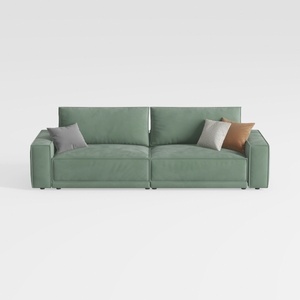
Minimalist Sage Green Fabric Sofa with Decorative Throw Pillows 3D Model


Modern Black Marble Top Metal Base Nesting Coffee Table 3D Model
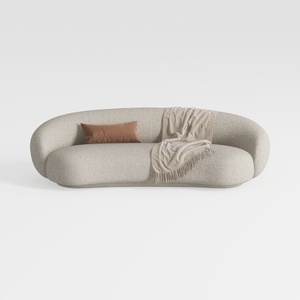
Minimalist Boucle Fabric Curved Sofa With Throw Pillow And Blanket 3D Model
Discover your creativity with Homestyler, the ultimate online home design platform. Effortlessly utilize its user-friendly design tool, explore stunning 3D renderings, and access inspiring DIY video tutorials. Whether you're a novice or a pro, Homestyler makes turning your design vision into reality simpler and more enjoyable!
Design Now for FREE
































