


Uploading your 3D models to platforms like TurboSquid can significantly enhance your visibility and sales potential. Whether you are a seasoned 3D creator or new to the field, this article offers valuable insights to help you navigate the uploading process effortlessly.
Initially, it is essential to ensure that your 3D model adheres to TurboSquid's specific guidelines. This includes using the correct file formats, implementing proper naming standards, and following their content regulations. Properly preparing your assets is vital to avoid any delays or rejection during the upload.
Next, if you haven't already, create an account on TurboSquid. After registration, you can access the uploader tool from your user dashboard. It is designed for ease of use, making it straightforward to navigate. Simply select 'Upload your model' and follow the on-screen instructions.
Preparing Your Model for Upload
Before you click the upload button, verify that your model is optimized for optimal performance. This may include minimizing the polygon count, applying appropriate UV mapping, and ensuring that all textures are included. TurboSquid accepts various file formats, so select one that is compatible, such as OBJ, FBX, or 3ds Max.
In addition, it’s beneficial to craft a comprehensive description and incorporate relevant tags. This step will help potential buyers discover your model more easily. Always utilize significant keywords that align with search queries.
Finalizing Your Upload
Once your model, textures, and additional information are in place, proceed to upload. Keep an eye on the progress indicator to ensure everything uploads correctly. Afterward, review how your model appears on the site to confirm it meets your expectations. If all is well, set your pricing and publish your model.
Keep in mind that the more models you upload, the greater your sales potential becomes. Engage with buyers and respond promptly to inquiries to foster your reputation. Consistent interaction helps build trust and may bring about repeat customers.
FAQ
A: You can upload models in formats like OBJ, FBX, and 3ds Max. It’s always wise to review their latest requirements for supported formats.
A: The pricing can fluctuate based on complexity and market demand. Conduct research on similar models within the platform to determine a competitive price point.
A: Yes, TurboSquid permits you to update your models even after uploading. Just make sure the quality remains high, and keep your content current.
Tips 1:
1. Stay updated with the latest trends in 3D modeling to maintain a competitive edge in the market. 2. Take the time to invest in high-quality images for your models, as visuals greatly influence buyer interest. 3. Connect with fellow artists and participate in forums to gain insights and improve your skills. Consider using tools like Homestyler for enhanced design capabilities.
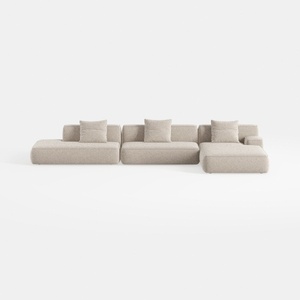
TIMERAGE 104'' Power Recliner Corner Sofa with
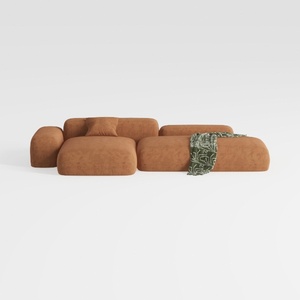
Oversized L-Shaped Sectional Sofa with Ottoman

Rustic White Shoe Cabinet Storage with 2 Flip
Homestyler is your go-to online home design platform! With its easy-to-use design tool, stunning 3D renderings, inspiring design projects, and helpful video tutorials, transforming your living space has never been easier. Start your creative journey today!
Zaprojektuj teraz za darmo
































